Some links on this page are affiliate links. If you buy through them I may earn a commission, at no extra cost to you. It never changes a rating. Read the disclosure
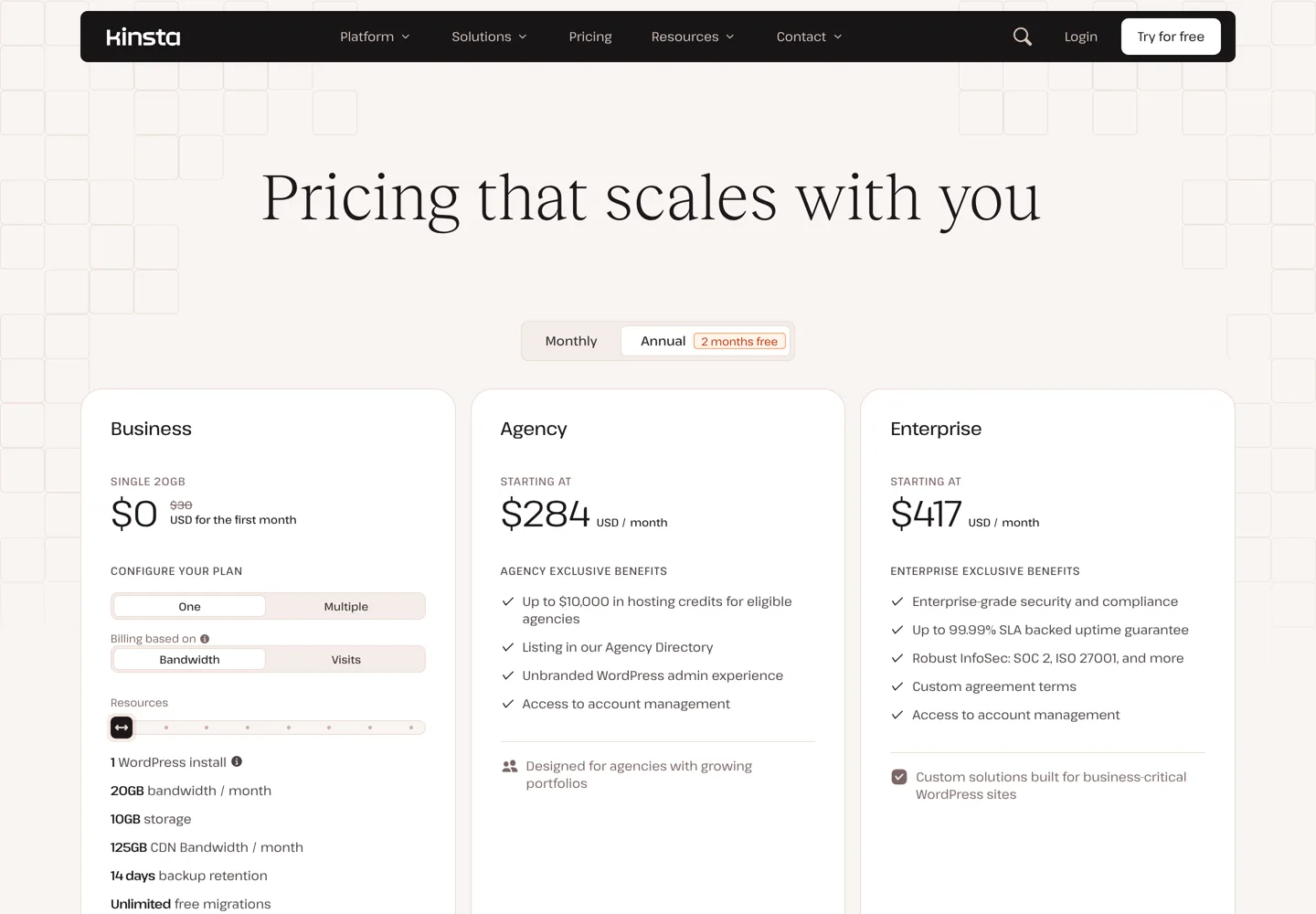
- Kinsta's single-site plan is $35 a month, or $30 billed yearly, with 14-day backups.
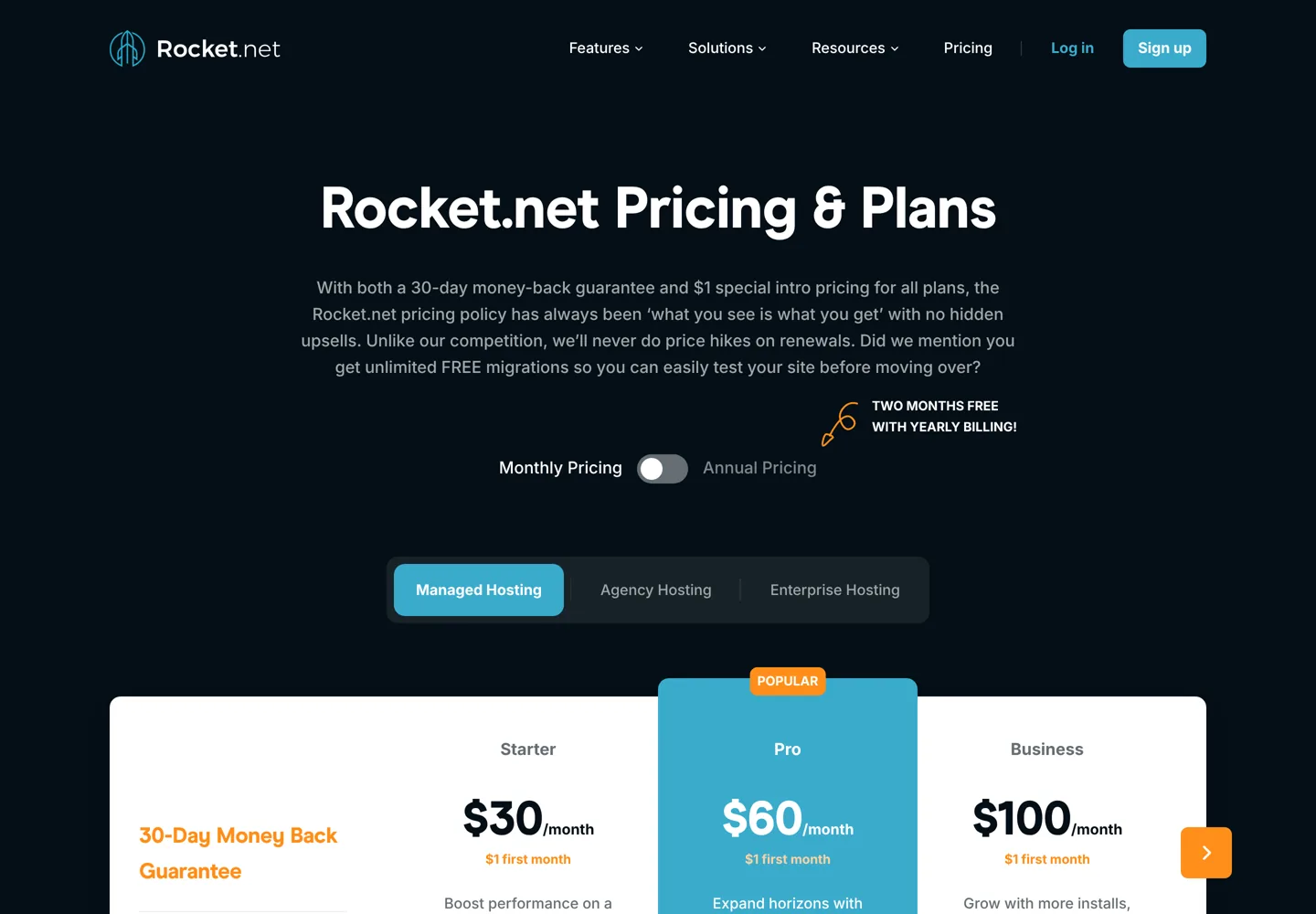
- Rocket.net costs $1 for the first month, keeps backups 30 days and doesn't raise prices at renewal.
- WP Engine's $28 is first-year pricing for new customers on Essential plans.
- Liquid Web's managed WordPress starts at $9 a month for one site and 50,000 visitors.
- Compare backups, staging, migrations and the second-year price, not only the offer.
The best managed WordPress hosting takes the technical work off your plate: the host updates WordPress, runs daily backups, caches your pages, watches for malware and gives you WordPress experts when something breaks. This list covers managed WordPress hosting only, from about $9 a month for one small site to premium platforms for busy business sites, with every price, backup policy and limit taken from each host’s own pricing page.
For a ranking across every budget, including ordinary shared hosting, see the best WordPress hosting. Here the question is narrower: if you want someone else to look after your WordPress site, who does it best for your budget?
Best managed WordPress hosting compared
| Host | From (monthly) | Entry plan | Backups kept | Best for |
|---|---|---|---|---|
| Kinsta | $35 ($30 yearly) | 1 site, 10 GB, 20 GB bandwidth | 14 days | Best overall |
| Rocket.net | $30 ($1 first month) | 1 site, 10 GB, 50 GB bandwidth | 30 days | Speed, no renewal increases |
| WP Engine | $28 (first year) | Essential plans | See plan details | Agencies and developer tools |
| Liquid Web | $9 | 1 site, 50,000 visitors, 15 GB | 7, 14 or 30 days by plan | Low-cost managed plans |
| DreamPress | $19.99 ($14.99 first year, yearly) | 1 site, 15 GB, 40,000 visits | 14 days | Monthly billing |
| Cloudways | $14 | 1 GB cloud server, unlimited sites | Scheduled, on the server | Several sites on one server |
US prices from each host’s pricing page, checked 11 October 2026. Where a page opens on yearly billing, both prices are shown.

What “managed” should include
Every host on this list handles the basics for you. When you compare plans, check these five things, because they’re where managed hosts differ most:
- Backups: how often they run and how long they’re kept (7 to 30 days on this list).
- Staging: a copy of your site for testing updates and design changes before they go live.
- Updates: automatic WordPress updates, ideally with a check that the site still looks right afterwards.
- Security: a firewall, malware scanning and malware removal if something gets through.
- Migrations and support: free moves from your old host and support staff who know WordPress.
What you pay for also differs: some hosts price by number of sites and visitors, others by bandwidth or server size. Check the limit that matters for your site before you compare prices.
1. Kinsta: best managed WordPress hosting overall
Kinsta runs each site in its own isolated environment and includes a CDN, malware removal, a firewall with DDoS protection, staging, 14-day backups, unlimited free migrations and 24/7 support from WordPress engineers. The single-site plan is $35 a month, or $30 a month billed yearly, with 10 GB of storage and 20 GB of bandwidth; its pricing page opens on annual billing with the first month free. A 30-day money-back guarantee applies after any free period. Read the Kinsta review for the full picture.
2. Rocket.net: best for speed and stable pricing
Rocket.net puts every site behind an enterprise CDN and firewall and promises no renewal price increases. Every plan costs $1 for the first month, with a 30-day money-back guarantee and unlimited free migrations:
- Starter: $30 a month, 1 WordPress install, 10 GB storage, 50 GB bandwidth.
- Pro: $60, 3 installs, 20 GB, 100 GB bandwidth.
- Business: $100, 10 installs, 40 GB, 300 GB bandwidth.
- Expert: $200, 25 installs, 50 GB, 500 GB bandwidth.
All plans have unmetered visitors, automated daily backups kept for 30 days, malware protection and a 99.99% uptime guarantee; yearly billing gives two months free. Because the price doesn’t rise at renewal, the cost you see is the cost you budget for.
3. WP Engine: best for agencies and developers
WP Engine is one of the longest-established managed WordPress hosts. Its managed hosting plans start at $28 a month, and it says every plan is fully managed, with security, updates and performance included. The $28 is first-year pricing for new customers on Essential plans; renewal pricing is subject to change, so check what you’ll pay in year two. It also sells developer tools such as Advanced Custom Fields, WP Migrate and NitroPack.
4. Liquid Web: best low-cost managed plans
Liquid Web (now Liquid Web by Nexcess) offers managed WordPress for a single site from $9 a month, with annual billing saving 10%. All three single-site plans allow 50,000 monthly visitors, 15 GB of storage and 2 TB of bandwidth, and include automatic WordPress updates, staging, a firewall, DDoS protection, a Cloudflare-powered CDN and Object Cache Pro:
- Essentials WordPress: $9 a month, daily backups kept 7 days, self-serve migration.
- Pro WordPress: $19, backups kept 14 days, plus virtual patching.
- Elite WordPress: $29, backups kept 30 days, with migration done by Liquid Web’s specialists.
5. DreamPress: best for monthly billing
DreamHost‘s managed WordPress plan, DreamPress 1, is $14.99 a month for the first year on yearly billing, then $19.99; on monthly billing it’s $19.99 for 3 months, then $24.99. It covers one site with 15 GB of NVMe storage and about 40,000 monthly visits, with 14 days of backup retention, one-click staging, a free CDN, unlimited mailboxes and 24/7 WordPress expert support, and DreamHost includes free professional migration with DreamPress.
6. Cloudways: best for several sites on one server
Cloudways is managed cloud hosting rather than managed WordPress only: it gives you a cloud server on DigitalOcean, Vultr, Linode, AWS or Google Cloud and manages the server for you, from $14 a month for 1 GB of memory, billed monthly. You can host as many WordPress sites as the server handles, which makes it good value for freelancers with several sites. You do a little more yourself than on Kinsta or Rocket.net. There’s a 3-day free trial without a card and a free first migration.
Also worth knowing
- Pressable: owned by Automattic and listed by WordPress.org as one of its recommended hosts. Signature 1 is $25 a month, or $250 a year ($20.83 a month), for 1 WordPress install, up to 30,000 visits and 20 GB, with a 30-day money-back guarantee and Jetpack Security included.
- Hostinger: calls its WordPress plans managed hosting for WordPress, from $2.99 a month on a 48-month term (renewing at $10.99). That’s the budget end; you get fewer expert services than the hosts above.
We couldn’t check Flywheel’s or Nexcess’s own prices (their sites didn’t load for us), so they aren’t ranked.
Pricing models: what you actually pay for
| Model | Hosts | Watch out for |
|---|---|---|
| Per site, by bandwidth | Kinsta, Rocket.net | Bandwidth limits on busy media-heavy sites |
| Per site, by visitors | Liquid Web, DreamPress | Visit caps if traffic spikes |
| First-year pricing | WP Engine, DreamPress | The renewal price in year two |
| Per server | Cloudways | Choosing a server big enough for all your sites |

Moving to a managed host
Migration help is one of the biggest benefits of managed hosting, and it varies:
- Kinsta and Rocket.net include unlimited free migrations.
- DreamPress includes a free professional migration.
- Liquid Web has a self-serve migration tool, with its specialists doing the move on Elite plans.
- Cloudways includes your first migration free.
Whichever you choose, keep your old hosting running until the new site is checked and your domain points to it. Test the copy on the host’s preview address first, then switch, and cancel the old plan only after a few days without problems.
Questions to ask before you buy
- What happens if I go over the limit? Ask whether extra visits or bandwidth are billed automatically, or whether you’re asked to upgrade.
- Can I restore a backup myself, and are backups stored away from the server?
- Can staging push changes to the live site with one click, including the database?
- Is email included? Some managed WordPress hosts don’t host email, so you may need a separate email service.
- What does the plan cost in year two? Get the renewal price in writing before you prepay.
Is managed WordPress hosting worth it?
It’s worth it when downtime or a hacked site would cost you money or customers, or when your time is better spent on content and sales than on updates and backups. A business site, an online shop or a blog that earns usually pays for managed hosting many times over.
It’s less worth it for a new blog with little traffic: shared hosting with automatic backups is enough until the site earns. Start there and move up later; every host on this list offers free migrations. The cheap WordPress hosting list covers that first step.
Which managed host suits you?
- A business site that must stay fast and online: Kinsta or Rocket.net.
- A blog that earns and needs a month of backups: Rocket.net (30 days on every plan) or Liquid Web Elite.
- One small site on a tight budget: Liquid Web Essentials at $9 a month.
- An agency with many client sites: WP Engine, Rocket.net’s Expert plan (25 installs) or a Cloudways server.
- Someone who won’t prepay a year: DreamPress, Liquid Web or Kinsta on monthly billing.
How to choose
- Count your sites and traffic. One site under 50,000 visits a month fits every entry plan here.
- Decide how long you need backups. If you need to roll back a month, choose Rocket.net or Liquid Web’s Elite plan (30 days).
- Check the second-year price, especially for first-year offers.
- Use the money-back period to test your own site’s speed and the support team.
Already on a host and want out? The guide to moving away from HostGator walks through a migration that works with any host.
Questions people ask
What is the best managed WordPress hosting?
Kinsta is the best all-round choice for most business sites, Rocket.net is strong for speed and stable pricing, WP Engine suits agencies, and Liquid Web is the cheapest managed option from $9 a month.
What is the cheapest managed WordPress hosting?
Liquid Web's Essentials WordPress plan is $9 a month for one site with 50,000 monthly visitors. Hostinger's WordPress plans are cheaper but include fewer expert services.
Is managed WordPress hosting worth it?
Yes for business sites, shops and blogs that earn, because the host handles updates, backups, security and speed. For a brand-new blog, shared hosting is usually enough until it grows.
What's the difference between managed and shared WordPress hosting?
Shared hosting gives you space on a server and simple tools; managed WordPress hosting adds automatic updates, longer backups, staging, caching, security and WordPress experts who look after the site for you.
Do managed WordPress hosts migrate my site for free?
Most do: Kinsta and Rocket.net include unlimited free migrations, DreamPress a free professional migration, Cloudways your first migration, and Liquid Web a self-serve tool with specialist moves on Elite.
Does Rocket.net raise prices at renewal?
Rocket.net says it never raises prices at renewal; plans cost $1 for the first month, then the listed monthly price.
Sources
- Kinsta pricing kinsta.com · checked October 11, 2026
- Rocket.net pricing rocket.net · checked October 11, 2026
- WP Engine plans wpengine.com · checked October 11, 2026
- Liquid Web managed WordPress www.liquidweb.com · checked October 11, 2026
- DreamHost hosting plans (DreamPress) www.dreamhost.com · checked October 11, 2026
- Cloudways pricing www.cloudways.com · checked October 11, 2026
- WordPress.org hosting recommendations wordpress.org · checked October 11, 2026
- Hostinger WordPress hosting www.hostinger.com · checked October 11, 2026
- Pressable pricing pressable.com · checked October 11, 2026

Building websites since 2006: 500+ web projects of every size and $300K+ in website deals sold or brokered. Founder of A Digital Motive and DigiFlippers. I share the whole process here, plainly.
Founder of A Digital Motive and DigiFlippers