Some links on this page are affiliate links. If you buy through them I may earn a commission, at no extra cost to you. It never changes a rating. Read the disclosure
- Google publishes no minimum number of posts or visitors: it asks for enough original, finished content.
- Your privacy policy must explain Google's advertising cookies and how to opt out.
- On WordPress, Google recommends Site Kit to connect the site and place the code.
- The review usually takes a few days, sometimes 2–4 weeks; don't remove and re-add the site.
- Never click your own ads or buy paid-to-click traffic, before or after approval.
This AdSense approval checklist walks through everything Google checks before your site can show ads, in the order you’ll need it: whether you’re eligible, what your content and pages must look like, how to connect your site, ads.txt, the review itself and what to do if the answer is “not yet”. Every rule below comes from Google’s own AdSense Help pages, checked on 12 October 2026, and I link each one so you can read Google’s exact wording.
There’s no secret trick to approval, and no number of posts or visitors that guarantees it: Google doesn’t publish one. What Google does publish is a clear list of reasons a site isn’t ready. Fix those before you apply and the review becomes a formality.
This page covers getting approved. How AdSense fits with other income is in the AdSense guide, and earning more once ads are live is in how to improve your AdSense CTR.

The AdSense approval checklist at a glance
| Step | What to check | Google’s page |
|---|---|---|
| 1. Eligibility | Your own content, age 18+, access to the site’s HTML, one account | Eligibility requirements |
| 2. Language | Most of the site is in a supported language | Supported languages |
| 3. Content | Enough original, finished content; nothing “under construction” | Content and user experience |
| 4. Navigation | Clear menu, no broken links, no excessive pop-ups | Content and user experience |
| 5. Essential pages | About, Contact, a privacy policy with Google’s cookie points | Required content |
| 6. Policies | No prohibited or copied content | Program and Publisher policies |
| 7. Traffic | No paid-to-click, autosurf or traffic exchanges | Program policies |
| 8. Reachable site | Live, no password, crawler allowed, valid SSL | Not ready to show ads |
| 9. Connect | Code snippet, ads.txt or meta tag; Site Kit on WordPress | Connect your site |
| 10. ads.txt | One correct line at yourdomain.com/ads.txt | Ads.txt guide |
| 11. Review | Request review, then wait; don’t remove and re-add the site | Site status |
| 12. After approval | Consent message, ad settings, never click your own ads | Invalid traffic |
Before you apply
1. Check that you’re eligible
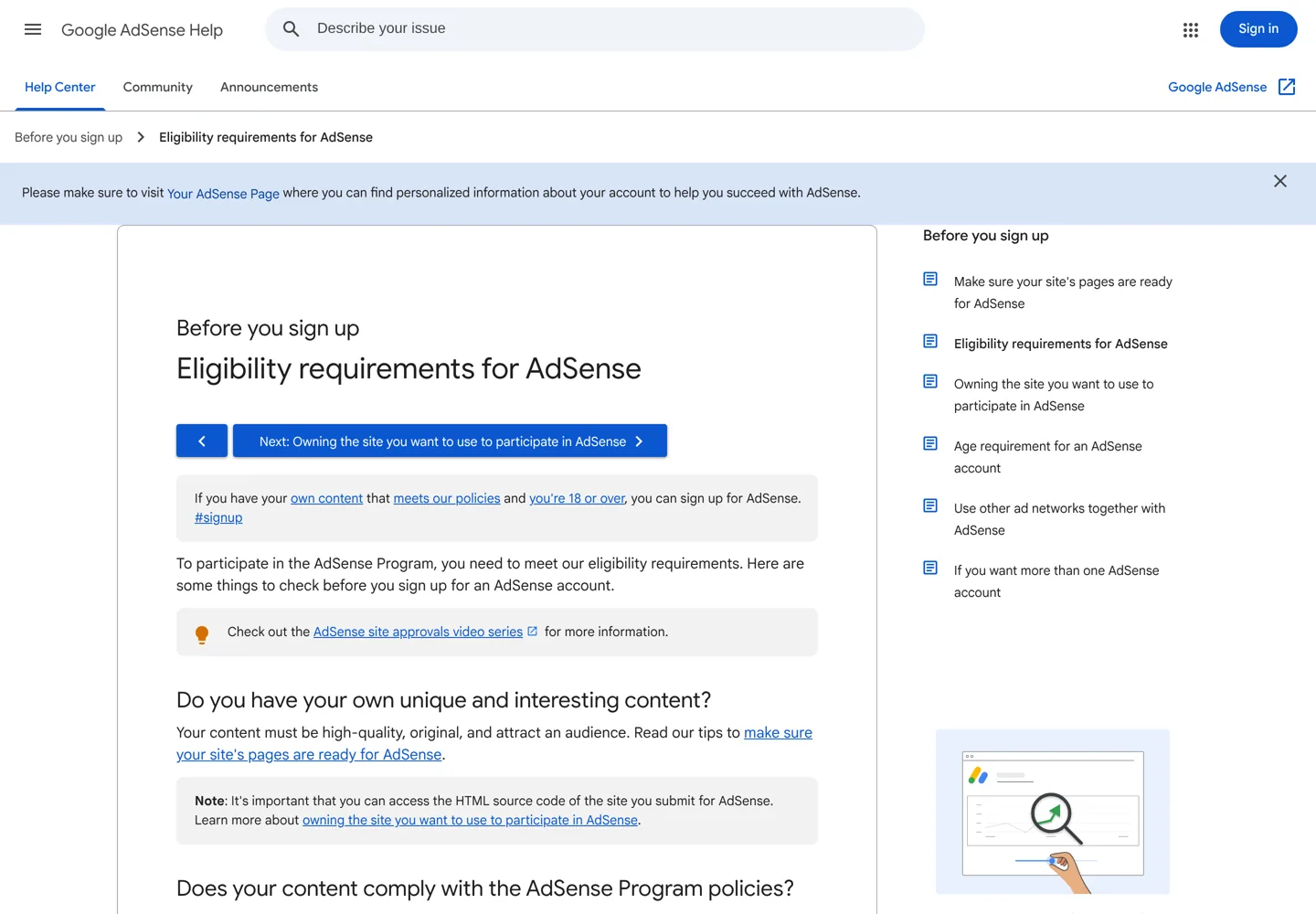
Google’s eligibility requirements for AdSense come down to three questions:
- Do you have your own unique content? Google says your content “must be high-quality, original, and attract an audience.”
- Does it follow the AdSense Program policies? Google can change the policies at any time, and keeping up with them is your responsibility.
- Are you at least 18? Under-18s can have a parent or guardian apply with their own Google Account; payments then go to that adult.
You also need access to your site’s HTML source code, because you’ll place the AdSense code between the site’s <head> tags. On WordPress you have that access through a plugin or your theme. If you blog on Blogger, you apply from inside Blogger instead, and YouTube creators use YouTube Studio.
Google allows only one AdSense account per publisher. If you opened one years ago, use it (or close it) instead of creating another: a duplicate account is one of the account-level reasons Google lists for not approving an application.
2. Make sure your language is supported
If most of your site is in a language AdSense doesn’t support, Google won’t approve it. Check your language on Google’s list of languages Google publisher products support before you apply.
3. Publish enough original, finished content
This is where most applications succeed or fail. On its page about accounts that weren’t approved, Google describes “insufficient content” this way: your site “was found to have too little text, and/or your site was deemed to be ‘under construction.'” Its advice:
- Pages need real text: sites that are mostly images or videos may not be approved.
- Write complete sentences and paragraphs, not only headlines.
- Apply only when the site is fully built and launched, not while it’s a template or still under construction.
- Put the code on a live page with content: a test page that’s empty except for the code won’t be approved.
Google lists “content quality issues” separately: not “enough original, rich content that would be of value to users”. The Google Publisher Policies say the same thing in policy language: no Google ads on screens “without publisher-content or with low-value content”, or screens “that are under construction”. Many publishers see this as a “low value content” rejection. In practice it means one of these:
- Copied or lightly rewritten articles. Google’s content and user experience guide names sites that copy content, swap in synonyms or embed other people’s videos and images “without substantial added value”.
- Thin affiliate pages. Google says affiliate content “should form only a minor part of the content of your site” if it adds nothing of its own.
- Auto-generated pages, or many near-identical pages. Google suggests expanding similar pages or consolidating them into one.
Google’s own test is a good one to apply to every post: does it provide “substantial value and originality when compared to other sites covering similar subjects”? Add what only you can: your experience, your tests, your screenshots, your opinion. If you’re still choosing what to write about, keyword research shows what people actually search for, and what makes a good blog covers quality.
4. Make the site easy to navigate
“Site navigation issues” are on Google’s list too. Google asks for an accessible menu that is aligned, readable and working, and an organised site with content grouped by topic or category. It names the problems to remove: redirects, pages behind a login, broken links, “excessive pop-ups”, and pages under construction or not yet launched.
A practical check: open your site on a phone, tap every menu item and a few category pages, and make sure each one leads somewhere useful. Remove empty categories and “coming soon” pages before you apply.
5. Add the essential pages: About, Contact and a privacy policy
Google’s help pages don’t list About and Contact pages as formal requirements, but they’re part of the clear, trustworthy navigation Google asks for, and readers look for them. Tell people who runs the site and why (see this site’s About page), and give them a way to reach you (Contact).
The privacy policy is different: Google has required content for it. Your policy should say that:
- “Third party vendors, including Google, use cookies to serve ads based on a user’s prior visits to your website or other websites.”
- “Google’s use of advertising cookies enables it and its partners to serve ads to your users based on their visit to your sites and/or other sites on the Internet.”
- “Users may opt out of personalized advertising by visiting Ads Settings” (or you can point them to www.aboutads.info).
If other ad networks also serve ads on your site, name them, link to them and tell visitors they can opt out there. Google says it can’t suggest specific legal wording because laws differ by country, so check what applies where you and your readers live. For a real example, this site’s privacy policy covers Google AdSense cookies in its cookie section.
6. Check your content against the policies
Read the AdSense Program policies and the Google Publisher Policies once, start to finish. Google also says it may review all the pages of your site, “not just the sign-up URL”. Two things catch bloggers most often:
- Copied content: Google ads aren’t allowed on screens with content copied from others “without additional commentary, curation, or otherwise adding value”.
- More ads than content: Google ads aren’t allowed on screens “with more ads or other paid promotional material than publisher-content”. Pages packed with banners from other networks hurt you here.
If you allow comments, moderate them: Google reminds publishers that comments must stay within the policies too.
7. Keep your traffic clean
“Issues with your traffic sources” is another reason Google lists. The Program policies don’t allow traffic from paid-to-click, paid-to-surf, autosurf or click-exchange programs, unwanted emails, or software that triggers pop-ups or redirects. If you buy ads to send visitors, your pages must follow Google’s landing page quality guidelines. Organic search, social media and your email list are all fine. To grow real search traffic, start with SEO basics.
8. Make sure Google can reach your site
Google’s page on what to do when your site is not ready to show ads lists “Your site is unreachable” with these checks:
- The URL you entered is correct, and the site is published and live.
- AdSense can open the site without a password (no maintenance mode or “coming soon” plugin).
- Your robots.txt doesn’t block the AdSense crawlers. Google’s crawler page names them: Mediapartners-Google, and Google-Display-Ads-Bot, which verifies sites when you add them.
- If you use HTTPS, the certificate is valid (not self-signed) and HTTP redirects to HTTPS.
A site that keeps going down during the review can’t be checked. If your host struggles, our guide to the best WordPress hosting compares reliable options.
Connect your site and request the review
9. Add your site and connect it
Sign up at Google AdSense, then follow Google’s steps to connect your site: on the AdSense homepage click Add site, enter your URL and save. Then choose one of three verification methods:
- AdSense code snippet: a short script tag (
<script async src="https://pagead2.googlesyndication.com/pagead/js/adsbygoogle.js?client=ca-pub-…">) that you paste between<head>and</head>on every page where you want ads. - Ads.txt snippet: one line added to your ads.txt file (step 10).
- Meta tag:
<meta name="google-adsense-account" content="ca-pub-…">in the head, if you don’t want the code on your homepage yet.
Google adds that if you’ve already verified your site in Search Console, AdSense can use that to continue its checks. Setting it up is covered in our Google Search Console guide.
On WordPress, Google itself recommends Site Kit by Google, its free, open-source plugin. Install and activate it from Plugins → Add New, click Start Setup, then Connect Service under AdSense, and let Site Kit place the code. Google notes that you need Auto ads turned on in AdSense for ads to show, because Site Kit can’t change your AdSense settings. Google also lists header-code plugins such as Insert Headers and Footers, Advanced Ads and Ad Inserter as alternatives. New to plugins? Our list of the best WordPress plugins explains how to choose them.
10. Create your ads.txt file
Ads.txt (Authorized Digital Sellers) is an IAB Tech Lab standard that lists who may sell ads on your site. Google’s ads.txt guide calls it “not mandatory, but it’s highly recommended”. Without it, your Sites page shows “Not found”; with the wrong publisher ID, “Unauthorized”, and Google says all ad requests are then rejected. To set it up:
- Create a plain text file named
ads.txt. - Copy your line from AdSense (Sites → your site → Ads.txt snippet). It looks like
google.com, pub-0000000000000000, DIRECT, f08c47fec0942fa0, with your own publisher ID. - Add a line for every other ad network you use (each network gives you theirs).
- Upload it to your site’s root, so it opens at
https://yourdomain.com/ads.txt. - Open that address in your browser to check it shows, then click Check for updates on the Sites page.
Google says changes can take a few days to show in AdSense, and up to a month on a site with few ad requests.
11. Request the review and wait
Tick the box confirming you’ve added the code, click Verify, then Request review. Google says the review “usually takes a few days, but in some cases it can take 2-4 weeks”. Track it on the Sites page:

| Status | What it means |
|---|---|
| Requires review | Not checked yet: finish the tasks on your AdSense homepage and click Request review. |
| Getting ready | Google is checking your site. Some account tasks, such as payment details, may need finishing first. |
| Needs attention | Something must be fixed before the site can show ads. |
| Ready | The site can show ads. |
While you wait, keep publishing as normal. Google warns: “don’t remove your site and resubmit it because this can delay the process.” And if the review is taking a long time, Google says it’s usually because the code isn’t on a page that gets regular views.
You’ll also be asked to choose a consent message for visitors from the European Economic Area, the UK and Switzerland: Google’s own consent management platform (CMP) or a certified third-party one. Google’s CMP can be set up with two buttons or three (“Consent”, “Manage options”, “Do not consent”).
If your site isn’t approved
Sign in to AdSense or read Google’s email: it tells you the reason. Google’s page on sites that aren’t ready to show ads groups the reasons into four, and each has a clear fix:

- “Your ad code is missing or incomplete”: check the code is between the head tags, on the site you signed up with, on a live page with content.
- “Your site is unreachable”: fix the URL, remove passwords and maintenance mode, unblock the crawlers, fix SSL.
- “Your site doesn’t have enough unique content or provide a good user experience”: go back to steps 3 and 4. Improve or merge thin posts, delete empty pages and categories, fix the menu.
- “Your site has policy violations”: read the details in the Policy center, remove or fix the pages concerned, and check the rest of the site, since Google may review every page.
Then return to Sites, open your site, confirm the code is in place and click Request review again. Google doesn’t promise a timeline for re-reviews beyond its usual “a few days” to “2-4 weeks”, so make real changes before you resubmit.
If a page you’ve improved still isn’t in Google Search, our guide to “Crawled – currently not indexed” explains why that happens and what to do.
Meanwhile, AdSense isn’t the only way to earn. Our comparison of Ezoic and AdSense explains how Ezoic works, and ways to earn money from a blog covers affiliate links, sponsors and products.
What not to do, before or after approval

These break the rules whether you’re waiting for approval or have been earning for years, and Google can limit or close accounts for them:
- Never click your own ads, not even to test them. The Program policies say: “clicking your own ads for any reason is prohibited.” Use AdSense’s preview tools instead.
- Never ask people to click, with phrases such as “support us” or “click the ads”, and never place images or arrows pointing at ads.
- Never buy cheap traffic from paid-to-click, autosurf or click-exchange services. Google’s invalid traffic page says it may suspend or close accounts with high levels of invalid traffic, and that keeping your traffic valid is your responsibility, even if a third party causes the problem.
- Never open a second account, and never reapply with a new one after a closure: Google says publishers terminated for invalid traffic or policy violations can’t open new accounts.
- Never place ads where they can be mistaken for menus, navigation or download buttons.
The AdSense CTR guide explains how to improve results within these rules.
Your AdSense approval checklist to print
- I’m 18 or over (or a parent or guardian is applying) and have only one AdSense account.
- I can edit my site’s HTML head, or I use Site Kit on WordPress.
- Most of my site is in a supported language.
- Every post is original, finished and useful; there are no empty, “coming soon” or copied pages.
- My menu works on a phone; there are no broken links, logins or excessive pop-ups.
- I have About and Contact pages and a privacy policy with Google’s three cookie points.
- I’ve read the Program policies and Publisher Policies.
- My traffic comes from search, social, email and real referrals, never paid-to-click.
- The site is live, without a password, with valid HTTPS and the AdSense crawlers allowed.
- The code, ads.txt line or meta tag is in place, and yourdomain.com/ads.txt opens.
- I’ve requested the review and won’t remove and re-add the site while it runs.
- I’ll never click my own ads or ask anyone else to.
Once you’re approved, the blogging income roadmap shows where AdSense fits in a blog’s first year and what to add next.
Questions people ask
How long does AdSense approval take?
Google says its site review usually takes a few days, but in some cases 2–4 weeks. You can follow it on the Sites page in AdSense. Don't remove and resubmit the site while it's under review, because Google says that can delay the process.
How many posts do I need for AdSense approval?
Google doesn't set a number. It asks for enough unique, high-quality content to understand what the site is about and give people a reason to visit, with complete sentences and paragraphs, on a site that is fully built rather than under construction.
Do I need traffic to get approved for AdSense?
Google's eligibility page lists no minimum traffic. It does say content should attract an audience, and that long waits usually happen when the code isn't on a page that gets regular views.
What does "low value content" mean in AdSense?
It means Google found too little original, useful content to show ads next to. Google's policies don't allow ads on screens without publisher content or with low-value content, or on sites under construction. Improve thin posts, merge similar ones, remove copied or empty pages, then request a review again.
Do I need a privacy policy for AdSense?
Yes. Google lists required content: that third-party vendors including Google use cookies to serve ads based on prior visits, that Google's advertising cookies let it and its partners serve ads, and that users can opt out of personalised advertising in Ads Settings.
Is ads.txt required for AdSense?
Google calls ads.txt not mandatory but highly recommended. If your file exists but doesn't include your publisher ID, the status shows Unauthorized and Google says ad requests from the site are rejected, so add your line to every ads.txt file you have.
Can I apply for AdSense if I'm under 18?
Not yourself. Google accepts applicants who are at least 18. A parent or guardian can sign up with their own Google Account, and payments then go to that adult.
Sources
- Eligibility requirements for AdSense (Google AdSense Help) support.google.com · checked October 12, 2026
- Owning the site you want to use to participate in AdSense support.google.com · checked October 12, 2026
- Your AdSense account wasn't approved support.google.com · checked October 12, 2026
- What to do when your site is not ready to show ads support.google.com · checked October 12, 2026
- Google AdSense content and user experience support.google.com · checked October 12, 2026
- Check the status of your AdSense sites support.google.com · checked October 12, 2026
- Connect your site to AdSense support.google.com · checked October 12, 2026
- Required content (privacy policy) support.google.com · checked October 12, 2026
- Ads.txt guide support.google.com · checked October 12, 2026
- Connect to AdSense and show ads on your WordPress site support.google.com · checked October 12, 2026
- AdSense Program policies support.google.com · checked October 12, 2026
- Google Publisher Policies support.google.com · checked October 12, 2026
- Invalid traffic support.google.com · checked October 12, 2026
- About the AdSense ads crawler support.google.com · checked October 12, 2026
- Languages Google publisher products support support.google.com · checked October 12, 2026

Building websites since 2006: 500+ web projects of every size and $300K+ in website deals sold or brokered. Founder of A Digital Motive and DigiFlippers. I share the whole process here, plainly.
Founder of A Digital Motive and DigiFlippers