
- Ad CTR = ad clicks ÷ ad impressions; page CTR = ad clicks ÷ page views.
- Advertisers set the CPC, so judge changes by page RPM, not CTR alone.
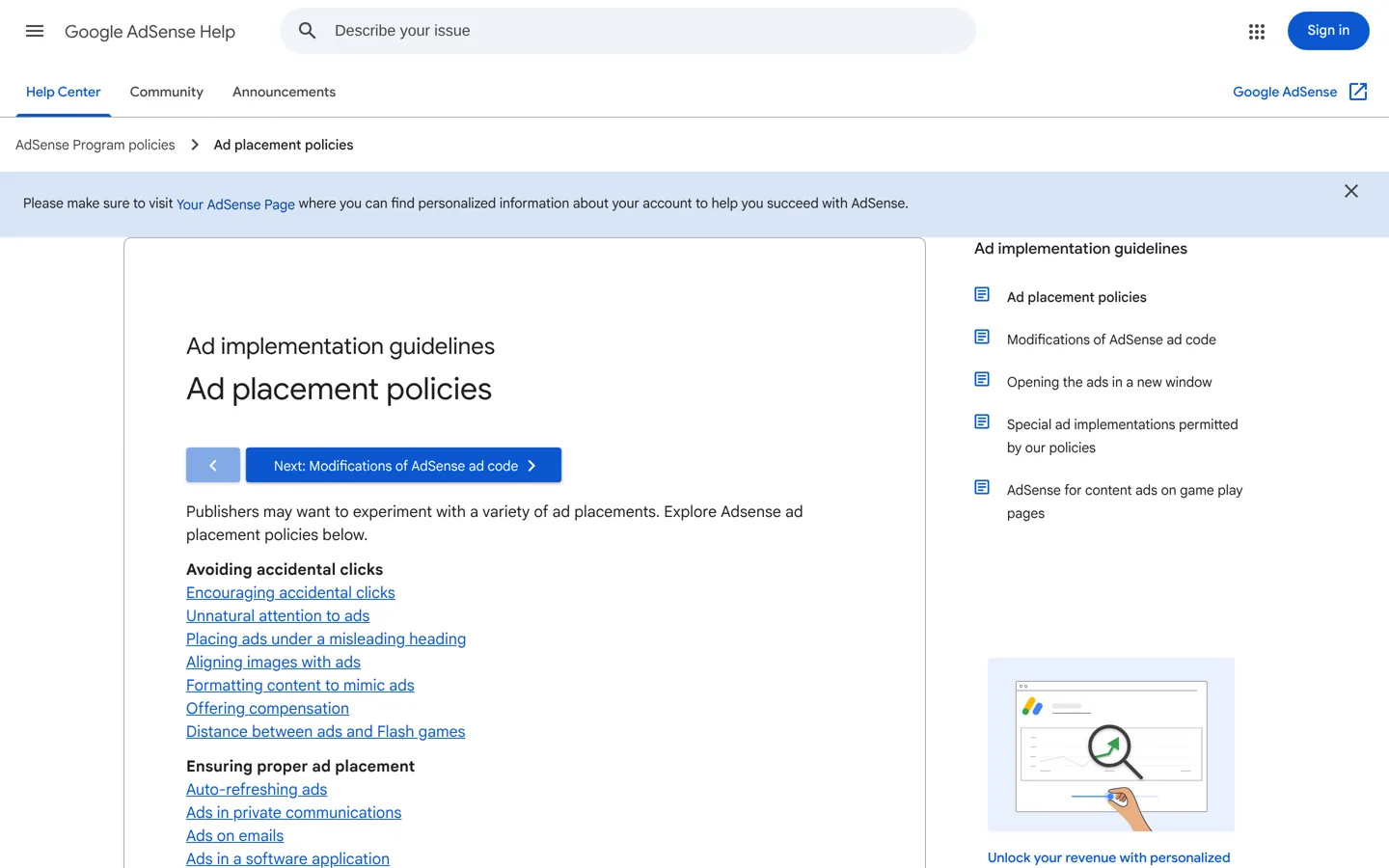
- AdSense forbids asking for clicks, rewarding them and disguising ads.
- Ads may only be labelled "Advertisements" or "Sponsored Links".
- A sudden CTR spike can mean invalid clicks; check your traffic.
AdSense CTR (click-through rate) is the share of ad views that lead to a click. AdSense defines ad CTR as ad clicks divided by ad impressions, and page CTR as ad clicks divided by page views. You can raise it within the rules by placing ads where readers naturally pause in your content, using responsive and in-article formats, and attracting readers who match the ads. You can’t raise it by asking for clicks or making ads look like content: AdSense’s policies forbid both. This guide uses Google’s own AdSense Help pages, checked on 12 October 2026.
Choosing an ad network? Our comparison of Ezoic vs AdSense covers requirements and revenue share. This page is about AdSense CTR only.

What AdSense CTR means
AdSense reports several click-through rates. The two you’ll use most:
- Ad CTR: for standard ads, the number of ad clicks divided by the number of individual ad impressions. AdSense’s example: 5 clicks from 1,000 ad impressions is an ad CTR of 0.5%.
- Page CTR: the number of ad clicks divided by the number of page views. AdSense’s example: 2 clicks from 250 page views is a page CTR of 0.8%. In reports, it’s under the “Advanced” metric family tab.
Ad CTR tells you how well individual ad units perform; page CTR tells you how many clicks a typical page view produces, whatever the number of ads on it.
Why CTR isn’t the whole story
A higher CTR doesn’t always mean more money. AdSense explains that the cost per click (CPC), what you earn each time someone clicks, is set by the advertiser, and some advertisers pay more than others. So 100 clicks on a topic with low-paying ads can earn less than 50 clicks on a topic advertisers compete for.
That’s why AdSense also reports RPM, revenue per thousand impressions: estimated earnings divided by page views (or ad impressions), multiplied by 1,000. AdSense’s example: $0.15 from 25 page views is a page RPM of $6.00. Page RPM combines CTR, CPC and the number of ads in one figure, so it’s the better measure of whether a change helped. Use CTR to understand why RPM moved.
What AdSense never allows

Raising CTR the wrong way can get ads disabled on your site or your account closed. AdSense’s Program policies and ad placement policies say publishers may not:
- Click their own ads or inflate clicks or impressions artificially, including by manual methods.
- Ask others to click or offer any reward for clicks. AdSense lists phrases such as “Help keep this site running. Check out our sponsors!” as examples of language you can’t use.
- Disguise ads as content, such as menus, navigation or download links, or format nearby content to look like the ads.
- Use misleading labels. Ads may only be labelled “Advertisements” or “Sponsored Links”, not “Resources” or “Helpful links”.
- Draw unnatural attention to ads with flashy animations or arrows pointing at them.
- Put ads in pop-ups, emails or software, or auto-refresh pages or ads without the user asking.
AdSense also warns that placing links, play or download buttons, “Previous”/”Next” buttons or drop-down menus near ads can cause accidental clicks, and that publishers may still receive a policy violation even when the layout causes them unintentionally.
How to increase AdSense CTR the right way
1. Place ads where readers pause, not where they navigate
Readers notice ads at natural breaks in the content: after an introduction, between major sections, at the end of an article. Keep ads away from menus, pagination and buttons, both because AdSense’s policy warns about accidental clicks and because those clicks don’t come from interest. Accidental clicks bring advertisers nothing and can put your account at risk.
2. Use formats that fit the page
AdSense says its display ads automatically change size to fit your layout and different devices, and that in-article ads are designed to sit between paragraphs and match the surrounding content. Multiplex ads show a grid of recommendation-style ads, often used at the end of an article. Test a few formats rather than adding more units.
3. Try Auto ads, then compare
AdSense’s Auto ads use one piece of code and, in Google’s words, “automatically place ads where they’re likely to perform well”, adjusting when your pages change. Its settings let you control where ads appear. Compare page RPM before and after over a few weeks, and exclude pages or formats that hurt the reading experience.
4. Design for phones
Check your pages on a phone: most layouts change completely on a small screen. Make sure ads don’t push the first paragraph out of view and don’t sit right next to tap targets such as buttons and links, where a thumb might hit them by mistake.
5. Attract readers the ads can help
Pages about specific problems, products or decisions give advertisers a clear audience, and readers who arrive with a clear need are more likely to find an ad relevant. Write for a clear audience and topic; our guide to keyword research shows how to choose what each page targets.
6. Keep the page easy to read
Fewer, well-placed ads usually serve both readers and earnings better than many small ones. A page crowded with ads is harder to read, and readers who leave quickly don’t click anything. Google’s page experience guidance asks site owners: “Does your content avoid using an excessive amount of ads that distract from or interfere with the main content?”
Why CTR differs from page to page
Expect some pages to have several times the CTR of others; that’s normal. Four things drive most of the difference:
- What the reader came for. Someone comparing products or solving a buying problem is more open to a relevant ad than someone reading a quick definition.
- The device. Layouts, ad sizes and reading habits differ between phones and computers, so compare them separately.
- Where the ad sits. An ad at a natural pause gets seen; one squeezed into a sidebar on a long page often doesn’t.
- Where the visit came from. Visitors from search usually arrive with a question; visitors from a social post may only skim.
So don’t copy one page’s layout to every page and expect the same CTR. Look for pages with plenty of traffic but low RPM: they’re where a better placement or a clearer page can make the biggest difference. Our guide to blog traffic tools shows how to see where visits come from.
Test a change safely
- Write down what you’re changing, on which pages, and the date.
- Note the current page RPM, page CTR and traffic for those pages.
- Make one change only, within the policies above.
- Wait at least two to four weeks, and compare the same days of the week.
- Keep the change if RPM improved without hurting how long readers stay; otherwise undo it.
A change that lifts CTR but makes readers leave sooner can cost more over time, because fewer pages get read. Ads are one way to earn from a blog; our overview of ways to earn money from a blog shows how they fit with affiliate income and products, and our on-page SEO checklist helps the pages that carry the ads get found.
How to read CTR in your AdSense reports
- Open Reports and choose a date range of at least a few weeks.
- Break the report down by ad unit, page or device to see where clicks come from.
- Switch to the Advanced metric family to see page CTR.
- Compare page RPM alongside CTR before deciding a change worked.
Change one thing at a time: one placement, one format, or one setting in Auto ads. Then wait long enough for a fair comparison, because daily numbers jump around.
A sudden CTR spike is a warning, not good news
If CTR jumps sharply on a single day or page without a change on your side, investigate before celebrating. Check where the traffic came from in your analytics: a burst of visits from one source, or many clicks from a few visitors, can mean invalid clicks. Never click your own ads to test them, ask friends to click, or buy traffic from paid-to-click schemes, which AdSense’s policies forbid. If you suspect someone else is clicking your ads, contact AdSense through its Help Center.
Common mistakes that lower CTR
- Ads only in the sidebar, which many readers ignore and phones often push to the bottom.
- Too many units, which spreads attention thin and slows the page.
- Thin pages with little content around the ads.
- Traffic that doesn’t match the topic, such as visits from unrelated social posts.
- Judging a change after a day or two, before there’s enough data to tell a real change from normal ups and downs.
Your AdSense CTR checklist
- Track page RPM, not just CTR.
- Place ads at natural breaks in the content, away from navigation and buttons.
- Label ads only “Advertisements” or “Sponsored Links”, or leave them unlabelled.
- Never ask for clicks, reward clicks or click your own ads.
- Check every layout on a phone.
- Change one thing at a time and compare over weeks.
Questions people ask
What is CTR in AdSense?
Click-through rate. AdSense defines ad CTR as ad clicks divided by ad impressions (5 clicks from 1,000 impressions is 0.5%) and page CTR as ad clicks divided by page views.
What is a good AdSense CTR?
AdSense doesn't publish a target, and it varies by topic, layout and device. Compare your own pages over time and judge changes by page RPM, which includes how much each click is worth.
How can I increase my AdSense CTR?
Place ads at natural breaks in your content, use responsive and in-article formats, test Auto ads, design for phones and write for a clear audience. Never ask for clicks or make ads look like content.
Can I click my own AdSense ads?
No. AdSense's policies forbid clicking your own ads or inflating clicks or impressions by any means, including manual methods.
Can I label ads "Sponsors" or "Recommended"?
No. AdSense says publishers may only label Google ads "Advertisements" or "Sponsored Links", and not use misleading headings such as "resources" or "helpful links".
Why did my AdSense CTR suddenly spike?
Check where the traffic came from. A burst from one source or many clicks from few visitors can mean invalid clicks; contact AdSense through its Help Center if you suspect it.
Sources
- Ad CTR (AdSense Help) support.google.com · checked October 12, 2026
- Page CTR (AdSense Help) support.google.com · checked October 12, 2026
- Cost per click (AdSense Help) support.google.com · checked October 12, 2026
- Revenue per thousand impressions (AdSense Help) support.google.com · checked October 12, 2026
- AdSense Program policies support.google.com · checked October 12, 2026
- Ad placement policies (AdSense Help) support.google.com · checked October 12, 2026
- Ad units (AdSense Help) support.google.com · checked October 12, 2026
- About Auto ads (AdSense Help) support.google.com · checked October 12, 2026
- Understanding page experience (Google) developers.google.com · checked October 12, 2026

Building websites since 2006: 500+ web projects of every size and $300K+ in website deals sold or brokered. Founder of A Digital Motive and DigiFlippers. I share the whole process here, plainly.
Founder of A Digital Motive and DigiFlippers