Some links on this page are affiliate links. If you buy through them I may earn a commission, at no extra cost to you. It never changes a rating. Read the disclosure
- Search intent decides what kind of page can rank; check the results page before writing.
- Keyword Planner is free but needs a Google Ads account with billing details.
- Semrush groups difficulty 0–14 very easy up to 85–100 very hard.
- One page per intent: separate pages for the same intent compete with each other.
- Search Console's Performance report shows the queries your pages appear for.
Keyword research is how you find the words people type into Google when they need what you offer, and decide which of those searches your site can realistically win. Done well, it tells you what to write, how to structure each page and which pages to build first. This step-by-step guide walks through the whole process for a blog or small business site, using free tools wherever possible.
It’s a process guide. If you’re choosing a tool, the best keyword research tools compares them with prices; here we focus on what to do with whichever tool you use.
Keyword research in 8 steps
- List your topics (seed keywords).
- Expand them into hundreds of real searches.
- Read the search intent behind each one.
- Check how hard it is to rank.
- Weigh the value of each search to your site.
- Group keywords so one page answers one intent.
- Prioritise and map groups to pages.
- Write, publish and track in Search Console.

Step 1: List your topics (seed keywords)
Start with what your site is about and who it’s for. Write down 5 to 15 broad topics your readers care about, in the words they’d use, not industry jargon. A home-coffee blog might start with “espresso machine”, “pour over”, “coffee grinder” and “coffee beans”. A web designer’s site might start with “small business website”, “WordPress website” and “website redesign”.
Good sources of seeds: questions customers ask you, your products or services, forums and social groups in your niche, and the categories competitors use.
Step 2: Expand seeds into real searches
Now turn each seed into the specific phrases people actually search. Free ways to do it:
- Google itself. Type a seed and note the autocomplete suggestions, the “People also ask” questions and the related searches at the bottom of the results.
- Google Keyword Planner. Free inside Google Ads; Google says you need to finish account setup, including billing information, to use “Get ideas for new keywords”. It shows keyword ideas with search-volume ranges and forecasts.
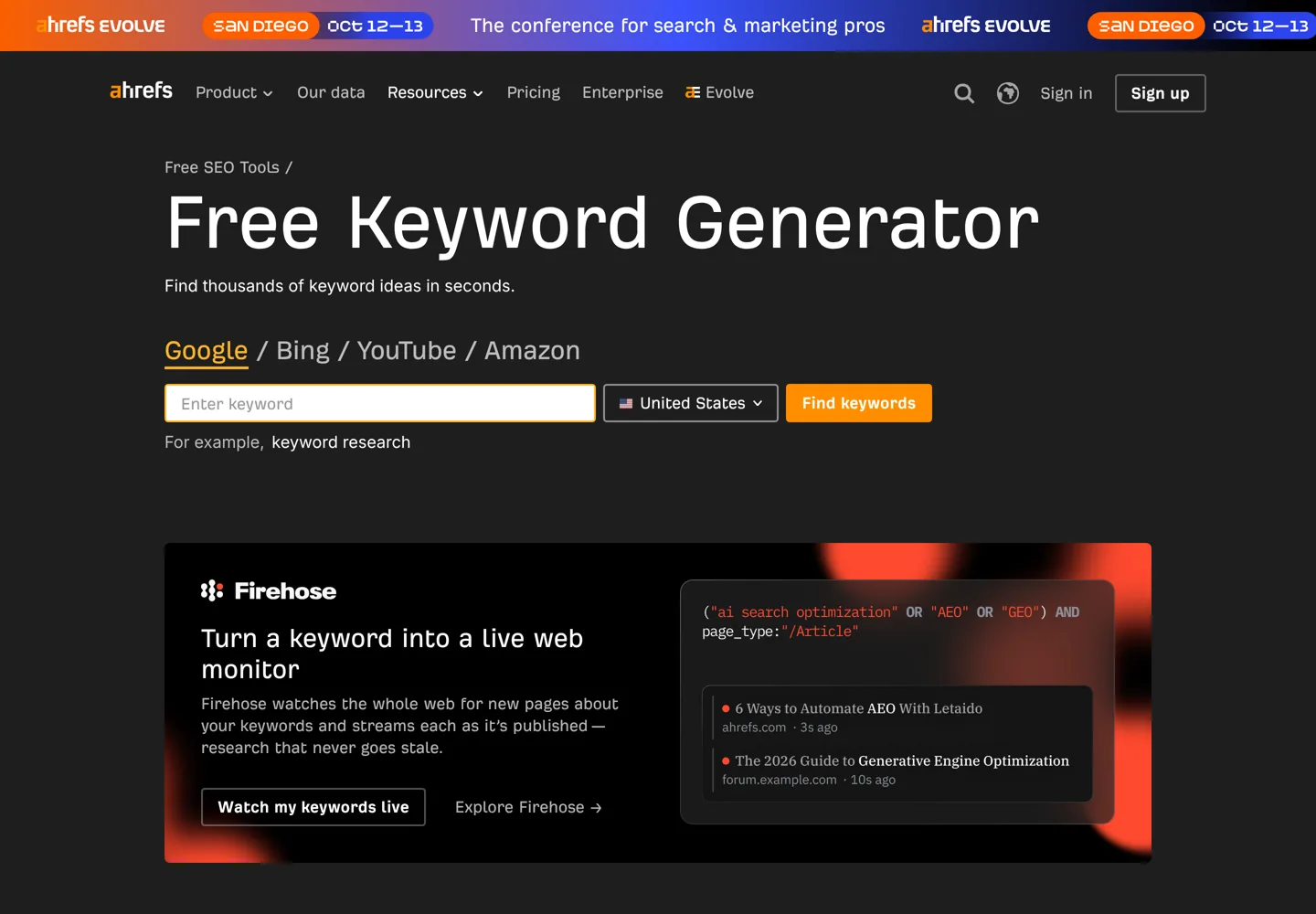
- Ahrefs‘ free Keyword Generator. Enter up to ten words or phrases and choose from six keyword-ideas reports, drawn from a database of more than 8 billion queries, with monthly search-volume estimates.
- Google Search Console, if your site already gets traffic: its Performance report shows the queries your pages appear for, with impressions and average position.
Collect everything in a spreadsheet: the keyword, its rough monthly volume and where you found it. Don’t filter yet; at this stage, more ideas are better than fewer.
Why long-tail keywords matter
Ahrefs describes long-tail keywords as searches with a small number of searches a month that tend to be longer and more specific than head keywords. “Coffee grinder” is a head keyword; “best burr grinder for french press” is long-tail. Individually they’re small, but together they make up a large share of searches, they’re usually easier to rank for, and the person searching knows exactly what they want, so they convert better. New sites should build most of their first pages around them.
Learn from competitors
Paid tools such as Semrush and Ahrefs can show which keywords a competing site ranks for. Enter a site similar to yours (ideally one of similar size, not a giant brand) and look for topics they rank for that you haven’t covered. This “keyword gap” is often the fastest way to find proven topics, and many tools’ free versions or trials are enough for a first pass.
Step 3: Read the search intent
Search intent is what the person wants when they type a query. It decides what kind of page can rank, so it matters more than volume. There are four broad types:
| Intent | The searcher wants to | Example | Page that fits |
|---|---|---|---|
| Informational | Learn or solve a problem | how to descale an espresso machine | Guide or tutorial |
| Commercial | Compare before buying | best espresso machine under $500 | Comparison or review |
| Transactional | Buy or sign up now | breville barista express discount | Product, deal or pricing page |
| Navigational | Reach a specific site | breville login | That brand’s own page |
The quickest way to read intent is to search the keyword and look at the first page of results. If Google shows lists of products, a how-to guide won’t rank; if it shows guides, a product page won’t. Match the format that’s already winning.

Step 4: Check how hard it is to rank
Most tools give a keyword difficulty score. Semrush, for example, scores keyword difficulty (KD%) from 0 to 100, based on factors such as the referring domains and authority of the pages already ranking, and groups the scores like this:
- 0–14 Very easy and 15–29 Easy: the best targets for a new site.
- 30–49 Possible: needs well-structured, optimised content.
- 50–69 Difficult: needs some quality backlinks too.
- 70–84 Hard and 85–100 Very hard: needs strong links, content and promotion.
Scores differ between tools, so use them to compare keywords within one tool, not as absolute truth. Then sanity-check the results page yourself: if the top results are huge brands with in-depth pages, a new blog will struggle; if you see forums, thin pages or old posts, there’s room for a better answer.

Step 5: Weigh the value of each keyword
A keyword is worth targeting when it brings the right visitors, not just many visitors. Ask three questions:
- Does it fit my site? Visitors should be people you can genuinely help.
- Can it lead somewhere? A sign-up, a product, an affiliate recommendation or a service enquiry.
- Is the volume realistic? Treat search volumes as estimates; a long, specific phrase with a few hundred searches a month often converts better than a broad term with tens of thousands.
Step 6: Group keywords by intent
Many keywords mean the same thing: “best espresso machine for beginners” and “espresso machine for beginners” want the same page. Group keywords that share one intent and plan one page per group. Writing separate pages for the same intent makes them compete with each other, and neither ranks as well as one strong page would.
Each group gets a main keyword (the one you’ll use in the title and the first heading) and secondary keywords you’ll cover naturally in the text and subheadings.
Step 7: Prioritise and map to pages
Add three columns to your spreadsheet: difficulty, value (high, medium or low) and the page it belongs to. Then sort:
- Quick wins: low difficulty, high value. Write these first.
- Core pages: medium difficulty, high value, usually your main guides and comparisons.
- Long-term goals: hard keywords you’ll target once the site has more authority and links.
If a group matches a page you already have, improve that page instead of writing a new one. A plan of twenty to thirty well-chosen pages is plenty for a new blog’s first year; publish them steadily and let Search Console tell you which to expand.
Step 8: Write, publish and track
Write for the reader first. Google’s guidance on helpful content asks whether your page is created primarily for people rather than to manipulate search rankings, and it recommends asking who created the content, how and why. In practice: answer the question early, use the main keyword in the title and first paragraph, cover the related questions people ask, and link to your other pages on the topic.
After publishing, use Search Console’s Performance report. By default it shows clicks and impressions for the past three months, and the queries tab shows the searches each page appears for and its average position. Queries with many impressions but a low position are your next improvements. The WordPress SEO tutorial covers the on-page setup.
New blog vs established site
- A new blog has little authority, so aim almost entirely at long-tail keywords with low difficulty and clear intent. Build clusters of related posts so your site becomes the obvious resource on a few narrow topics before you go broader.
- An established site should start with its own data: Search Console shows queries you already appear for on page two or three. Improving those pages is usually faster than writing new ones, and you can now compete for harder keywords in topics where you already rank.
Common keyword research mistakes
- Chasing volume. Big keywords look exciting but are usually out of reach for a new site; start with specific ones.
- Ignoring intent. A perfect article on the wrong page type won’t rank.
- One keyword per page, no context. Cover the topic fully; a good page ranks for hundreds of related searches.
- Several pages for one intent. Merge them into one stronger page.
- Doing it once. Revisit every few months with Search Console data.
A simple keyword research template
| Column | What to put |
|---|---|
| Keyword | The exact search phrase |
| Volume | Rough monthly searches from your tool |
| Intent | Informational, commercial, transactional or navigational |
| Difficulty | Your tool’s score, plus your own look at the results |
| Value | High, medium or low for your goals |
| Group / page | The page that will answer it |
| Status | Planned, written, published, improving |
Ready to grow traffic from it? The guide on how to earn money from a blog shows how the right keywords turn into income.
Questions people ask
How do I do keyword research for free?
Use Google's autocomplete, People also ask and related searches, Google Keyword Planner (free with an Ads account), a free generator such as Ahrefs' Keyword Generator, and Search Console's Performance report once your site has traffic.
What is search intent?
It's what the searcher wants: to learn (informational), compare (commercial), buy (transactional) or reach a site (navigational). Check the current results for a keyword and match the type of page that ranks.
What is a good keyword difficulty for a new site?
Aim low. On Semrush's scale, 0–14 is very easy and 15–29 easy; those are the best targets for a new site. Scores differ by tool, so compare keywords within one tool.
How many keywords should one page target?
One main keyword plus the related phrases that share the same intent. A good page often ranks for hundreds of related searches.
What are long-tail keywords?
Longer, more specific searches with fewer searches each, such as 'best burr grinder for french press'. They're easier to rank for and usually convert better.
How often should I do keyword research?
Do a full plan when you start, then revisit every few months using Search Console data to find pages worth improving and new topics.
Sources
- Use Keyword Planner (Google Ads Help) support.google.com · checked October 11, 2026
- Performance report (Search Console Help) support.google.com · checked October 11, 2026
- Creating helpful, reliable, people-first content (Google Search Central) developers.google.com · checked October 11, 2026
- What is KD%? (Semrush Knowledge Base) www.semrush.com · checked October 11, 2026
- Free Keyword Generator (Ahrefs) ahrefs.com · checked October 11, 2026

Building websites since 2006: 500+ web projects of every size and $300K+ in website deals sold or brokered. Founder of A Digital Motive and DigiFlippers. I share the whole process here, plainly.
Founder of A Digital Motive and DigiFlippers