- Internal links help Google discover pages, understand them through anchor text and see which pages matter most.
- Link pillar and cluster pages both ways, and link siblings where readers want them next.
- Google wants descriptive, concise anchors and warns against keyword stuffing.
- Every page you care about needs at least one internal link; fix orphan pages.
- Each time you publish, add links to the new post from older related posts.
An internal linking strategy is a plan for how the pages on your own site link to each other: which pages link where, with what anchor text, and how you keep those links up to date as you publish. Good internal links help Google find your pages, tell it what each page is about and which pages matter most, and help readers find the next thing they need. This guide covers what Google’s own documentation says about links and anchor text, a step-by-step internal linking strategy for a blog, the tools that find linking opportunities, the mistakes to avoid and a simple routine to keep it all working.
I’ve worked on SEO since 2006 and on more than 500 web projects, and internal links are the SEO task I see skipped most often, even though they cost nothing and are fully under your control.

What is internal linking?
An internal link is a link from one page on your site to another page on the same site. An external link points to a different site. Internal links come in two kinds:
- Contextual links sit inside the text of a post: “our guide to search intent explains how to read the results.” They carry the most meaning, because the words around them describe the target.
- Navigational links are the menu, breadcrumbs, sidebar, footer, category pages and “related posts” boxes. They appear on many pages and give the site its structure.
A strategy needs both, but the contextual links are where most bloggers have the most to gain, because each one is chosen for a reason.
Why internal links matter for SEO
Internal links do three jobs at once.
- Discovery. Google’s SEO starter guide says that “the vast majority of the new pages Google finds every day are through links.” A new post with no links pointing to it is harder for Google to find, even when it’s in your sitemap.
- Context. Google’s link best practices say anchor text “tells people and Google something about the page you’re linking to.” When ten posts link to a page with words like “keyword research guide”, Google gets ten clear descriptions of that page.
- Importance. Google says it uses links “as a signal when determining the relevancy of pages.” The pages you link to most from across your site, especially from your strongest pages, are the ones you’re telling Google matter most. Your pillar guides and money pages (reviews, comparisons, deals) should be among them.
And for readers, internal links answer the next question before they go back to Google, which is exactly what a page that meets the search intent should do.
What Google says about internal links and anchor text
Google’s “Link best practices for Google” page is short and worth reading in full. The points that matter most for an internal linking strategy:
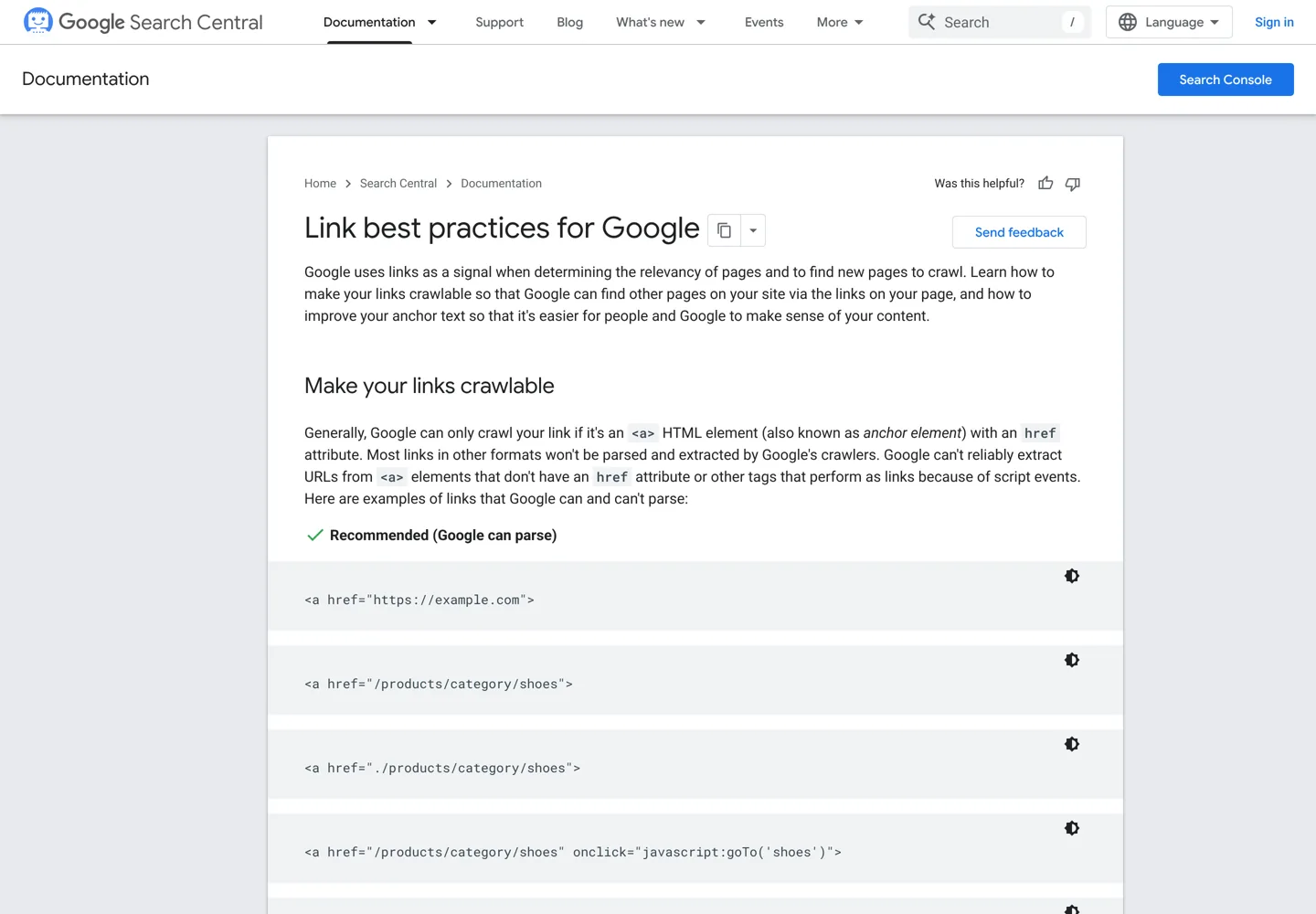
- Use real links. Google can generally only crawl a link if it’s an
<a>element with anhrefattribute. Links that work only through JavaScript click events may not be followed. - Write descriptive anchor text. Good anchor text is “descriptive, reasonably concise, and relevant to the page that it’s on and to the page it links to.” Google’s examples of bad anchors include “click here”, “read more” and “website”.
- Don’t stuff keywords into anchors. Google says to “resist the urge to cram every keyword that’s related to the page that you’re linking to” and reminds readers that keyword stuffing violates its spam policies.
- Give links context. The words before and after a link matter, and links chained next to each other are harder for readers to tell apart.
- Use alt text on image links. For an image used as a link, Google uses the image’s alt attribute as the anchor text.
- Link every page you care about. In Google’s words: “Every page you care about should have a link from at least one other page on your site.”
- No magic number. “There’s no magical ideal number of links a given page should contain. However, if you think it’s too much, then it probably is.”
An internal linking strategy for a blog, step by step
This is the order I use when I plan links for a blog, whether it’s new or has hundreds of posts.

Step 1: Group your posts into topic clusters
List every post and give each one a topic. Each topic gets a pillar page (a broad guide or hub, such as SEO basics) and cluster posts that go deep on one part of it (such as keyword research or on-page SEO). If you haven’t planned clusters yet, our guide to topic clusters and pillar pages shows how. Each post should own one search intent; two posts on the same intent should usually be merged first, because linking can’t fix pages that compete.
Step 2: Link the pillar and the cluster both ways
The pillar links down to every cluster post, with anchors that describe each one. Every cluster post links back up to its pillar, ideally early in the text. This two-way pattern is the backbone of the strategy: Google can reach every post from the pillar, and the pillar collects links from every post on its topic.
Step 3: Link siblings where they genuinely help
Cluster posts on the same topic should link to each other when the reader would want the other page next. A post on search intent naturally links to keyword research; a hosting review links to the hosting comparison. On this blog, every new article links to its pillar and to two to four siblings, and none goes live with fewer than four links pointing to it from other pages.
Step 4: Link from your strongest pages
Some of your pages have far more links from other sites, or far more traffic, than the rest. A link from one of those pages is worth more than a link from a post nobody visits. Find them in Google Search Console: the Links report’s Top linked pages under External links shows which pages other sites link to most, and the Performance report shows which pages get the most clicks. Add a link from two or three of these to each page you most want to rank.
Step 5: Write contextual links with clear anchors
Put the link where it’s useful: in the sentence that mentions the topic, not in a pile at the end. Make the anchor say what the target page is about.

Vary the anchors naturally. Ten links that all say exactly “best WordPress hosting” look written for a search engine; “our WordPress hosting comparison”, “the hosts we tested” and “best WordPress hosting” in different posts read like a person wrote them. Don’t link the same words to two different pages, and don’t point two different anchors on one page at the same target unless there’s a reason.
Step 6: Find and fix orphan pages
An orphan page has no internal links pointing to it. Readers can’t reach it by clicking, and Google can only find it through your sitemap or other sites. To find orphans, compare the list of addresses in your XML sitemap with the pages a crawler reaches by following links (see the tools below). Then either link each orphan from its pillar and one or two siblings, or, if the page is outdated or thin, merge it into a better page with a 301 redirect.
Step 7: Update old posts every time you publish
Linking from a new post to old posts is easy. The step most bloggers miss is the reverse: going back to older posts and adding links to the new one. Every time I publish, I add the new post to its pillar and to two or three older posts on the same topic, choosing ones that already get traffic. A quick way to find candidates is to search Google for site:yourdomain.com followed by the topic, or to use your WordPress search.
How many internal links should a post have?
Google says there is no ideal number, so let the content decide. As a working habit for a typical blog post, I aim for a link to the pillar, links to the siblings a reader will want next and a link to the next step (a review, a deal or a tutorial). That usually lands somewhere between a handful and a dozen contextual links in a long guide. If links start interrupting the reading, there are too many.
Contextual vs navigational links
| Contextual links | Navigational links | |
|---|---|---|
| Where | Inside the text of a post | Menu, breadcrumbs, sidebar, footer, related posts |
| Chosen by | You, for each post | Your theme or settings, site-wide |
| Context | Rich: the sentence describes the target | Thin: usually a short label |
| Best for | Topic relevance, guiding readers to the next step | Site structure, reaching hubs and categories |
| Keep it to | Links a reader would genuinely click | Main hubs and pages, not every post |
Tools to find internal linking opportunities
Google Search Console: the Links report
The Links report in Google Search Console is free and comes straight from Google. Under Internal links, the Top linked pages table shows which of your pages are linked most from within your own site, and selecting a page shows which of your other pages link to it. Google suggests using it to confirm that your core pages are well linked. Keep its limits in mind: it shows a sample of links rather than every link, and its tables show up to 1,000 rows. Our Google Search Console guide covers the rest of the tool.

A site crawler such as Screaming Frog
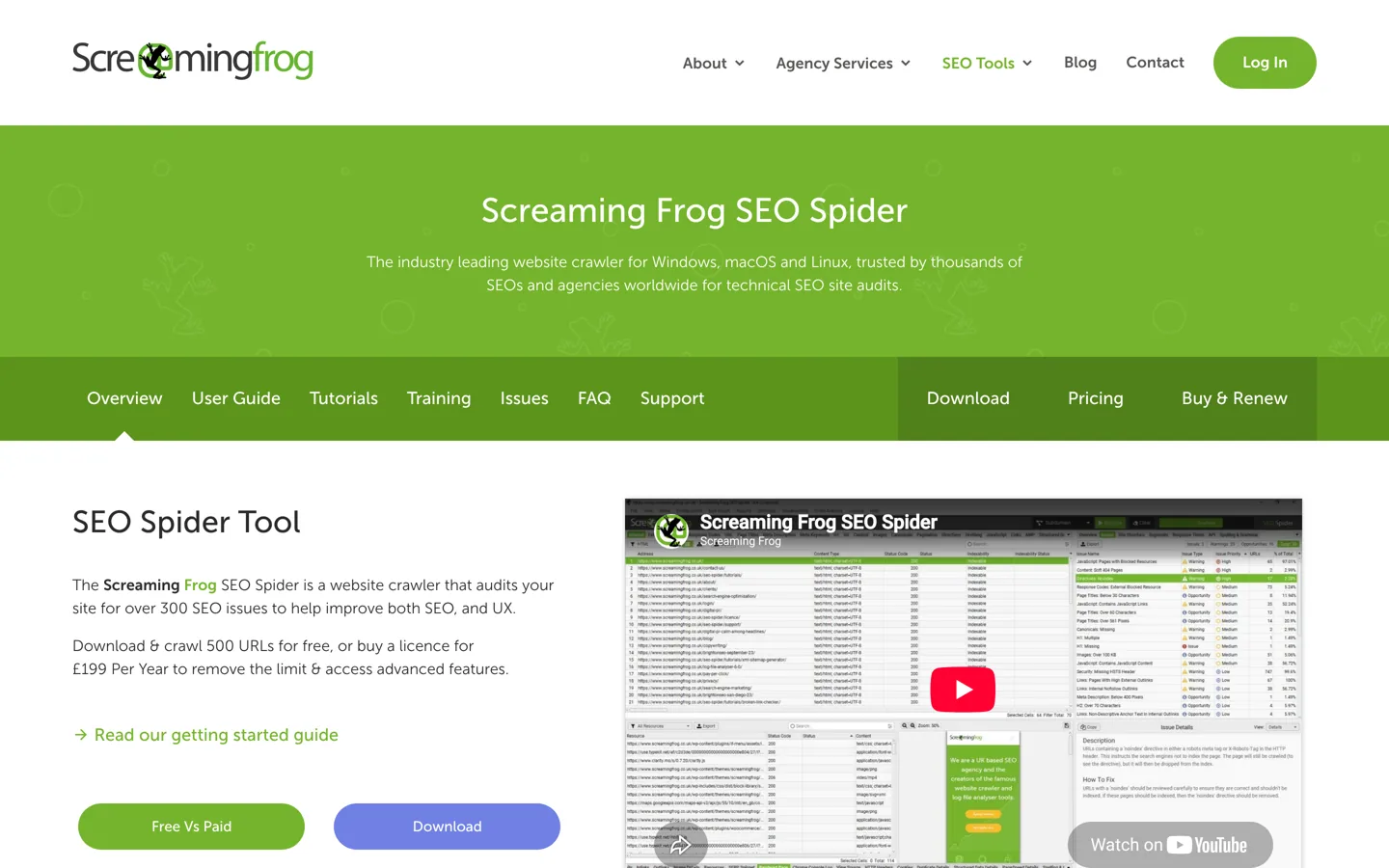
A crawler visits your site the way a search engine does and lists every page it reaches by following links. Screaming Frog SEO Spider is the best-known one. Its free version crawls up to 500 URLs per crawl, enough for most blogs; a licence costs £199 per year (as of 12 October 2026) and removes the limit. For internal linking, the useful columns are Inlinks (how many internal links point to each page), Unique Inlinks and Crawl Depth (how many clicks a page is from the start page). Sort by Inlinks to find weakly linked pages, and look for important posts that sit many clicks deep. Screaming Frog also lists broken links and redirects, so you can point old links straight at the final address. Sitebulb is another crawler that does similar work.
WordPress plugins that suggest links
Some SEO plugins suggest related posts to link to while you write:
- Yoast SEO Premium includes internal linking suggestions, a feature of the paid plugin.
- Rank Math PRO includes AI Link Genius, which Rank Math describes as an internal linking feature that analyses your content and suggests internal links.
- Link Whisper is a dedicated internal linking plugin for WordPress.
Suggestions save time, but read each one before accepting it: a tool matches words, while you know whether the reader actually needs that page. Our WordPress SEO tutorial covers choosing and setting up an SEO plugin.
Internal linking mistakes to avoid
- Exact-match anchor stuffing. Using the same keyword-rich anchor every time, or cramming several keywords into one anchor. Google’s link guidance calls keyword stuffing a spam policy violation.
- Footer and sidebar link farms. Blocks of dozens of keyword-rich links in the footer or sidebar of every page. Google’s link spam examples include “widely distributed links in the footers or templates of various sites”; on your own site, these blocks add noise without context and dilute the links that matter. Keep site-wide links to your main hubs.
- Nofollow on internal links. Google’s guide to qualifying links says that for links within your own site, you should use robots.txt rules to control crawling, not
rel="nofollow". Adding nofollow to your own links only hides your pages from the signals you want them to get. - Linking through redirects or to deleted pages. After you change or merge a page, update the internal links to the final address, so readers and Google don’t take an extra hop or hit a 404.
- Vague anchors. “Click here”, “this post” and “read more” tell nobody anything.
- Links Google can’t follow. Buttons or menus built only with JavaScript click events and no
href. - Linking every mention. Linking the same page five times in one post, or every keyword you can find, makes the page harder to read.
- Forgetting old posts. New posts that are never linked from the older ones stay close to orphans.
Worked example: linking a new post
Here’s what one new post’s links look like on this blog. When the search intent guide goes live, it sits in the SEO cluster:
- Up to the pillar: it links to SEO basics near the top.
- To siblings: it links to keyword research, the keyword research tools comparison, the on-page SEO checklist and topic clusters, each where the text mentions them.
- Back from older posts: the keyword research guide, which mentions intent in one step, gets a link to it with the anchor “search intent”, and the on-page SEO checklist links to it where it talks about matching the page to the search.
- From a strong page: one of the most-linked SEO posts on the site adds a sentence and a link to it.
That’s six or seven links in ten minutes, and the new post is reachable, described and connected from day one.
A monthly internal linking routine
Internal links decay: posts get merged, addresses change and new posts pile up. A short check once a month keeps them working:
- Check every post published this month links to its pillar and siblings, and has links from at least a few older posts.
- Run a crawl and sort by Inlinks: give the weakest important pages new links from related posts.
- Fix broken internal links and links that go through redirects.
- Compare the sitemap with the crawl to catch orphan pages.
- In Search Console’s Links report, check that your pillar pages and money pages are among the top internally linked pages.
- Look at the posts that gained clicks in the Performance report and add links from them to related pages that need a lift.
An internal linking strategy works best on top of a clear structure: plan your topic clusters first, make sure each page matches its search intent, then let the links tie it all together.
Questions people ask
What is an internal linking strategy?
A plan for how your pages link to each other: pillar and cluster links, links from your strongest pages, descriptive anchor text, no orphan pages, and updating old posts when you publish new ones.
How many internal links should a blog post have?
Google says there's no ideal number. Link to the pillar, to the siblings a reader will want next and to the next step. If links start to interrupt reading, there are too many.
Should internal links be nofollow?
No. Google's guidance says to use robots.txt rules for links within your own site, not nofollow. Nofollow on your own links only withholds signals from your own pages.
Can I use exact-match anchor text for internal links?
Sometimes, but vary it. Google wants anchors that are descriptive and natural and warns that cramming keywords into anchor text is keyword stuffing.
What is an orphan page?
A page with no internal links pointing to it. Readers can't click through to it, and Google can only find it through your sitemap or other sites. Link it from related pages or merge it.
How do I find internal linking opportunities?
Use Search Console's Links report to see your most linked pages, a crawler such as Screaming Frog to find weakly linked and deep pages, a site: search for older posts on the same topic, or plugin suggestions.
Sources
- Link best practices for Google (Google Search Central) developers.google.com · checked October 12, 2026
- SEO starter guide (Google Search Central) developers.google.com · checked October 12, 2026
- Qualify your outbound links to Google (Google Search Central) developers.google.com · checked October 12, 2026
- Spam policies for Google web search: link spam developers.google.com · checked October 12, 2026
- Links report (Search Console Help) support.google.com · checked October 12, 2026
- Screaming Frog SEO Spider www.screamingfrog.co.uk · checked October 12, 2026
- Yoast SEO Premium: internal linking suggestions yoast.com · checked October 12, 2026
- How to build internal links (Rank Math, AI Link Genius) rankmath.com · checked October 12, 2026

Building websites since 2006: 500+ web projects of every size and $300K+ in website deals sold or brokered. Founder of A Digital Motive and DigiFlippers. I share the whole process here, plainly.
Founder of A Digital Motive and DigiFlippers