Some links on this page are affiliate links. If you buy through them I may earn a commission, at no extra cost to you. It never changes a rating. Read the disclosure
- Google Keyword Planner is free inside Google Ads but needs account setup with billing details.
- SE Ranking Core includes unlimited keyword research for $129 a month.
- Semrush has 28B+ keywords in 142 regional databases; plans start at $139 a month.
- Moz Pro Standard includes only 150 keyword queries a month; check limits, not just prices.
- KWFinder's free account gives 5 lookups every 24 hours.
The best keyword research tools for SEO in 2026 depend on your budget more than anything else. If you can spend nothing, Google Keyword Planner and Google Search Console cover the basics. If you want one tool that does keyword research, competitor analysis and tracking, Semrush, Ahrefs and SE Ranking are the strongest all-in-one choices. And if you mainly need keyword ideas on a budget, KWFinder, Ahrefs Starter, Serpstat or AnswerThePublic cost much less.
Below are the 12 best SEO keyword tools, what each does best, what it costs and what its free option gives you, with a screenshot or illustration of every one. Prices and limits come from each company’s own pricing page, checked on the date at the end. For how to actually do keyword research step by step, see the keyword research guide; this page is about choosing the tool.
Best keyword research tools at a glance
| Tool | Best for | Free option | Paid from |
|---|---|---|---|
| Google Keyword Planner | Free search volume and ad cost | Inside a Google Ads account | – |
| Semrush | All-in-one SEO with the largest keyword database | Free plan; 7-day trial | $139/month ($117.33 yearly) |
| Ahrefs | Keyword difficulty and traffic potential | Free keyword generator | Starter $29/month |
| SE Ranking | Unlimited keyword research for the price | 14-day trial, no card | $129/month ($103.20 yearly) |
| Moz Pro | Keyword lists and priorities | Free Keyword Explorer | $49/month (one site) |
| KWFinder | Easy, low-difficulty long-tail keywords | 5 lookups a day | $61/month ($37.70 yearly) |
| Ubersuggest | Beginners; one-time payment | Free sign-up | Lifetime plan |
| SpyFu | Competitors’ SEO and ad keywords | 30-day money-back | $39/month ($29 yearly) |
| Serpstat | Budget all-in-one | Free trial | $69/month ($50 yearly) |
| LowFruits | Easy long-tail keywords for niche sites | 14-day refund (under 100 credits) | $29.90/month ($20.75 yearly) |
| Keywords Everywhere | Volume data inside Google and other sites | Free extension features | Credits, about $0.40 per 1,000 keywords |
| AnswerThePublic | Questions people ask | Free to start | $13.33/month yearly |
US prices from each company’s pricing page when this guide was updated.

Free keyword research tools
1. Google Keyword Planner
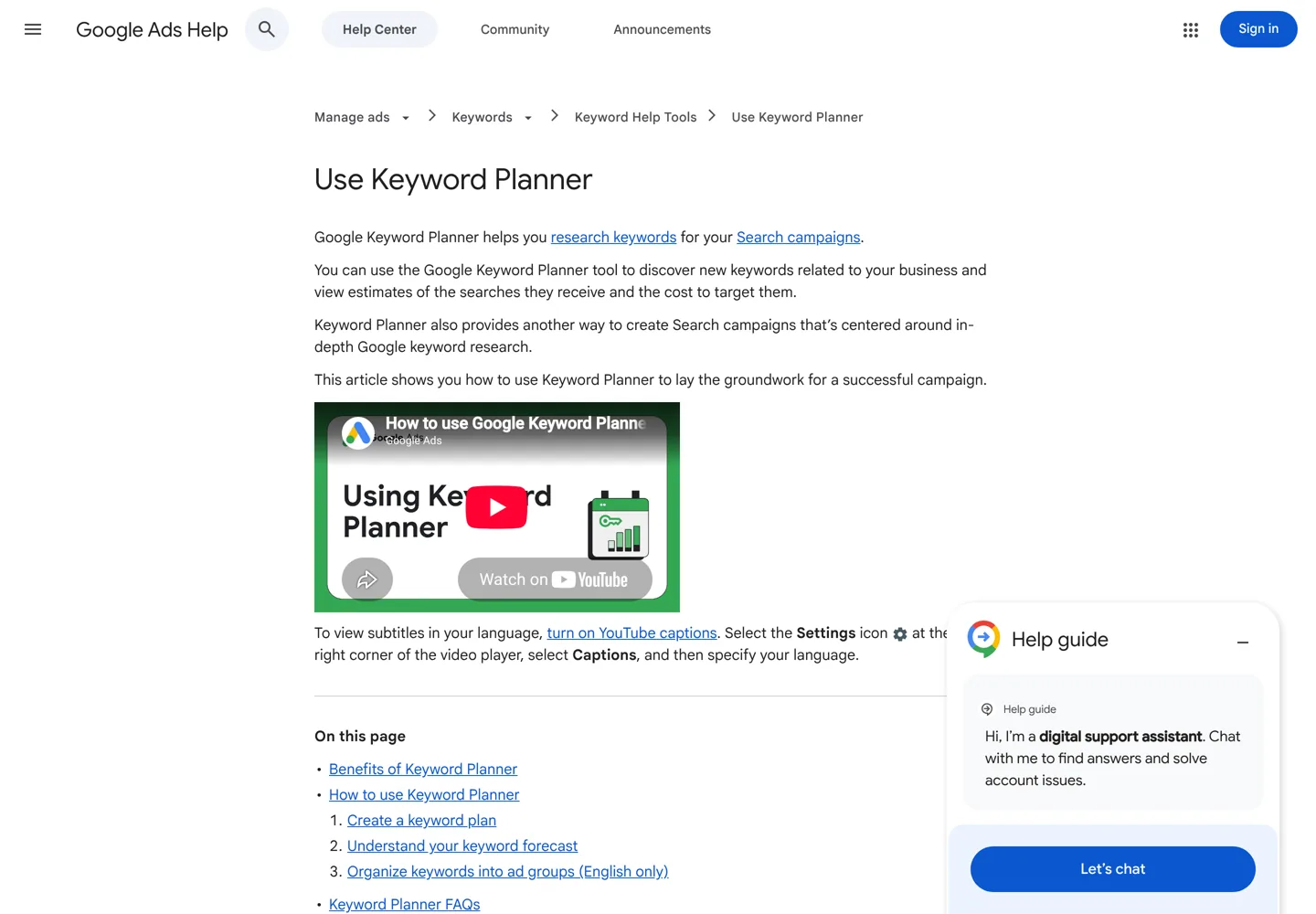
Google Keyword Planner is Google’s own tool inside Google Ads. It finds keywords related to your business, estimates how many searches each gets a month, and shows what advertisers pay to appear for them, with forecasts for ad campaigns. It’s free to use within Google Ads, but Google says you must finish your account setup, including billing details, before you can use “Get ideas for new keywords”.
Its strength is that the data comes from Google itself. Its limits: it’s built for advertisers, so it shows ad competition rather than how hard a keyword is to rank for organically, and it doesn’t show who ranks today.
Also free from Google: Google Search Console shows the searches your own site already appears for, which is often the best place to find keywords you’re close to ranking for. Google Trends shows whether interest in a topic is rising, falling or seasonal.
All-in-one SEO suites
2. Semrush
Semrush has the biggest keyword database of the tools here: more than 28 billion terms across 142 regional databases. Its Keyword Magic Tool turns one seed keyword into thousands of ideas grouped by topic, with search volume, keyword difficulty and search intent, and its Keyword Strategy Builder maps keywords to topic clusters. Beyond keywords, the same account does competitor research, site audits and rank tracking.
Plans: SEO at $139 a month ($117.33 billed yearly) with basic keyword research and 500 tracked keywords; Starter at $199 ($165.17 yearly) with the full keyword research and optimization tools; Pro+ at $299 ($248.17 yearly) adds historical data and keyword cannibalization analysis. There’s a free plan to try the platform and a 7-day free trial of the paid plans.
3. Ahrefs
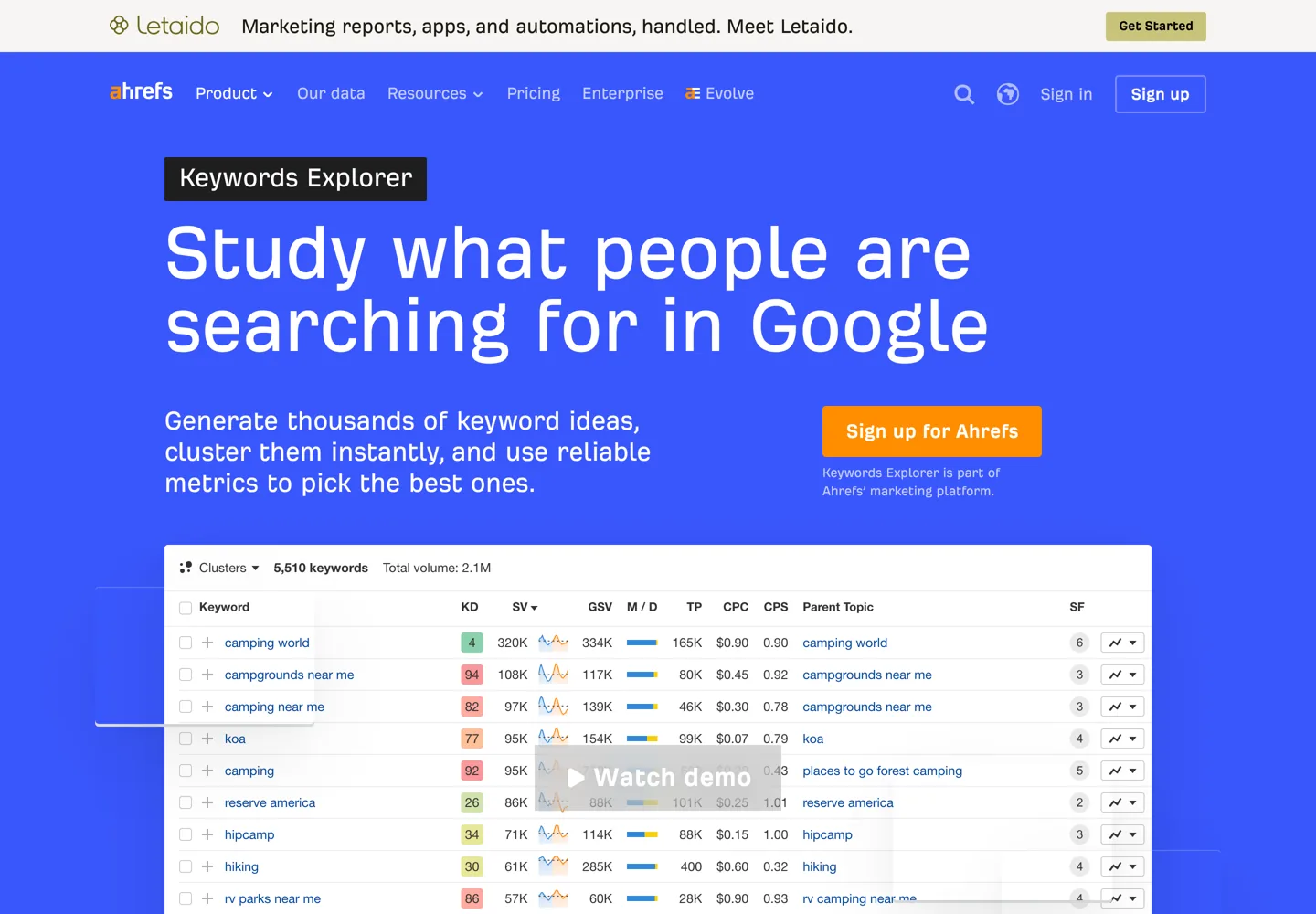
Ahrefs Keywords Explorer is known for its metrics: Keyword Difficulty, Traffic Potential (how much traffic the #1 page for a keyword gets, which you could win by overtaking it) and Parent Topic (whether you can rank by targeting a broader topic instead). It draws on billions of keywords, offers six types of keyword idea reports, and can suggest seed keywords with AI and cluster the results.
Ahrefs now sells a Starter plan at $29 a month for keyword research and competitor checks. The full toolkit starts with Lite at $129 a month ($108 billed yearly), which includes 1,000 credits per user; Standard at $249 gives unlimited credits. Its free tools include a Keyword Generator and a Keyword Difficulty Checker.
4. SE Ranking
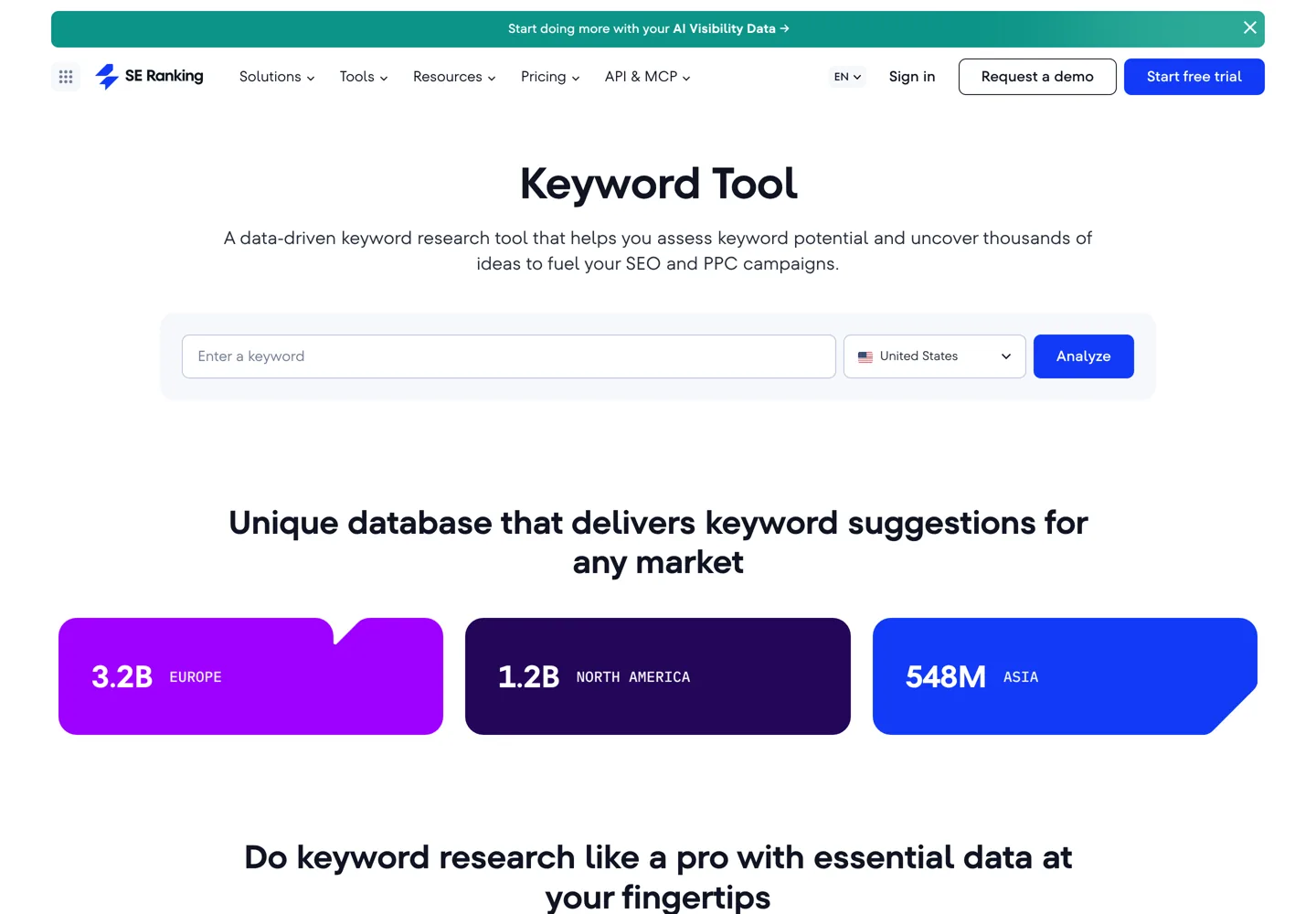
SE Ranking gives the most keyword research for the money among the full suites: its Core plan, $129 a month ($103.20 billed yearly), includes unlimited keyword, competitor and backlink research, along with rank tracking for 2,000 keywords a day and a site audit. Its keyword tool shows keyword difficulty and suggestions for any market, and it has a keyword grouper for sorting ideas into topics.
The 14-day free trial needs no credit card. If you’d rather not pay for Semrush or Ahrefs but want a full suite, SE Ranking is the one to try first.
5. Moz Pro
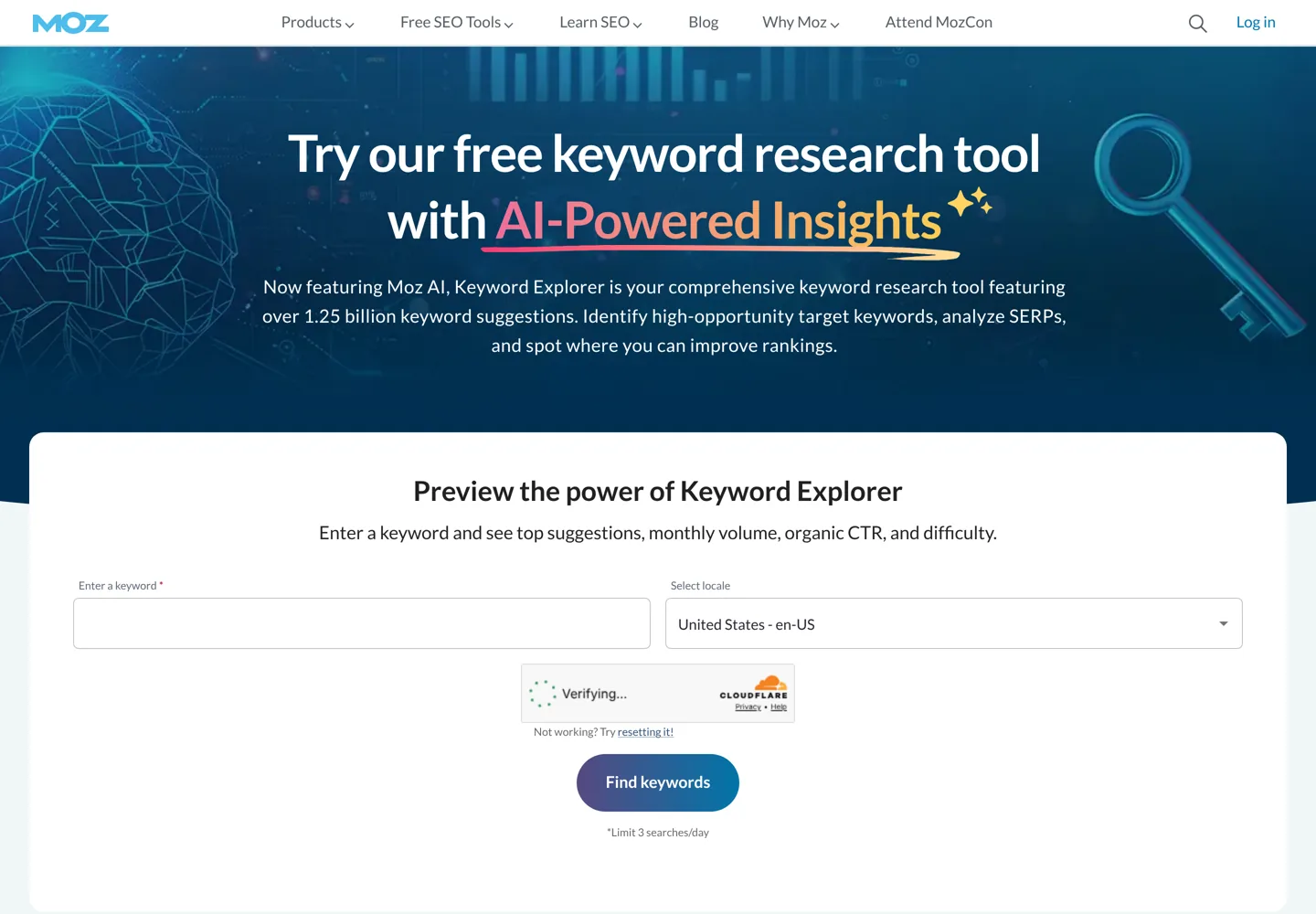
Moz Pro‘s Keyword Explorer draws on more than 1.25 billion keyword suggestions and adds AI insights. You can save ideas to Keyword Lists, add your own relevance score to each keyword, and check SERP features and the ranking pages’ link metrics. You can try Keyword Explorer for free.
Check the limits before you buy. Moz Pro Standard ($99 a month, $79 yearly) includes only 150 keyword queries a month; Medium ($179, or $143 yearly) has 5,000 and Large ($299, or $239 yearly) has 15,000. There’s also a $49 entry plan for people managing a single website.
Budget and specialist tools
6. KWFinder (Mangools)
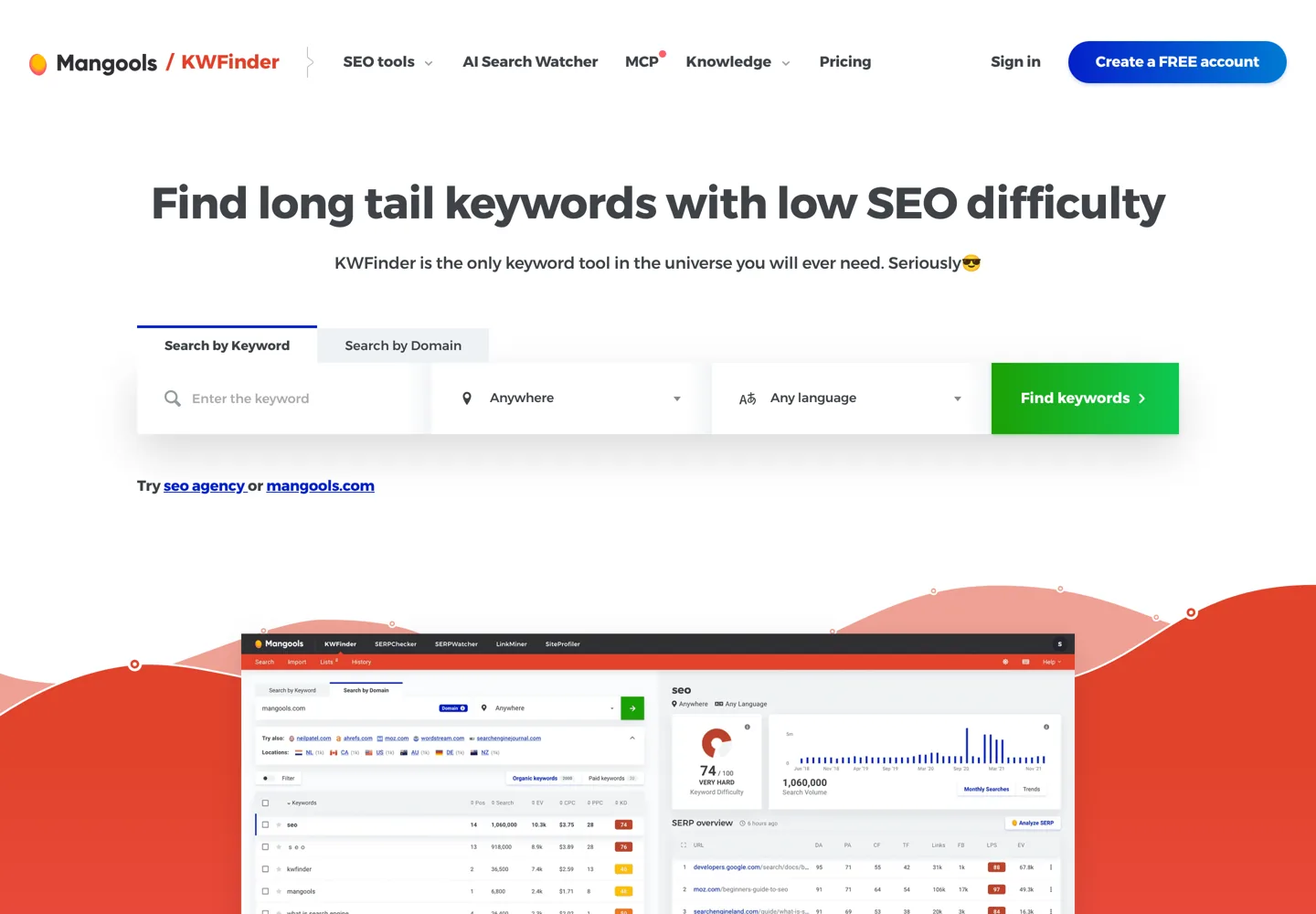
KWFinder, part of Mangools, is built around one job: finding long-tail keywords with low SEO difficulty. It’s easy to read for beginners and supports local keyword research in about 65,000 locations (cities, districts and countries).
The free account gives you 5 lookups every 24 hours, with 15 related and 5 competitor keywords per lookup. Paid Mangools plans, which include KWFinder and its other SEO tools, start with Basic at $61 a month or $37.70 a month billed yearly. Mangools refunds you in full if you ask within 48 hours of paying.
7. Ubersuggest
Ubersuggest, from Neil Patel, shows search volume, intent and AI keyword suggestions in a simple interface, and also does rank tracking, competitor analysis and site audits. You can sign up for free. Its paid option stands out: a lifetime plan you pay for once instead of every month, which Ubersuggest calls its most affordable option.

8. SpyFu
SpyFu is built for competitor research: enter a competitor’s domain and see the keywords they rank for in organic search and the keywords they buy in Google Ads, and every ad they’ve tested. It’s especially useful if you run ads or want to see what’s working for a rival. Basic costs $39 a month ($29 billed yearly) with 10,000-row results and 10+ years of history; Pro + AI is $59 for the first month, then $119 ($89 yearly), with unlimited results and exports. SpyFu offers a 30-day money-back guarantee.

9. Serpstat
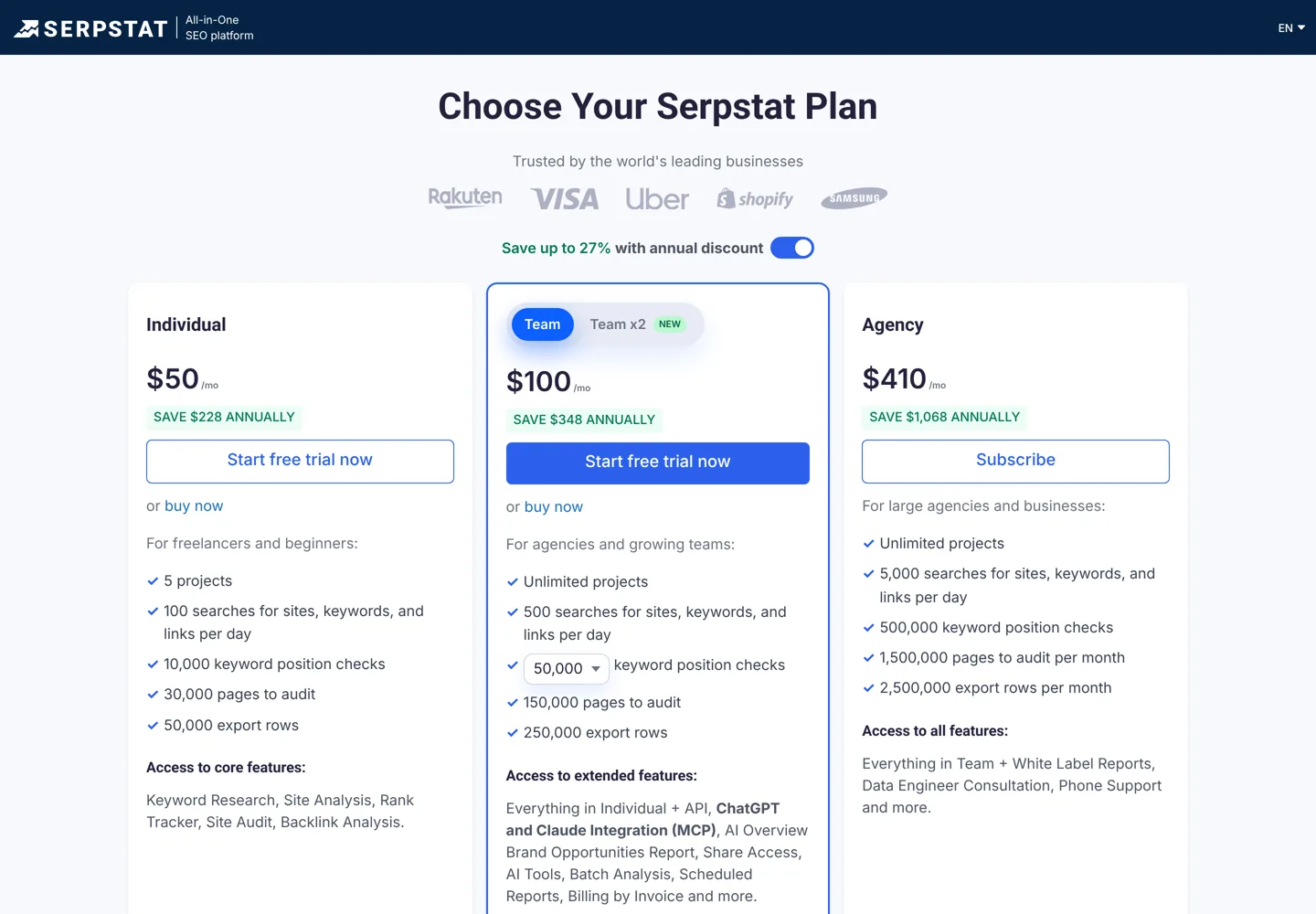
Serpstat is a lower-cost all-in-one tool with keyword research, site analysis, rank tracking, site audits and backlink analysis. The Individual plan costs $69 a month, or $50 a month billed yearly, with 100 searches a day for sites, keywords and links and 10,000 keyword position checks. Team ($129, or $100 yearly) and Agency ($499, or $410 yearly) raise the limits. Note that Serpstat’s pricing page shows the yearly prices first. You can start with a free trial.
10. LowFruits
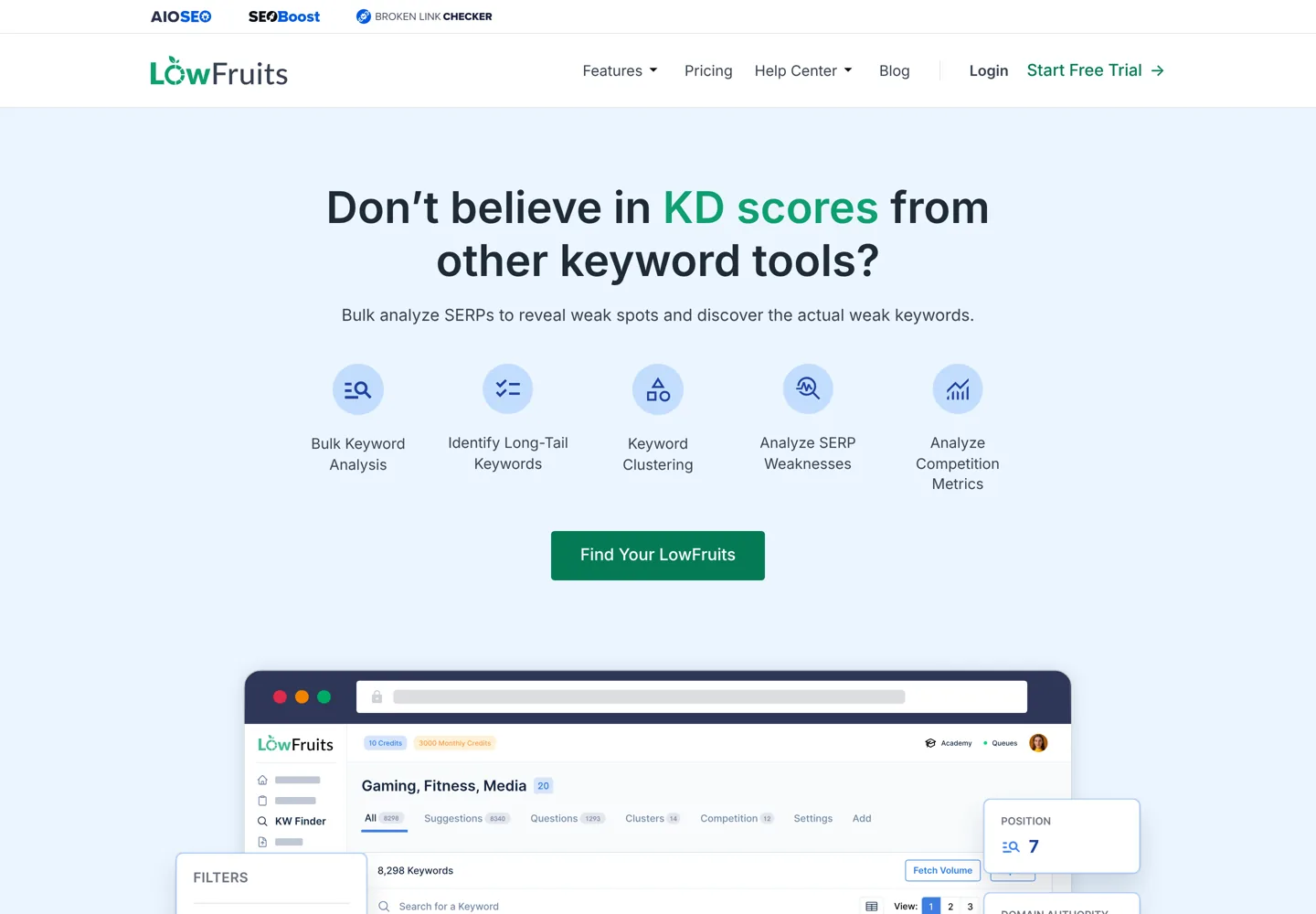
LowFruits is built for niche sites that want easy long-tail keywords. Instead of trusting a difficulty score alone, it analyses search results in bulk to find “weak spots”: results where small sites, forums or thin pages already rank, which a good article can beat. It also clusters keywords into topics. Standard costs $29.90 a month ($20.75 billed yearly) with 3,000 credits a month; Premium is $79.90 ($62.45 yearly). You can also buy pay-as-you-go credits (from $25 for 2,000, valid for a year), and LowFruits refunds you within 14 days if you’ve used fewer than 100 credits.
11. Keywords Everywhere
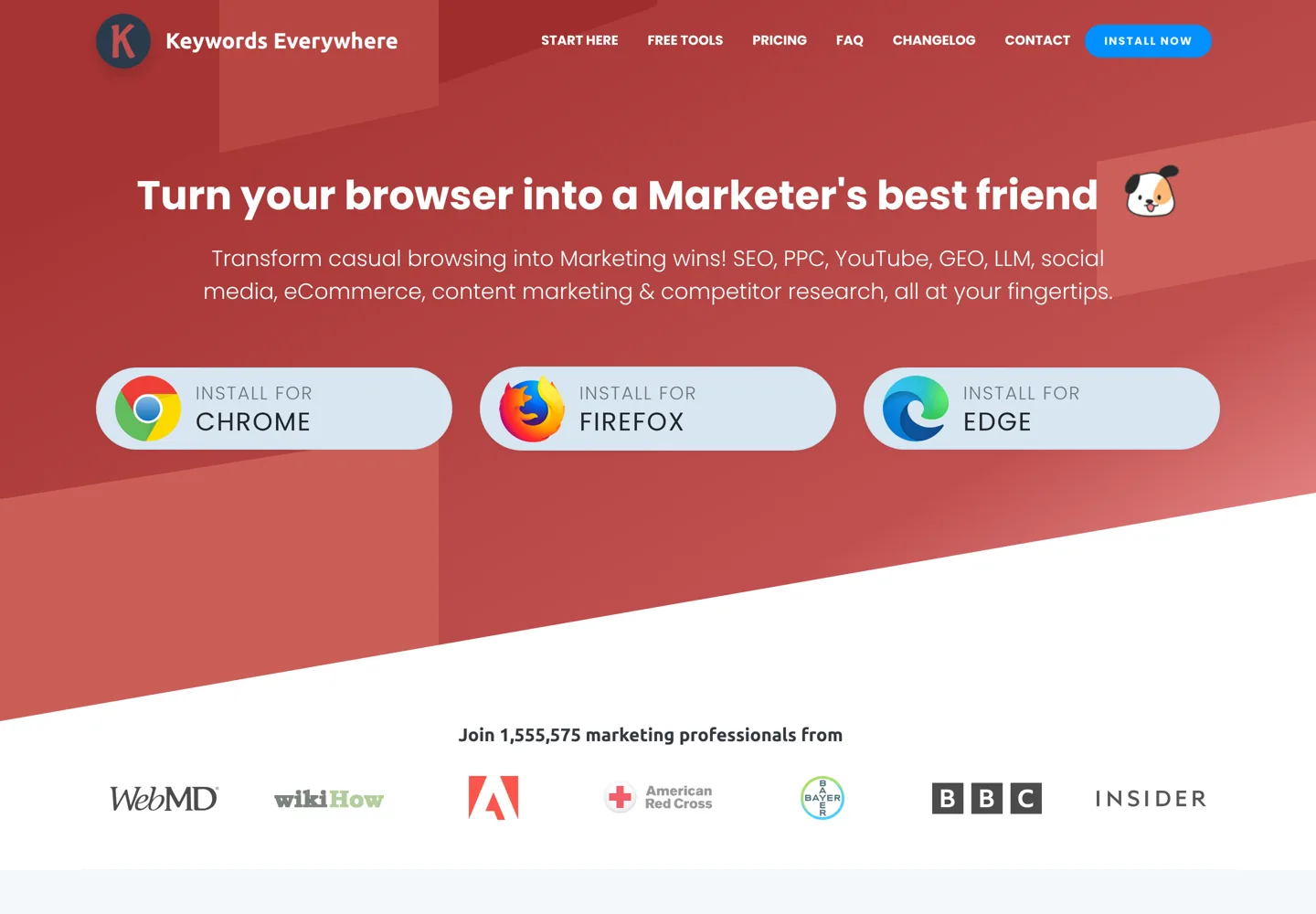
Keywords Everywhere is a browser extension that adds keyword data to the sites you already use: Google Search, Search Console, Google Analytics, Google Trends, Keyword Planner, Bing, YouTube, Amazon, Etsy and more. Instead of opening a separate tool, you see search volume and related keywords while you search.
It works on credits: one credit is one keyword, and credits expire after a year. The smallest top-up package is 200,000 credits at 40 cents per 1,000, so about $80, which lasts a long time for a single blogger.
12. AnswerThePublic
AnswerThePublic shows the questions, prepositions and phrases people search around a topic, which is ideal for finding article ideas and FAQ sections. Results include search volume and cost-per-click data.
You can start for free. Paid plans are billed yearly: Starter at $13.33 a month for 100 searches a month, Growth at $66 a month, and Business at $132.66 a month.

How to choose a keyword research tool
- Start with your budget. Under about $70 a month, combine the free Google tools with KWFinder, Ahrefs Starter, Serpstat or AnswerThePublic. At $100 to $150, choose one suite: SE Ranking, Semrush or Ahrefs.
- Check the limits, not just the price. Lookups per day, queries per month and rows per report decide how much research you can really do. Moz Pro Standard’s 150 queries a month is a good example of a limit that’s easy to miss.
- Decide whether you need more than keywords. If you’ll also track rankings, audit your site and study backlinks, a suite saves money over several single tools.
- Look at local data. If you target one country or city, check that the tool has a database for it (Semrush has 142 regional databases; KWFinder supports about 65,000 locations).
- Use the trial on your own niche. Search the keywords you know best and compare the numbers with what Search Console shows for your site.
Which keyword research tool should you use?
- New blog, no budget: Google Keyword Planner, Search Console, Google Trends and the free tiers of KWFinder or AnswerThePublic.
- Growing blog, small budget: KWFinder or Ahrefs Starter for ideas and difficulty, plus Keywords Everywhere for quick checks.
- Serious site or business: one full suite. SE Ranking for the best value, Semrush for the largest database and all-round toolkit, Ahrefs for its keyword metrics.
- Competitor and ads research: SpyFu, or Semrush.
Once you have your keywords, the on-page SEO guide shows how to use them in each post, and the best backlink checker tools cover the link side of SEO. If you write on WordPress, start with the WordPress SEO tutorial.
Questions people ask
What is the best keyword research tool for SEO?
For an all-in-one suite, Semrush has the largest database, Ahrefs the most useful keyword metrics and SE Ranking the most research for the price. On a budget, KWFinder or Ahrefs Starter; for free, Google Keyword Planner with Search Console.
What is the best free keyword research tool?
Google Keyword Planner gives search volume and ad cost straight from Google, inside a Google Ads account. Search Console shows the searches your own site already appears for. KWFinder's free account adds 5 lookups a day with keyword difficulty.
Is Google Keyword Planner free?
It's free to use within Google Ads, but Google says you must complete your account setup, including billing information, before you can get keyword ideas.
Is Semrush or Ahrefs better for keyword research?
Semrush has the bigger database (28 billion+ keywords) and groups ideas by topic; Ahrefs is known for Keyword Difficulty, Traffic Potential and Parent Topic. Ahrefs Starter at $29 a month is the cheaper way in; Semrush starts at $139 with a free trial.
Which keyword research tool is cheapest?
Among paid tools here, AnswerThePublic Starter costs $13.33 a month billed yearly and Ahrefs Starter $29 a month. Keywords Everywhere works on credits, about $80 for 200,000 keywords that last a year.
Do I need a paid keyword tool for a new blog?
Not at first. Free tools are enough to find a few dozen good topics. A paid tool pays off once you publish regularly and need difficulty scores, competitor keywords and more ideas than free limits allow.
Sources
- Use Keyword Planner (Google Ads Help) support.google.com · checked October 11, 2026
- Semrush keyword research www.semrush.com · checked October 11, 2026
- Semrush pricing www.semrush.com · checked October 11, 2026
- Ahrefs Keywords Explorer ahrefs.com · checked October 11, 2026
- Ahrefs pricing ahrefs.com · checked October 11, 2026
- SE Ranking pricing seranking.com · checked October 11, 2026
- Moz Keyword Explorer moz.com · checked October 11, 2026
- Moz Pro pricing moz.com · checked October 11, 2026
- KWFinder (Mangools) mangools.com · checked October 11, 2026
- Mangools plans and pricing mangools.com · checked October 11, 2026
- Ubersuggest neilpatel.com · checked October 11, 2026
- Serpstat pricing plans serpstat.com · checked October 11, 2026
- Keywords Everywhere credits keywordseverywhere.com · checked October 11, 2026
- AnswerThePublic pricing answerthepublic.com · checked October 11, 2026
- SpyFu pricing www.spyfu.com · checked October 11, 2026

Building websites since 2006: 500+ web projects of every size and $300K+ in website deals sold or brokered. Founder of A Digital Motive and DigiFlippers. I share the whole process here, plainly.
Founder of A Digital Motive and DigiFlippers