Some links on this page are affiliate links. If you buy through them I may earn a commission, at no extra cost to you. It never changes a rating. Read the disclosure
- Five free extensions cover most daily jobs: Detailed SEO, Keywords Everywhere, Redirect Path, Check My Links and Lighthouse.
- SEOquake is Semrush's free on-page checker; a free Semrush account adds more data.
- SEO Minion now needs a paid Keywords Everywhere plan (Silver or higher).
- SEO META in 1 CLICK was last updated in August 2024, older than the rest.
- Every extension can read the pages you visit, so install only what you use.
The best SEO Chrome extensions put SEO data right where you work: on any web page and in Google’s results, one click away. You can check a page’s title and headings, see search volume next to your searches, spot broken links and redirects, and size up a competitor without opening a separate tool. This guide covers 13 SEO Chrome extensions, grouped by the job they do, with each one’s user count, rating and last update taken from the Chrome Web Store on 11 October 2026. Most are free.
A quick word of caution before you install: every extension can read the pages you visit, so install only what you’ll use, keep them updated, and remove the rest.

SEO Chrome extensions compared
| Extension | Best for | Users | Rating | Last updated |
|---|---|---|---|---|
| SEOquake | On-page audit and SERP overlay | 1,000,000 | 4.5 (2.6K) | 1 Oct 2026 |
| Detailed SEO Extension | Quick on-page check | 600,000 | 4.9 (233) | 2 Jun 2026 |
| SEO META in 1 CLICK | Meta tags and headings | 1,000,000 | 4.9 (1.3K) | 31 Aug 2024 |
| Keywords Everywhere | Search data in Google and more | 1,000,000 | 4.5 (5.7K) | 17 Sep 2026 |
| MozBar | Domain and Page Authority | 900,000 | 3.3 (2.5K) | 20 Sep 2026 |
| Ahrefs SEO Toolbar | On-page, links, SERP research | 400,000 | 4.4 (556) | 15 Sep 2026 |
| SEO Minion | Broken links, hreflang, SERP preview | 200,000 | 4.0 (796) | 22 Feb 2026 |
| Redirect Path | Redirects and status codes | 300,000 | 4.3 (200) | 14 May 2026 |
| Check My Links | Broken links on a page | 90,000 | 4.5 (104) | 10 Oct 2026 |
| Lighthouse | Speed, accessibility, SEO audit | 1,000,000 | 4.4 (334) | 25 Jun 2026 |
| Wappalyzer | What a site is built with | 3,000,000 | 4.6 (2K) | 29 Sep 2026 |
| Similarweb | Traffic estimates | 1,000,000 | 4.6 (3.8K) | 29 Sep 2026 |
| Hunter | Finding emails for outreach | 600,000 | 4.7 (12.5K) | 7 Oct 2026 |
Best SEO Chrome extensions for on-page checks
SEOquake: a full on-page audit, free
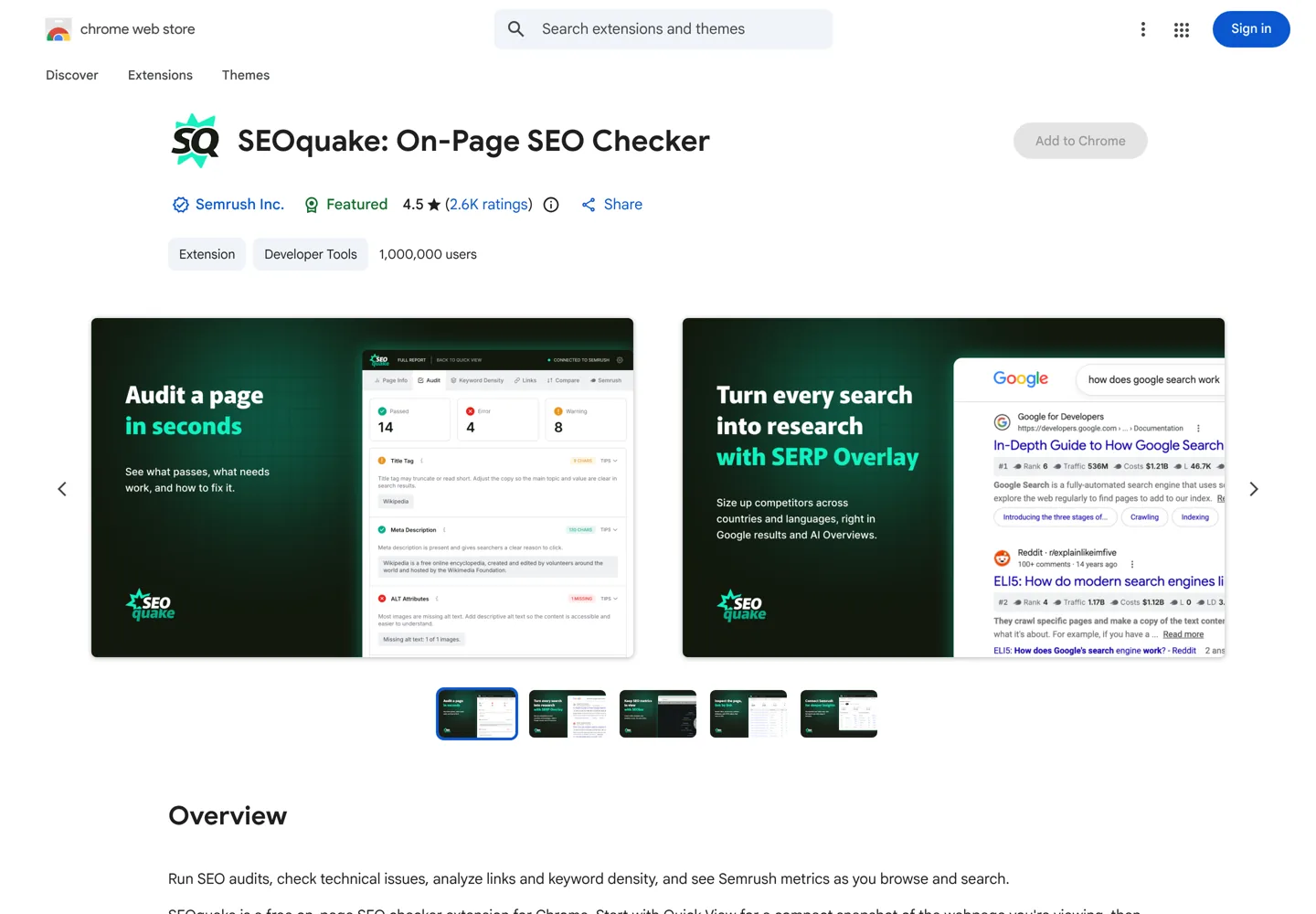
SEOquake is Semrush’s free on-page SEO checker, around since 2006. Quick View shows a page’s title, meta description, heading structure, canonical tag, indexability and word count; Full Report audits content, mobile and technical issues including robots directives, hreflang, XML sitemaps, image alt text and structured data. Its SERP Overlay adds position numbers and Semrush metrics under each Google result, in the country and language you choose, and now covers AI Overviews. Connecting a free Semrush account adds Authority Score, referring domains and traffic data.
Detailed SEO Extension: the fastest one-click check
Detailed SEO Extension shows a page’s title tag, meta description, meta robots, headings and more in one click, so you don’t have to read the source code. It was built by full-time SEOs, its developer is now listed as Ahrefs, and it has the joint-highest rating here at 4.9 out of 5.
SEO META in 1 CLICK: every meta tag at a glance
SEO META in 1 CLICK lists the title and description with their lengths, the canonical URL, meta robots, headings in order, images with and without alt text, link counts, Open Graph and X (Twitter) data, and the robots.txt and sitemap. It’s rated 4.9 by 1,300+ users, but note its last update was August 2024, older than the others here.
Keyword and authority extensions
Keywords Everywhere: search data where you search
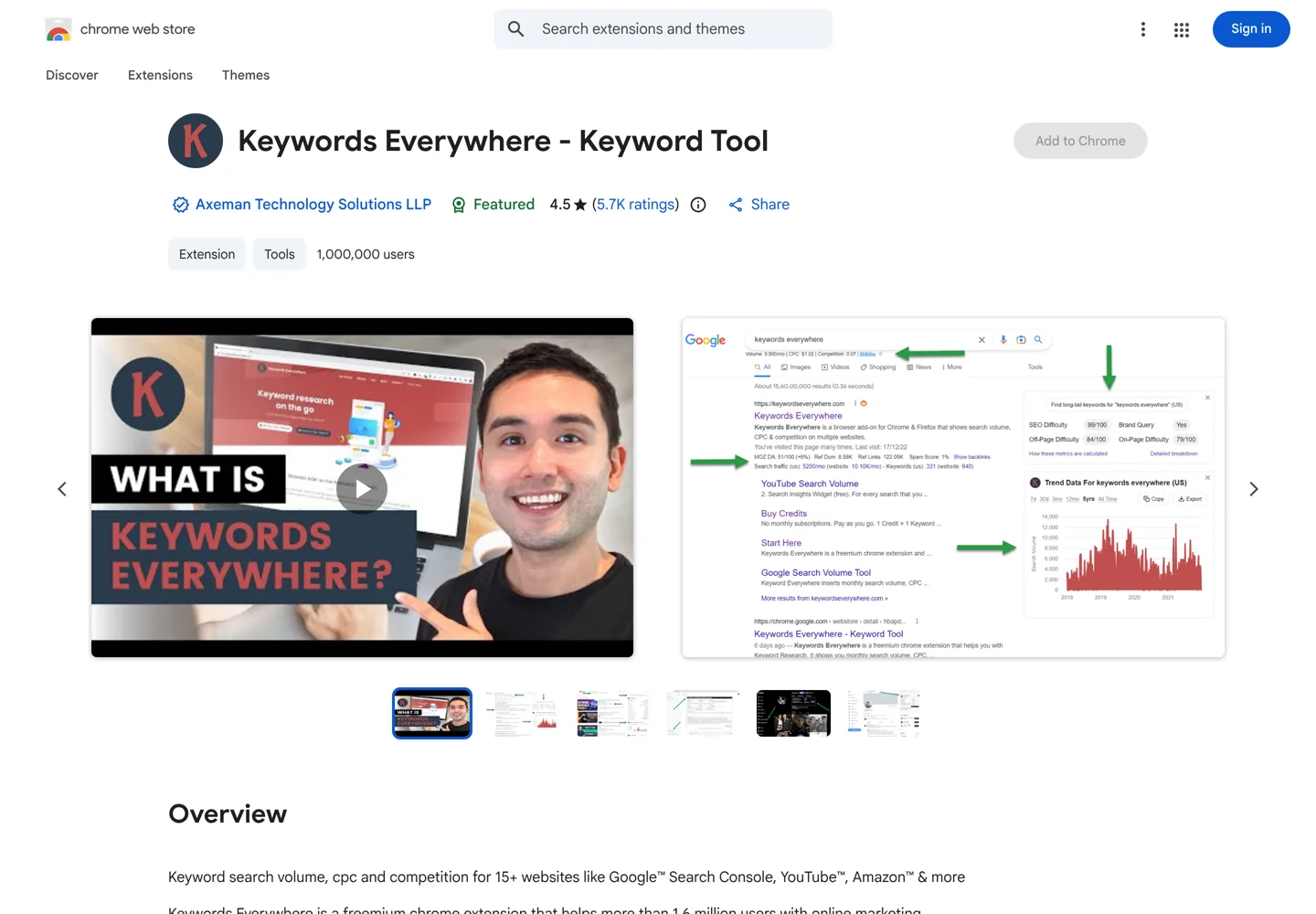
Keywords Everywhere is a freemium extension that adds SEO data to Google, Search Console, YouTube, Amazon and 15+ other sites. The free version shows website traffic estimates and top keywords for any URL, Moz link metrics such as Domain Authority, SEO difficulty scores, and checks such as whether ranking sites block AI crawlers. The paid version adds accurate monthly search volume, cost per click, competition and 12-month trends across those sites, paid with credits. For bloggers it’s the quickest way to judge a keyword idea without leaving Google; our guide to keyword research shows how to use that data.
MozBar: Domain and Page Authority
MozBar shows Domain Authority, Page Authority and Moz’s Brand Authority for any page or search result, plus on-page and link details. Version 5 was rebuilt for speed, with a dockable toolbar and 48-hour caching. A free Moz account unlocks DA and PA; Moz Pro subscribers get the full data. Its rating (3.3) is the lowest here, so test it before you rely on it.
Ahrefs SEO Toolbar: on-page, links and SERP research
The Ahrefs SEO Toolbar is free and checks titles, meta descriptions, headings, canonical tags and indexing directives; highlights, filters and exports a page’s links; traces redirects and spots broken links; and lets you switch regions, Google domains and languages without a VPN. You can also switch user agents to see a page as Googlebot and read HTTP headers. Paid Ahrefs users see Ahrefs metrics such as traffic estimates and referring domains on every page and result.
SEO Minion: handy, but only with a paid Keywords Everywhere plan
SEO Minion analyses on-page SEO, highlights internal and external links, checks every link on a page for errors, validates hreflang tags, previews your page in Google’s results, and simulates searches from other locations. Its store page now says it’s available only to customers of Keywords Everywhere’s Silver plan or higher, so it’s no longer a free tool.
Technical SEO extensions
Redirect Path: see every redirect and status code
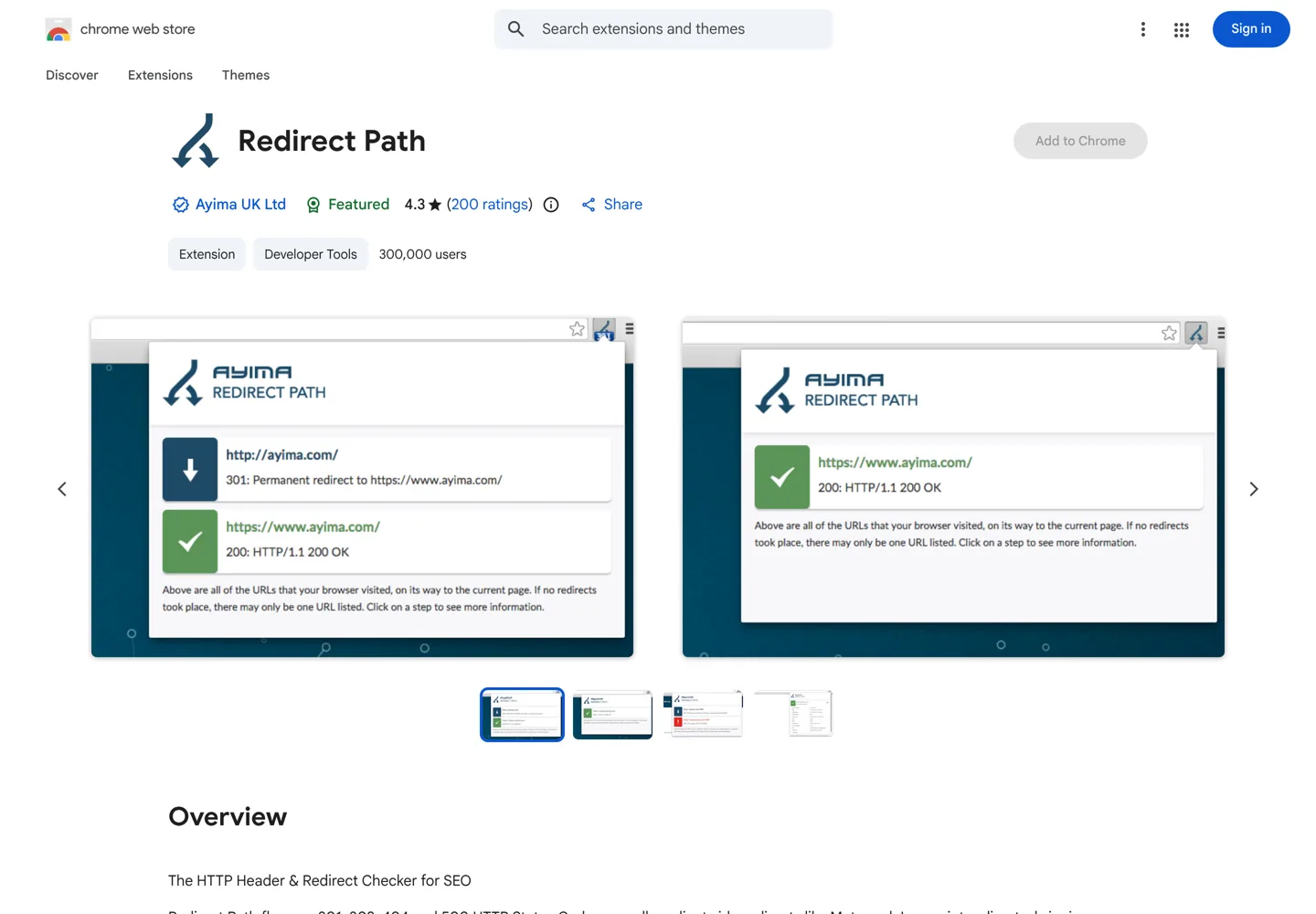
Redirect Path, from the agency Ayima, flags 301, 302, 404 and 500 status codes as you browse, along with Meta and JavaScript redirects you’d otherwise miss, and shows HTTP headers and the server IP. It runs on your computer and doesn’t “phone home”. It’s the extension to keep on when you’re changing URLs or moving a site; our guide to moving from Blogger to WordPress explains why redirects matter.
Check My Links: find broken links in seconds
Check My Links scans every link on a page, highlights the working ones and marks broken or problem links. It now also checks links in Google Docs and Sheets, which is useful for reviewing drafts before you publish. Broken outbound links are one of the easiest things to fix on an older blog, and fixing them keeps readers from hitting dead ends on the posts that already bring you traffic.
Lighthouse: speed, accessibility and SEO audit
Lighthouse is Google’s open-source tool for auditing a page’s performance, accessibility, best practices and basic SEO. It runs a set of tests and shows what failed, with guidance on how to fix it. The extension is one way to run it; Lighthouse is also built into Chrome’s DevTools.
Research and outreach extensions
Wappalyzer: what a site is built with
Wappalyzer, with 3 million users the most installed extension here, shows the CMS, theme platform, analytics, hosting and other technologies behind any website. It’s quick competitor research: see which tools successful sites in your niche use. Our list of BuiltWith alternatives covers it and similar tools.
Similarweb: estimate a site’s traffic
Similarweb shows traffic estimates, keyword insights and, newly, traffic from AI chatbots for any site you visit. Treat the numbers as estimates and compare sites with the same tool; our guide to free blog traffic checkers explains how these estimates work.
Hunter: find who to contact
Hunter finds the email addresses linked to the website you’re on, with the company’s most common email pattern, which saves time on link-building and guest-post outreach. With 12,500+ ratings averaging 4.7, it’s the most-reviewed extension on this list.
A starter kit for bloggers

You don’t need all 13. For most bloggers, five cover nearly every daily job: Detailed SEO Extension for on-page checks, Keywords Everywhere for search data, Redirect Path for redirects, Check My Links for broken links and Lighthouse for speed. Add SEOquake or the Ahrefs toolbar when you start studying competitors, and Hunter when you begin outreach.
Extensions are a shortcut, not a replacement for a full tool. For deeper research, compare the best keyword research tools and our Semrush review; for WordPress-specific SEO settings, see the WordPress SEO tutorial.
A 10-minute page check with extensions
Here’s how the starter kit works together on one of your own posts:
- Open the post and run Detailed SEO. Check that the title and meta description are the right length, there’s one H1, and the headings follow a logical order.
- Turn on Redirect Path and reload. The post should load with a 200 status in one step; a chain of redirects slows it down.
- Click Check My Links. Fix or remove any broken links it marks, especially links to other sites that have moved.
- Run Lighthouse. Look at the performance and accessibility items it flags, starting with large images.
- Search your focus keyword in Google with Keywords Everywhere on. Note the related searches and questions it shows; any you haven’t answered are ideas to add to the post.
Repeat this on your most important posts every few months, and on every new post before it goes live. It takes about ten minutes and catches the most common on-page problems before readers find them.
How to keep extensions safe and fast
- Install from the Chrome Web Store only, and check the developer, user count and last update on the listing.
- Check the permissions. SEO extensions need to read pages, but be wary of ones asking for more than their job needs.
- Remove what you don’t use. Too many extensions slow Chrome and widen your exposure if one is compromised.
- Use a separate Chrome profile for SEO work, so research extensions don’t see your banking or email tabs.
Questions people ask
What is the best free SEO Chrome extension?
For a quick on-page check, Detailed SEO Extension (rated 4.9). For a fuller audit and Google results overlay, SEOquake. Both are free.
Is Keywords Everywhere free?
It's freemium. The free version shows traffic estimates, top keywords for any URL, Moz link metrics and SEO difficulty; search volume, CPC and trend data across Google, YouTube, Amazon and other sites need the paid version, which uses credits.
Is MozBar free?
Partly. A free Moz account shows Domain Authority and Page Authority; Moz Pro subscribers get the full set of metrics.
Which extension checks redirects?
Redirect Path by Ayima shows 301, 302, 404 and 500 status codes and Meta and JavaScript redirects as you browse. The Ahrefs SEO Toolbar can also trace redirects.
Are SEO Chrome extensions safe?
Most well-known ones are, but every extension can read the pages you visit. Install from the Chrome Web Store, check the developer and last update, keep only what you use, and use a separate Chrome profile for SEO work.
Do I need an SEO extension if I use Semrush or Ahrefs?
They're complementary: extensions give instant checks on the page in front of you, while the full tools handle deeper research. Semrush's SEOquake and the Ahrefs toolbar connect to your account for extra data.
Sources
- SEOquake (Chrome Web Store) chromewebstore.google.com · checked October 11, 2026
- Detailed SEO Extension (Chrome Web Store) chromewebstore.google.com · checked October 11, 2026
- SEO META in 1 CLICK (Chrome Web Store) chromewebstore.google.com · checked October 11, 2026
- Keywords Everywhere (Chrome Web Store) chromewebstore.google.com · checked October 11, 2026
- MozBar (Chrome Web Store) chromewebstore.google.com · checked October 11, 2026
- Ahrefs SEO Toolbar (Chrome Web Store) chromewebstore.google.com · checked October 11, 2026
- SEO Minion (Chrome Web Store) chromewebstore.google.com · checked October 11, 2026
- Redirect Path (Chrome Web Store) chromewebstore.google.com · checked October 11, 2026
- Check My Links (Chrome Web Store) chromewebstore.google.com · checked October 11, 2026
- Lighthouse (Chrome Web Store) chromewebstore.google.com · checked October 11, 2026
- Wappalyzer (Chrome Web Store) chromewebstore.google.com · checked October 11, 2026
- Similarweb (Chrome Web Store) chromewebstore.google.com · checked October 11, 2026
- Hunter (Chrome Web Store) chromewebstore.google.com · checked October 11, 2026

Building websites since 2006: 500+ web projects of every size and $300K+ in website deals sold or brokered. Founder of A Digital Motive and DigiFlippers. I share the whole process here, plainly.
Founder of A Digital Motive and DigiFlippers