Some links on this page are affiliate links. If you buy through them I may earn a commission, at no extra cost to you. It never changes a rating. Read the disclosure
- Ask for Restricted access to Search Console instead of trusting screenshots.
- Any active manual action in Search Console is a reason to walk away.
- Google's spam policies cover scaled content and expired domain abuse.
- AdSense accounts can't be transferred; the buyer needs their own.
- Pay through escrow and get the domain into your account before the seller is paid.
To buy a blog safely, set a budget and goal, shortlist listings, check the blog’s traffic, earnings, content and risks at the source, agree written terms, pay through escrow, and transfer every asset before the seller is paid. This guide focuses on that due diligence: the specific checks to run on one blog before you buy it, including Google’s spam policies, Search Console access and which accounts can’t be handed over, with every rule linked to its official source (checked 12 October 2026).
Disclosure: I founded DigiFlippers, one of the marketplaces mentioned on this site. Where to find blogs for sale is covered in our comparison of marketplaces to buy or sell websites, and how to value one in our guide to blog flipping. This page is the checking process for a single purchase.

Why buy a blog instead of starting one?
Buying skips the slowest part: the months or years it takes a new blog to earn trust, rankings and income. You start with content, traffic and, ideally, revenue. The trade-off is risk: you pay up front for a history you didn’t build, so everything depends on checking that history properly. If you’d rather build from scratch, our guide on how to start a blog covers that route.
Before you buy a blog: set your limits
- Budget: the price, plus a reserve for content, tools, hosting and fixes in the first year.
- Time: how many hours a week you’ll put in. A blog that needs weekly posts isn’t passive.
- Niche: pick topics you understand well enough to judge content quality and spot what’s missing.
- Goal: keep it for income, grow it, or improve and resell. Your goal decides which risks you can accept.
Due diligence check 1: traffic

- Ask for Search Console access, not screenshots. Google Search Console lets the owner add you as a user; a “Restricted” user has simple view rights on most data, which is enough to check clicks, impressions, top pages and queries without giving you control.
- Open the Manual actions report. Google issues a manual action when a human reviewer finds pages that don’t comply with its spam policies, and affected pages can be ranked lower or left out of results. Any active manual action is a serious warning.
- Look at the trend over 16 months, the longest period Search Console shows. A steady line is worth more than a recent spike. Compare drops with dates of Google’s core updates.
- Check where visitors come from in Google Analytics: search, social, email, referrals. A blog that lives on one source can lose most of its traffic overnight.
- Check the pages that earn. Often a handful of posts bring most of the traffic and income. Ask what happens if those slip.
Due diligence check 2: money
- See earnings at the source. Watch the seller log in to the ad network and affiliate dashboards on a screen-share, or get read-only access. Compare monthly totals with the profit claimed in the listing.
- Split income by stream: display ads, each affiliate programme, sponsored posts, products. Note which programmes have recently changed their commission rates or terms.
- List every real cost: hosting, writers, tools, themes and plugins, email software. Listings sometimes show revenue as if it were profit.
- Ask about one-off income, such as a big sponsorship or a seasonal spike, and remove it from your average.
Due diligence check 3: content
- Check it’s original. Search a few distinctive sentences from older posts in quotation marks on Google. If they appear on other sites first, the content may have been copied.
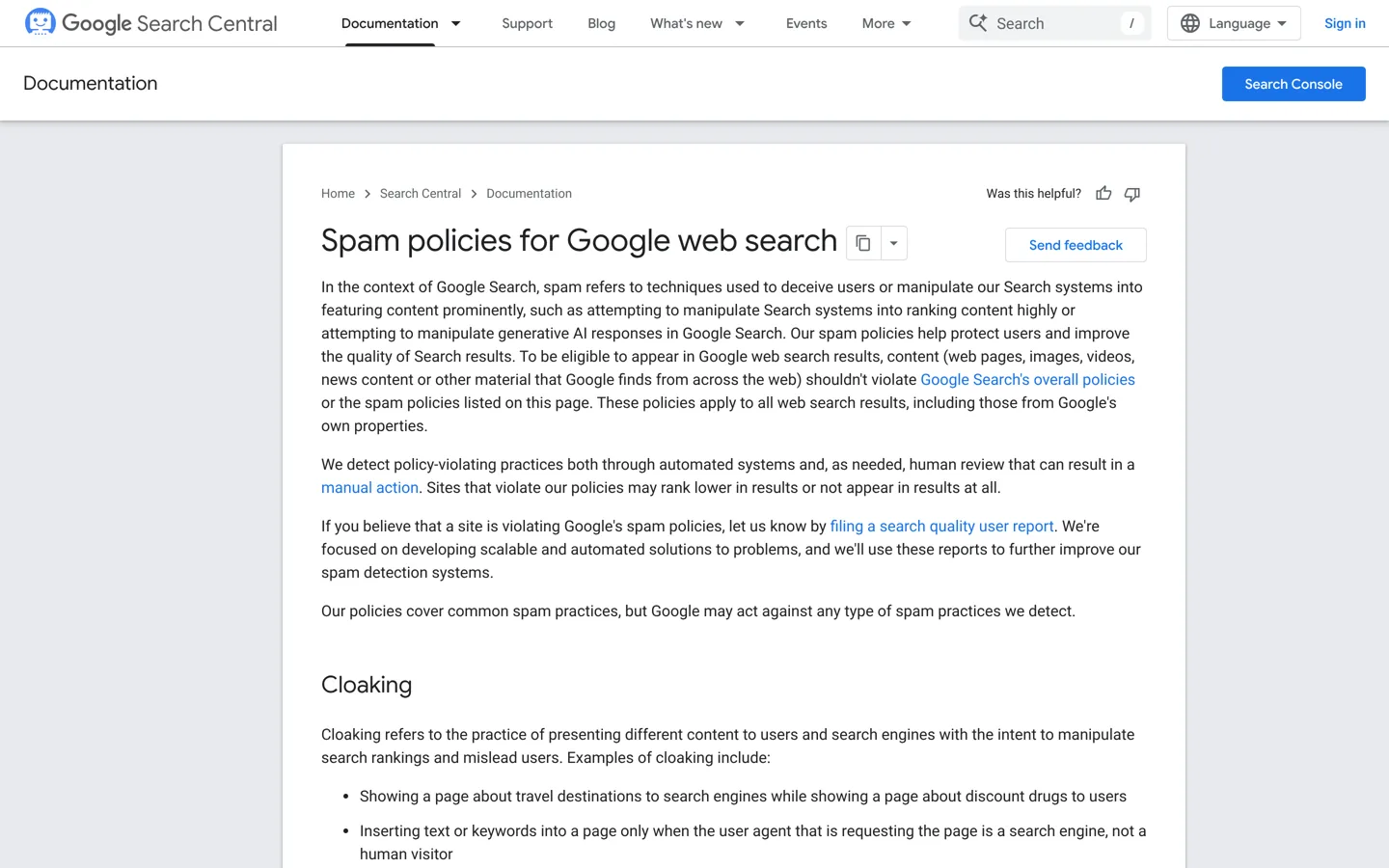
- Look for scaled or low-value content. Google’s spam policies define scaled content abuse as many pages generated mainly to manipulate rankings rather than help users, “no matter how it’s created”, and give examples including using generative AI tools to produce many pages without adding value. A blog built that way carries a ranking risk you’d be buying.
- Find out who wrote it and confirm the content, images and logo will be fully yours. Stock photos and freelance work need the right licences.
- Read a sample as a reader would. Thin, outdated or unhelpful posts will need rewriting, which is a cost to add.
Due diligence check 4: risk
- Domain history. Look at old versions of the site in the Wayback Machine. Google’s spam policies name expired domain abuse: buying an expired domain and repurposing it mainly to manipulate rankings with low-value content. A blog whose topic changed suddenly after a domain purchase deserves a hard look.
- Backlinks. Check the link profile with a tool such as Semrush or Ahrefs. Lots of paid-looking or irrelevant links are a sign of past link schemes.
- Dependence. One affiliate programme, one writer, one ranking, one social account: each is a single point of failure.
- The seller’s reason. “Moving on to other projects” is common and fine. Vague answers, pressure to close fast or requests to pay outside the marketplace are not.
Check the blog’s technical health
Most blogs for sale run on WordPress, and its condition affects your costs from day one:
- Plugins and theme: list them, check each was updated recently, and confirm premium licences will move to you or that you’ll need to buy your own. Our list of the best WordPress plugins helps you spot gaps.
- Software versions: WordPress and PHP should be current; an old setup can mean a painful upgrade.
- Hosting: know where it’s hosted, what it costs and whether the plan will move to your account or need a migration.
- Speed and security: run key pages through a speed test and ask whether the site has ever been hacked. Hacked content is another of Google’s listed spam issues.
- Backups: confirm a full, recent backup exists before any handover begins.
Questions to ask the seller
- Why are you selling, and what will you do next?
- How many hours a week does the blog take, and on what?
- Who writes the content, and are they willing to keep writing for a new owner?
- Which posts bring most of the income, and has that changed in the past year?
- Have you bought links, used paid traffic or run any campaigns that will stop after the sale?
- Have you ever received a manual action, a hacking warning or an affiliate programme suspension?
- What would you do next if you kept it?
Good sellers answer clearly and back it up with data. Keep the answers in writing; they help you judge the deal and, if something was misrepresented, show what you were told.
What transfers, and what doesn’t

Not everything that makes a blog earn can be handed over:
- AdSense can’t be transferred. Google’s help pages say the AdSense terms don’t permit transfers of account ownership, so you’ll need your own AdSense account and approval. Plan for a gap in ad income.
- Affiliate accounts: check each programme’s terms. In many cases you’ll join under your own name and replace the links.
- Search Console and Analytics: the seller can add you, then you take over ownership.
- Email list: make sure subscribers agreed to receive emails from the blog, and check the rules where you and they live before you import it.
- Domain: transfer it to a registrar account in your name, such as Namecheap, before the seller is paid.
Agreeing terms and paying safely
- Put it in writing: what’s included (domain, content, images, email list, social profiles where the platform allows), the price, the handover steps and any support period.
- Agree a transition period, for example 30 days of answers to your questions, and whether the seller will avoid launching a competing site.
- Use escrow such as Escrow.com or the marketplace’s protected payment: your money is released only after you confirm the assets are in your accounts.
- Take a full backup of the site and database as soon as you have access.
Your first 90 days
- Change little at first. Keep the design, URLs and publishing pattern while you learn what works. Never change addresses of ranking posts without 301 redirects.
- Replace accounts carefully: your hosting, ad network and affiliate links, one at a time, checking earnings after each change.
- Update the best posts first: refresh facts and prices, improve titles in Search Console, add internal links.
- Measure against the seller’s numbers every month. A gap in the first months is normal while accounts change; a steady fall is a signal to investigate.
When to walk away
- An active manual action in Search Console.
- No access to earnings or analytics, only screenshots.
- Content copied from other sites, or hundreds of thin, mass-produced posts.
- A domain recently bought and repurposed into an unrelated topic.
- Pressure to pay outside escrow or the marketplace.
If any of these appear, walk away: there will always be another blog for sale.
Smaller doubts don’t have to end a deal. A traffic dip you can explain, a weak income stream or posts that need updating can all be reflected in a lower price or a longer transition period. Write down what you found, what it will cost to fix, and adjust your offer accordingly.
Questions people ask
Is it worth buying a blog?
It can be, if the traffic and earnings are verified and you have a plan to grow it. You save the slow start of a new blog but pay for history you need to check carefully.
How do I verify a blog's traffic?
Ask to be added to the blog's Google Search Console (Restricted access gives view rights to most data) and Google Analytics, and check 16 months of trends and the Manual actions report.
Can I take over the seller's AdSense account?
No. Google's help pages say AdSense terms don't permit transfers of account ownership, so you'll need your own account.
How do I pay safely when buying a blog?
Use escrow, such as Escrow.com, or the marketplace's protected payment, and release money only once the domain and files are in your accounts.
What are the biggest red flags?
An active manual action, no access to real earnings data, copied or mass-produced content, a repurposed expired domain, and pressure to pay outside escrow.
Where can I buy a blog?
On website marketplaces such as Flippa, Empire Flippers or DigiFlippers (which I founded), or directly from owners; our marketplaces comparison covers fees and differences.
Sources
- Manage users and permissions (Search Console Help) support.google.com · checked October 12, 2026
- Manual actions report (Search Console Help) support.google.com · checked October 12, 2026
- Spam policies for Google web search developers.google.com · checked October 12, 2026
- Change your payments profile name and address (AdSense Help) support.google.com · checked October 12, 2026

Building websites since 2006: 500+ web projects of every size and $300K+ in website deals sold or brokered. Founder of A Digital Motive and DigiFlippers. I share the whole process here, plainly.
Founder of A Digital Motive and DigiFlippers