Some links on this page are affiliate links. If you buy through them I may earn a commission, at no extra cost to you. It never changes a rating. Read the disclosure
- Domains have no spaces and ignore capital letters.
- Several famous funny domains still belong to the same businesses.
- Experts Exchange moved to a hyphenated domain.
- Ask three people to read your domain aloud before you register.
- Capitals in your branding help readers but don't change the address.
Funny domain names happen when words that look fine with spaces run together into something else entirely. Domain names can’t contain spaces, and they ignore capital letters, so “Pen Island” becomes penisland.net and a perfectly innocent business suddenly reads very differently. This guide collects famous examples, each checked on 12 October 2026 to see whether the address still works and who it belongs to, and then explains how to make sure your own blog or business doesn’t join the list.
Still choosing a name? Our guide to the Namelix name generator helps you brainstorm, and our guide on using your own name as a domain covers personal brands. This page is about names that read the wrong way.

Why domain names go wrong
When you write a business name, spaces and capital letters show where one word ends and the next begins. Domain names have neither. Spaces aren’t allowed, and the Domain Name System treats names as case-insensitive: the technical standard, RFC 4343, says DNS names are “case insensitive”, so PenIsland.net and penisland.net are the same address. Once the words are joined in lower case, readers have to guess where the breaks go, and the brain often finds the funniest option first.
Funny domain names that still exist
These are among the most widely shared examples. We opened each address on 12 October 2026 to check what’s there now; we don’t repeat the stories about how each name was chosen, because we couldn’t confirm them.
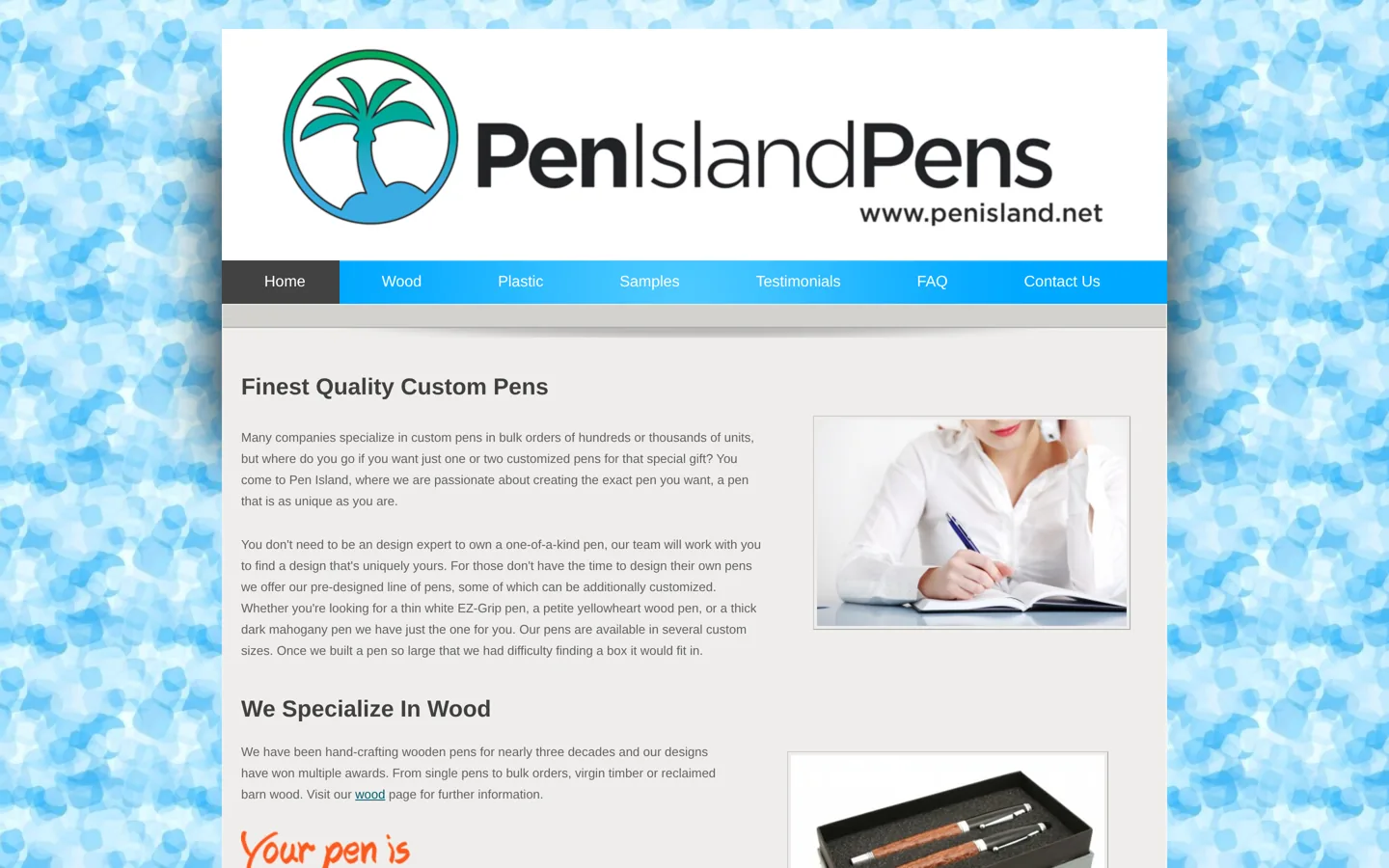
- penisland.net: the site of Pen Island Pens, which makes custom pens and was still online when we checked. Read it without the space after “pen” and you’ll see the problem.
- whorepresents.com: WhoRepresents.com, a database for finding celebrities’ agents and representatives (“Who represents?”), still active with fresh posts. It can also be read as a rather different kind of service.
- molestationnursery.com: Mole Station Native Nursery, a mostly wholesale native plant nursery near Tenterfield in New South Wales, Australia. “Mole Station” was meant; another reading is far more alarming.
- childrenswear.co.uk: Childrenswear, a shop selling boys’ formal clothing. “Children’s wear” or “children swear”? Both fit the letters.
- wintersexpress.com: the Winters Express, a local newspaper covering Winters, California. “Winters Express” is clearly intended; the middle of the name tells a different story.
Names that have moved on
Some of the best-known examples now point somewhere else, a reminder that an awkward domain can cost a business its address.
- expertsexchange.com: Experts Exchange, which describes itself as an expert network for technology teams and says it was established in 1996, now uses the hyphenated experts-exchange.com. The unhyphenated address showed a parked page saying the domain may be for sale when we checked.
- therapistfinder.com: now forwards visitors to findatherapist.com, an address with no unfortunate reading.
- itscrap.com: now forwards to regencytechnologies.com. “IT scrap” or “it’s crap”; either way, the business uses a different name today.
- oddsextractor.com: now forwards to Bet Angel’s site, betangel.com. Read the original as “odds extractor” or with a very different word in the middle.
We’ve left out other names that circulate in lists online, because when we checked, they either didn’t load or now point to unrelated sites, so we couldn’t confirm what they were.
What these names teach us
- Read the domain without spaces or capitals, exactly as it will appear in a browser.
- Look for words hiding across the joins. The trouble is almost always where two words meet.
- Say it out loud, and ask someone else to read it cold, without knowing the business name.
- Funny isn’t always bad. Some of these businesses became famous because of their domains. But you don’t control which way that goes.
- Fixing it later costs more. Changing a domain means redirects, new branding and the risk of losing search traffic.
How to avoid a funny domain name

- Write the name in lower case with no spaces and read it slowly, letter by letter, looking for words that span the joins.
- Ask three people who don’t know the business name to read it aloud. If any of them stumble or laugh, think again.
- Check other languages if you sell internationally. A harmless word in one language can be rude in another.
- Consider a hyphen if the joined version reads badly, as Experts Exchange did. Hyphens are less memorable, so use them only when they solve a real problem.
- Try a different word order or a shorter version of the name.
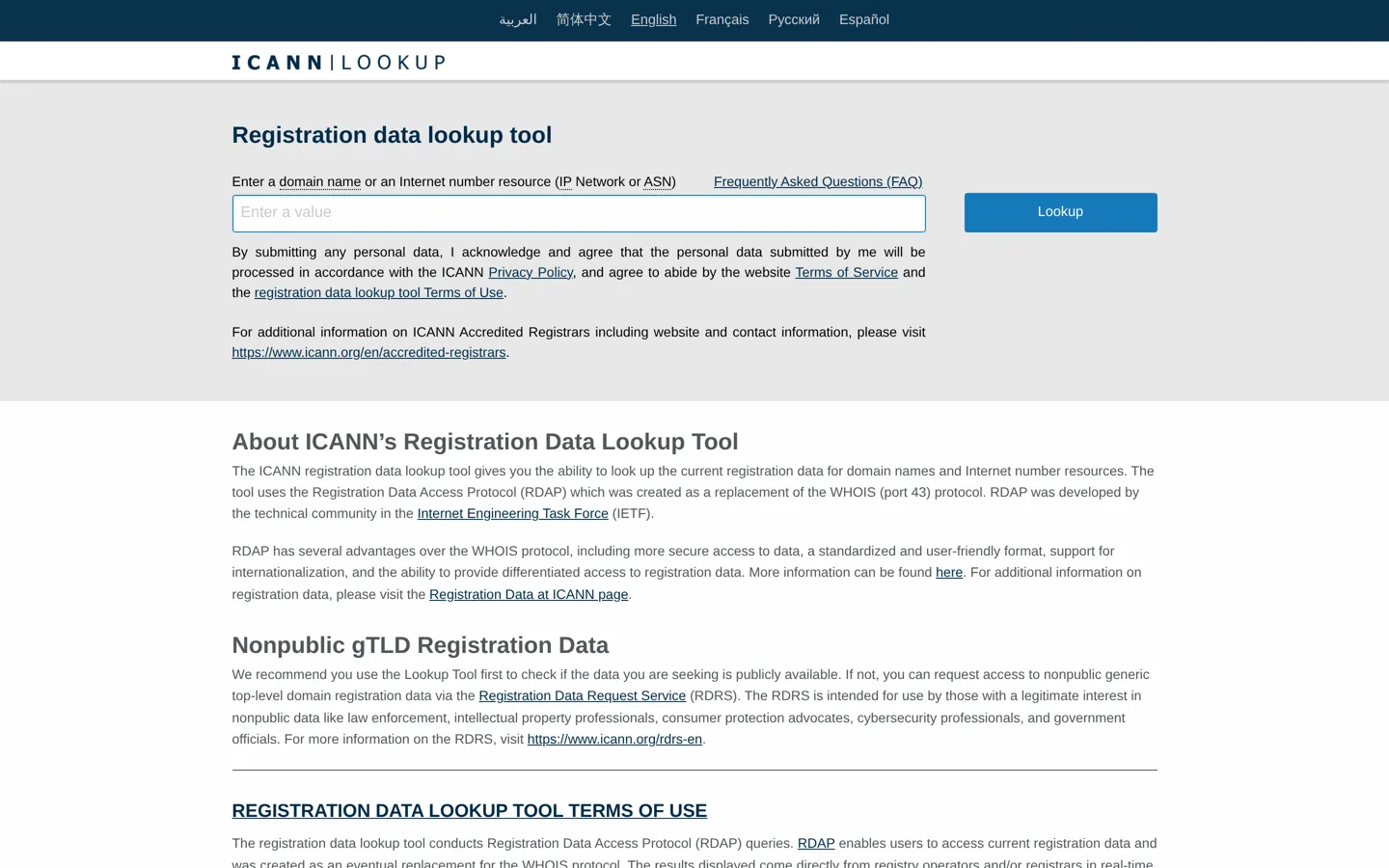
- Check who owns similar names. ICANN’s registration data lookup tool shows the current registration data for a domain, using the Registration Data Access Protocol (RDAP), which was created to replace the older WHOIS system.
- Register the name you’ll actually use at a registrar such as Namecheap, plus the obvious alternative spelling if you can afford it. Our Namecheap review covers prices and renewals.
A worked example
Imagine a small craft brewery called Mike’s Hop. It’s a made-up name, but it shows the process. Written as a domain, it becomes mikeshop.com, which most people will read as “Mike shop”. Not rude, but confusing: visitors may expect a general store, and anyone who hears the name will probably type something else.
Run the checks. Read in lower case without spaces, it splits wrongly. Three friends reading it cold all say “Mike shop”. The fixes: a hyphen (mikes-hop.com) is clear but awkward to say; a different word order (hopbymike.com) reads cleanly; adding what the business does (mikeshopbrewing.com) still starts with the wrong reading. The best choice here is probably hopbymike.com, with the other versions registered and redirected if budget allows. Ten minutes of checking saves a rebrand later.
These example addresses are only an illustration; we haven’t checked whether anyone owns them, and they aren’t recommendations.
Other domain mistakes to watch for
- Doubled letters at the join, such as a name ending and the next word starting with the same letter, which people often mistype.
- Sound-alike spellings, such as “4” for “for” or “u” for “you”, which are hard to share by voice.
- Plurals and possessives: people may not know whether to type the “s”.
- Very long names that are easy to get wrong on a phone.
Capitals in your branding help, but not in the address bar
Writing a domain with capitals in your logo, email signature or print materials, for example PenIsland.net, makes it easier for people to read correctly. Because domains are case-insensitive, the capitals don’t change where the link goes, so it costs nothing. But people will still see and type the lower-case version in their browser, in search results and when they share links, so capitals are a help, not a fix.
Funny on purpose
Not every amusing domain is a mistake. Some brands choose playful names deliberately, because they’re memorable and get shared. If you go that way, make sure the joke is one you’re happy for customers to repeat, that it still suits the business in five years, and that it doesn’t hide a second, ruder reading you haven’t spotted. The checks above apply even more to a domain that’s meant to be funny.
Why funny domains spread so fast
Lists of unfortunate domains have circulated online for years because they combine surprise with a harmless laugh: a pen shop or a plant nursery isn’t doing anything wrong, and readers enjoy spotting the second meaning. That’s also why the lists often grow with invented examples, which is why we only included names we could open ourselves. For a business, the lesson is simple: people remember and repeat names that make them laugh, so make sure yours is one you’re glad to have repeated.
What to do if your domain reads badly
- If you haven’t launched yet, change it now; it’s the cheapest moment you’ll ever have.
- If you’re established, consider registering a better version and redirecting the old one permanently (a 301 redirect), so old links and search rankings follow you.
- Keep the old domain registered after a move, so links in old emails and articles still work and nobody else can take it.
- Or lean into it, with capitals in your branding and a sense of humour, if your customers already love the name.
Before you register: a quick checklist
- Read the domain in lower case, without spaces.
- Ask three people to read it aloud without knowing the name.
- Check it in the languages of your main markets.
- Look up similar names and who owns them.
- Check the same name is free on the social networks you’ll use.
- Register it, and the obvious alternative, before you announce it.
More tips for a good domain name
Beyond avoiding accidental jokes, a good domain is short, easy to spell when heard, and free of numbers or odd spellings that people get wrong. Avoid names that are very close to an existing brand, which can confuse customers and cause legal problems. And check that the same name is free on the social networks you plan to use; our guide to username availability checkers shows how. A good name is one people can hear once, remember, and type correctly the first time.
Funny domain names are a good laugh, and a cheap lesson. Spend ten minutes reading your own name the way a stranger will, before it’s on your business cards.
Questions people ask
What are some funny domain names?
Famous examples include penisland.net (Pen Island Pens), whorepresents.com (WhoRepresents.com), molestationnursery.com (Mole Station Native Nursery) and childrenswear.co.uk.
Why do some domain names read so badly?
Domain names can't contain spaces and are case-insensitive, so words run together and readers have to guess where one ends and the next begins.
Does capitalising a domain name change it?
No. DNS names are case-insensitive, so PenIsland.net and penisland.net are the same address, but capitals in your branding help people read it correctly.
Should I use a hyphen in my domain name?
Only if the joined version reads badly or is confusing. Hyphens are harder to remember and say, so they're best as a fix, not a default.
How can I check who owns a domain?
ICANN's registration data lookup tool shows current public registration data for a domain, using RDAP, the replacement for WHOIS.
What if my existing domain reads badly?
Register a better version and redirect the old one permanently with a 301 redirect, and keep the old domain registered so old links still work.
Sources
- RFC 4343: Domain Name System (DNS) Case Insensitivity Clarification www.rfc-editor.org · checked October 12, 2026
- Registration data lookup tool (ICANN) lookup.icann.org · checked October 12, 2026
- Experts Exchange www.experts-exchange.com · checked October 12, 2026
- Pen Island Pens penisland.net · checked October 12, 2026

Building websites since 2006: 500+ web projects of every size and $300K+ in website deals sold or brokered. Founder of A Digital Motive and DigiFlippers. I share the whole process here, plainly.
Founder of A Digital Motive and DigiFlippers