Some links on this page are affiliate links. If you buy through them I may earn a commission, at no extra cost to you. It never changes a rating. Read the disclosure
- Checkers shortlist names; the platform's own sign-up gives the real answer.
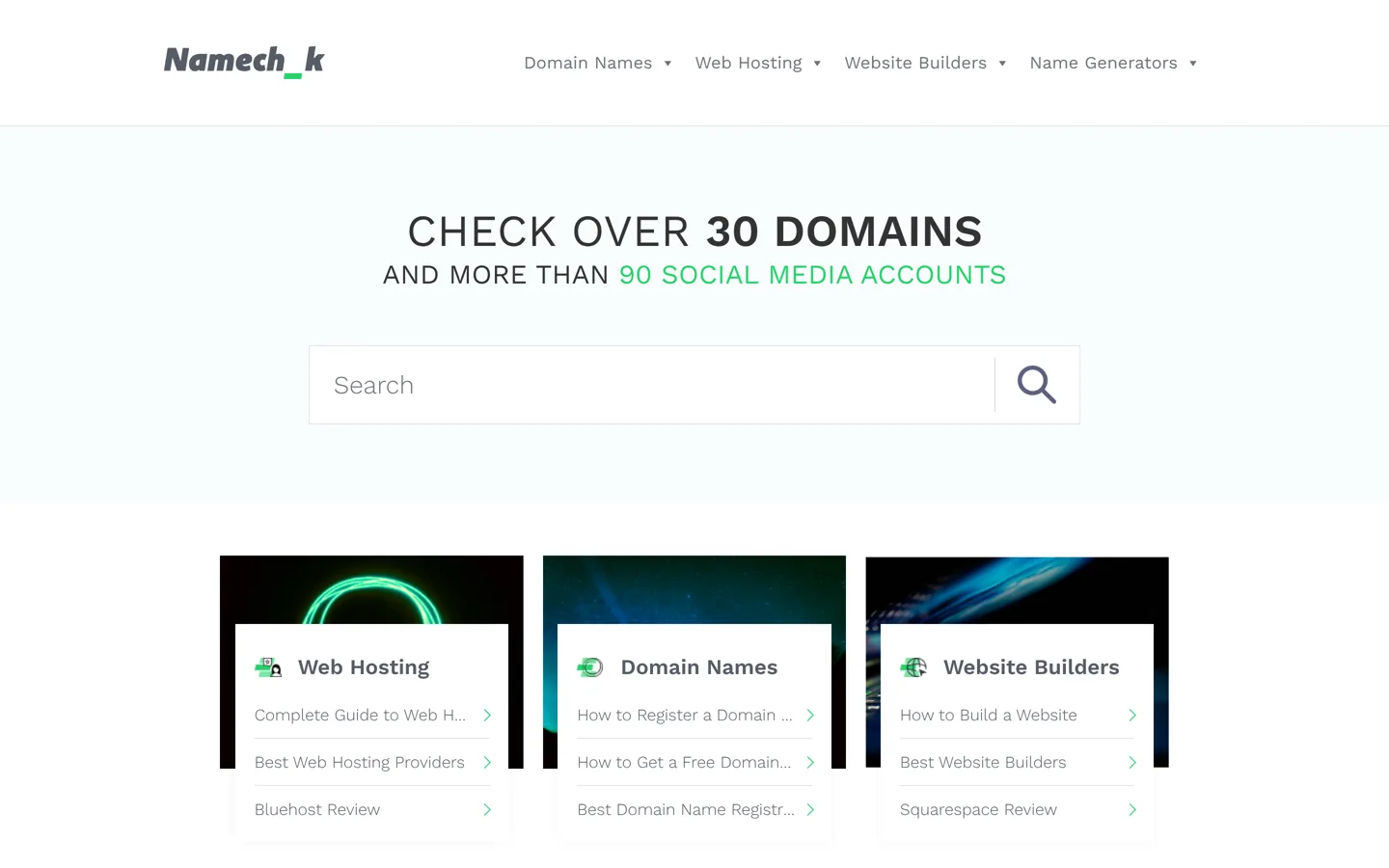
- Namechk says it checks 30+ domains and 90+ social accounts.
- Your domain matters more than any social handle.
- Search the trademark register for similar marks, not just exact ones.
- Claim the domain and handles on the same day.
A username availability checker tests one name across many social networks and domain extensions at once, so you can claim the same handle everywhere for your blog or brand. Namechk says it checks over 30 domains and more than 90 social accounts (its FAQ says 36 domains and 100+ platforms); Instant Username Search checks as you type across dozens of platforms plus 12 domain extensions. Use one to shortlist names, then confirm on each platform yourself, check the domain, and search the trademark register before you commit. This guide shows the process, with details from each tool’s own site, checked on 12 October 2026.
Still choosing a name? Our guide to Namelix shows how to generate ideas, and using your own name as a domain covers personal brands. This page is about checking whether a name is free.

Why a consistent username matters
When your blog, newsletter and social profiles share one handle, readers find you easily, mentions reach the right account, and nobody else can pose as you on a platform you didn’t claim. It also looks professional: “@arsalanmasood” everywhere is easier to remember than a different variation on each site.
Username availability checkers
Namechk
Namechk says it checks a username idea “as a domain name and username on dozens of social channels and online platforms”. Its home page headline says it checks over 30 domains and more than 90 social media accounts, while its FAQ puts it at 36 domain name possibilities and 100+ social media websites and platforms, including Facebook, YouTube, TikTok, Twitch, Tumblr, WordPress, eBay, Yelp, Flickr and PayPal. Type a name into the search bar: available platforms turn green, and taken ones appear dimmed.
Instant Username Search
Instant Username Search checks availability “across multiple platforms as you type”, covering a list of popular platforms “and 65 more”, plus 12 domain extensions, according to its home page. Because results update as you type, it’s quick for comparing small variations, such as with and without “the”, or with “blog” or “hq” added.
Check manually, too
Checkers can be wrong. Platforms change, block automated checks or reserve names that look free. Before you decide, open each platform that matters to you and try the handle in its sign-up or profile settings. That’s the only result that counts.
Which platforms to check first
Start with the platforms your readers already use, then the big ones you may need later. For most blogs that means a domain name, the main social networks in your topic, a video platform, and an email newsletter service if you plan one. A food blog may care most about Instagram, Pinterest and YouTube; a software blog about YouTube, LinkedIn and X. Note the results in a short table: platform, available or taken, and the exact handle you’ll use. It takes the guesswork out of the final decision and becomes your list of accounts to claim.
Check the domain name
Your website address matters more than any social handle, because you own it. Search the name with a domain registrar such as Namecheap and see which extensions are available. A “.com” is still the most familiar to most readers, but a clear, short name on another extension is better than a long, hyphenated “.com”. Our Namecheap review covers prices and renewals.
Don’t forget newsletters and podcasts
If you plan a newsletter or a podcast, check the name there too. Newsletter platforms often give you a web address based on your publication name, and podcast apps list shows by title, so a name that’s already used by a popular show will be hard to find. Searching the name in a podcast app and on your chosen newsletter platform takes a minute and avoids an awkward clash later.
Check trademarks before you commit
A free username doesn’t mean the name is free to use. Before building a brand on it, search your country’s trademark register. In the US, the USPTO’s online trademark search system lets you search registered and pending marks, and its search guidance explains why you should look for similar marks, not just exact matches, because of “likelihood of confusion”. Other countries have their own registers. If a similar name is registered for related products or services, choose another name rather than risk a dispute later.
Platform rules for usernames
Each platform has its own rules on length, characters and naming. Facebook’s help centre, for example, notes that a Page’s username appears below the Page name and in its web address, that new Pages may not be able to create a username straight away, and that a username may be removed because of inactivity. Check the rules on each platform before you print the handle on business cards; our guide on how to create a Facebook business Page covers Facebook’s naming rules.
What makes a good username

- Short and easy to say: someone should be able to type it after hearing it once.
- The same as your blog name, or as close as possible.
- No hard-to-explain characters: avoid underscores, numbers and double letters that people mistype.
- Not tied to a trend or year: “blog2026” will look dated quickly.
- Room to grow: a name that’s too narrow (“wordpressthemesonly”) limits what you can cover later.
If your first choice is taken
- Add a short, natural word: “hq”, “blog”, “official” (only if you are), “co”, or your country code.
- Use your full name for a personal brand.
- Rearrange the words or use a shorter form of the brand.
- Keep it consistent: if you must vary on one platform, use the same variation everywhere else too.
Avoid buying or taking over someone else’s account; platforms have rules against impersonation, and it rarely ends well. If a dormant account holds your exact name, plan around it with a consistent variation rather than waiting for it to become free.
An example check
An illustration of the process with a made-up blog name, “Quiet Garden Notes”. The checker shows the full name taken on one video platform but free on the others; “quietgardennotes.com” is available, and a trademark search finds no similar marks for blogs or publishing. Rather than accept a different handle on the one platform where it’s taken, the blogger tries “quietgarden” and finds it taken in several places, so they go back to the full name and add “hq” only where needed, using “quietgardennotes” everywhere else. Then they register the domain, claim each handle and record every login in a password manager, all in one sitting.
A 30-minute naming check
- Shortlist three to five names.
- Run each through a username checker and note which are free on the platforms you’ll actually use.
- Check the domain for the best two.
- Search the trademark register for the best two.
- Confirm the winner manually on each key platform.
- Register the domain and claim the handles on the same day, before someone else does.
Claim the handles you’ll use, not every platform
Checkers show dozens of sites, but you don’t need an account on all of them. Claim the handle on the platforms where your readers are, plus the major ones you might use within a year. Keep a simple list of every account you create, with the login email, so you can update profiles together when your branding changes. Use a password manager and two-factor authentication on each account.
Keep your handles safe once you have them
- Turn on two-factor authentication for every account, so a stolen password isn’t enough to take it.
- Use an email address you control, ideally on your own domain, as the login and recovery address.
- Stay active: some platforms reclaim usernames from inactive accounts; Facebook’s help centre, for example, says a Page’s username may be removed because of inactivity.
- Add your website link to each profile, so readers can confirm the account is really yours.
Personal or business accounts?
Many platforms offer separate business or creator accounts with extra tools, such as insights or contact buttons. For a blog, these are usually worth switching on once you’ve claimed the handle, because they help you see what works. Keep your personal accounts separate, under different usernames, so your public brand and private life don’t mix.
Changing a username later
Most platforms let you change a handle, but old links, mentions and printed materials then point to the old name, and someone else may claim it. If you rebrand, update every profile on the same day, keep a short note in each bio for a while (“formerly @oldname”), and update links on your website. It’s another reason to choose carefully the first time.
Privacy: what these tools can and can’t show
Username checkers only test whether a name appears to be taken; they don’t show who owns an account or any private information. The same tools are sometimes used to find where a person has accounts under one handle, which is a reminder to use different usernames for personal accounts you’d rather keep separate from your public brand.
Common mistakes
- Trusting the checker alone without confirming on the platform.
- Claiming handles before checking the domain, then finding the domain is taken.
- Skipping the trademark search for a business name.
- Using different variations on each platform.
- Waiting days between checking and registering.
- Ignoring how it sounds: say the name out loud; if people mishear it, they’ll mistype it too.
Questions people ask
How do I check if a username is available everywhere?
Use a checker such as Namechk or Instant Username Search to test the name across many platforms and domains, then confirm on each platform you'll use, because checkers can be wrong.
Is Namechk free?
Its checker is free to use on its website. It checks a name as a domain and username across dozens of platforms.
How many sites does Namechk check?
Its home page says over 30 domains and more than 90 social media accounts; its FAQ says 36 domain name possibilities and 100+ social media websites and platforms.
Should I check trademarks too?
Yes, for a business or blog brand. Search your country's trademark register, such as the USPTO's in the US, for similar marks as well as exact ones.
What if my username is taken?
Add a short natural word such as 'hq' or 'blog', use your full name, or rearrange the words, and use the same variation everywhere.
Do I need an account on every platform a checker lists?
No. Claim the handle where your readers are and on major platforms you may use soon.
Sources
- Namechk namechk.com · checked October 12, 2026
- Instant Username Search instantusername.com · checked October 12, 2026
- Trademark search (USPTO) www.uspto.gov · checked October 12, 2026
- Create a username for your Facebook Page www.facebook.com · checked October 12, 2026

Building websites since 2006: 500+ web projects of every size and $300K+ in website deals sold or brokered. Founder of A Digital Motive and DigiFlippers. I share the whole process here, plainly.
Founder of A Digital Motive and DigiFlippers