Some links on this page are affiliate links. If you buy through them I may earn a commission, at no extra cost to you. It never changes a rating. Read the disclosure
- YouTube search is personal, so no tool shows one position for everyone; track the trend.
- YouTube Studio's search terms report shows the searches that really bring viewers, for free.
- A signed-out private window on the same device is the best free spot check.
- Search rank and channel rank are different questions that need different tools.
- Paid trackers pay off for many keywords, other countries or daily data.
A YouTube rank checker tells you where your video appears in YouTube search for a keyword: first, fifth, or somewhere on the third screen of results. That sounds simple, but YouTube search is personal. Two people typing the same words can see different videos in a different order, so no tool can give you one “true” position for everyone.
What you can get is a reliable trend: is the video moving up or down for the searches that matter, and are people actually finding it through search? This guide covers the free ways to check that (one of them is already inside YouTube Studio), the tools that track YouTube rankings automatically, and a simple routine for checking ten keywords a week without paying anything.
Why your YouTube ranking looks different for everyone
YouTube explains its search ranking in its own help pages. It looks at three main things, and their weight changes with the type of search:
- Relevance: how well the title, tags, description and the video itself match the search.
- Engagement: signals such as how long people watch a video after searching for that query.
- Quality: signals that a channel shows expertise, authority and trustworthiness on the topic.
On top of that, YouTube tries to make results personally relevant, so it may use each viewer’s search and watch history if that is turned on. That’s why your own results, from an account that watches your channel every day, are the least reliable view of where you rank. YouTube also says it doesn’t accept payment for better placement in organic search results.

So a good YouTube rank check does two things: it looks at results the way a new viewer would see them (signed out, no history), and it repeats the same check over time so you can see movement rather than a single number.
What to check: search rank or channel rank?
“YouTube rank” means two different things, and tools are built for one or the other.
Search rank is where one video appears for one keyword. This is what you need for YouTube SEO: did changing the title move the video from position 14 to position 6 for “budget microphone review”?
Channel rank is how big a channel is compared with others, usually by subscribers or views. It’s useful for sizing up competitors or partners, but it says nothing about search.

| Tool | Checks | Cost | Best for |
|---|---|---|---|
| YouTube Studio | Search terms that brought viewers to your videos | Free | Your own channel’s real search traffic |
| Private window check | Position for a keyword, without your history | Free | Spot checks of a few keywords |
| TubeBuddy | Search positions for your tags; rank tracking on higher plans | From $12 a month paid yearly | Creators who want tools inside YouTube |
| vidIQ | Keyword ideas and optimization tips | Free plan; paid Boost and Max | Keyword ideas before you track |
| AccuRanker | Daily keyword rankings for a whole channel, by country and device | From $224 a month paid yearly | Agencies and brands tracking many keywords |
| SE Ranking | YouTube rankings by location, grouped keywords, top videos per keyword | From $103.20 a month paid yearly | Sites that track Google and YouTube together |
| Social Blade | Channel statistics and growth | Free; paid membership | Channel rank and competitor growth |
| NoxInfluencer | Top channel and video lists | Free lists | Channel rank by subscribers |
Prices in US dollars, from each company’s pricing page when this guide was updated. Check the price on the tool’s own site before you buy.
Free ways to check your YouTube ranking
1. YouTube Studio: the search terms people really used
Before using any rank checker, look at YouTube Studio. It doesn’t show positions, but it shows something more useful: the actual searches that brought viewers to each video. A rank checker tells you where you could be found; Studio tells you whether you are.
Open a video’s analytics and go to the Reach tab. The traffic source types report shows how viewers found the video, and the YouTube search report lists the terms viewers searched when they found it. In advanced mode, you can click the YouTube search row in a traffic source breakdown to see which searches led to views across your whole channel.

Use this list to choose which keywords to track. If a video gets real views from “how to clean a camera sensor” but you were tracking “camera sensor cleaning kit”, the first one is the keyword worth checking every week.
2. A signed-out search in a private window
The simplest free YouTube rank checker is YouTube itself, used carefully. Open a private or incognito window, so you’re signed out and your watch history isn’t used. Go to YouTube, search for the keyword and count down the results until you find your video.
Three things make this check more useful:
- Use the same device type every time. Results on a phone and on a computer can differ, so pick one and stick to it.
- Write down the position and the date. One check means little; the same check every week shows a trend.
- Note what’s above you. Shorts and other shelves between the results change what “position 3” really means on screen.
The limit is your location. Results change by country and language, and a private window still uses where you are. If your audience is in another country, a paid tracker that checks from that location is the only reliable way to see their results.
3. Free keyword ideas to track
To find which searches to check in the first place, autocomplete is the best free source: the suggestions that appear as you type in YouTube’s search box are what people actually type. Keyword Tool Dominator collects YouTube autocomplete suggestions for a phrase and scores how popular each one is, with 2 free searches a day per source and no sign-up. vidIQ and TubeBuddy, covered below, also have keyword tools with free limits.
For the wider method of choosing keywords, the keyword research guide applies to YouTube too: one main keyword per video, and words people use, not words you’d like them to use.
YouTube rank checker tools
Paid tools are worth it once you track more than a handful of keywords, need results from other countries, or want daily data without checking by hand. Here’s what each one does, from its own website.
TubeBuddy: rank checks inside YouTube
TubeBuddy works as a browser extension and dashboard on top of YouTube, so most of its tools appear right next to your videos. For ranking, it has two tools:
- Search Positions, included in every paid plan, shows where a video ranks for its tags.
- Search Rank Tracking monitors chosen keywords over time for your videos and competitors’ videos, across both YouTube and Google search. It’s limited on the Legend plan, fully included on Enterprise and not part of Pro.

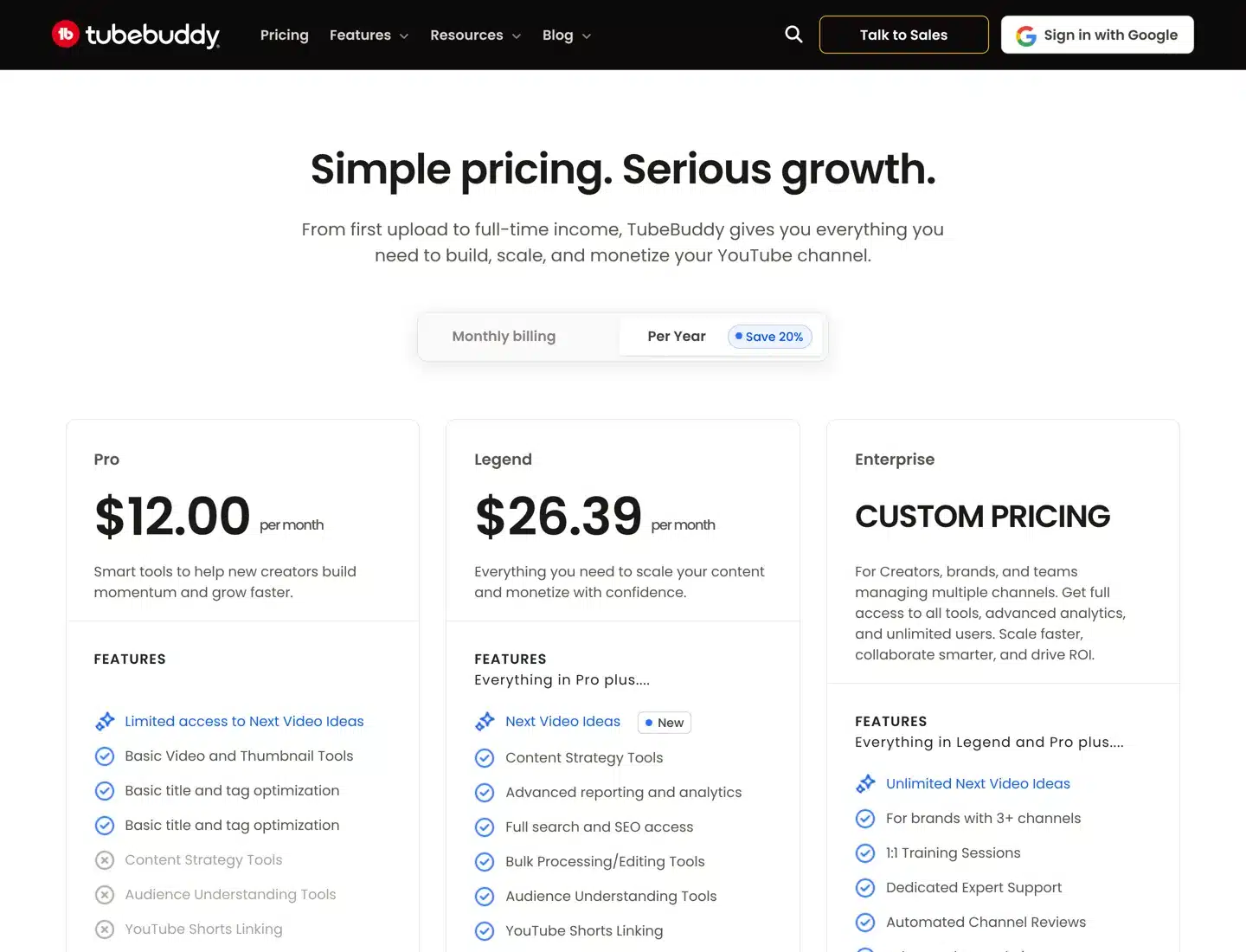
Price. Pro costs $15 a month, or $12 a month paid yearly. Legend costs $32.99 a month, or $26.39 a month paid yearly, and includes 2 user seats. Enterprise is custom-priced for brands with three or more channels. Each licence covers one channel, and TubeBuddy lists a 30-day refund policy. When a paid plan ends, the channel drops back to TubeBuddy’s free plan.
Choose TubeBuddy if you’re a creator who wants ranking, tags, thumbnails and bulk editing in one tool. The TubeBuddy extension guide covers setup, and TubeBuddy deals lists any current offer.
vidIQ: keyword ideas and research
vidIQ is TubeBuddy’s main rival. Its pricing page lists a free plan with 150 AI credits a month and two paid plans, Boost at $16.58 a month and Max at $39 a month, both billed yearly (checked 12 October 2026). vidIQ describes Boost as including personalized keyword ideas and optimization suggestions; we couldn’t confirm on its own pages whether it reports your video’s exact position, so check that in the free plan before relying on it.

vidIQ is built mostly for research and ideas rather than daily rank tracking, so think of it as a quick way to see where a video stands while you’re choosing keywords. Its pricing changes often, so check the plans page before you buy.
AccuRanker: daily YouTube tracking at scale
AccuRanker is a dedicated rank tracker that also tracks YouTube. You add a YouTube channel as a “domain” using the channel’s exact address, and AccuRanker finds all of its videos. You can then track keywords in YouTube search for any country, on mobile and desktop, and down to a city or address.
For each keyword you see your channel’s rank, search volume, Share of Voice and which video ranks. It also shows the top 10 YouTube channels for your keywords, and you can choose up to 10 competing channels to follow.

Price. AccuRanker’s plans start at 2,000 keywords for $249 a month, or $224 a month paid yearly. There’s no free trial; you book a demo, and AccuRanker offers a 14-day refund. That price makes sense for agencies and brands tracking hundreds of keywords across Google and YouTube, not for a single creator. The AccuRanker review covers the plans and features in detail.
SE Ranking: YouTube alongside Google
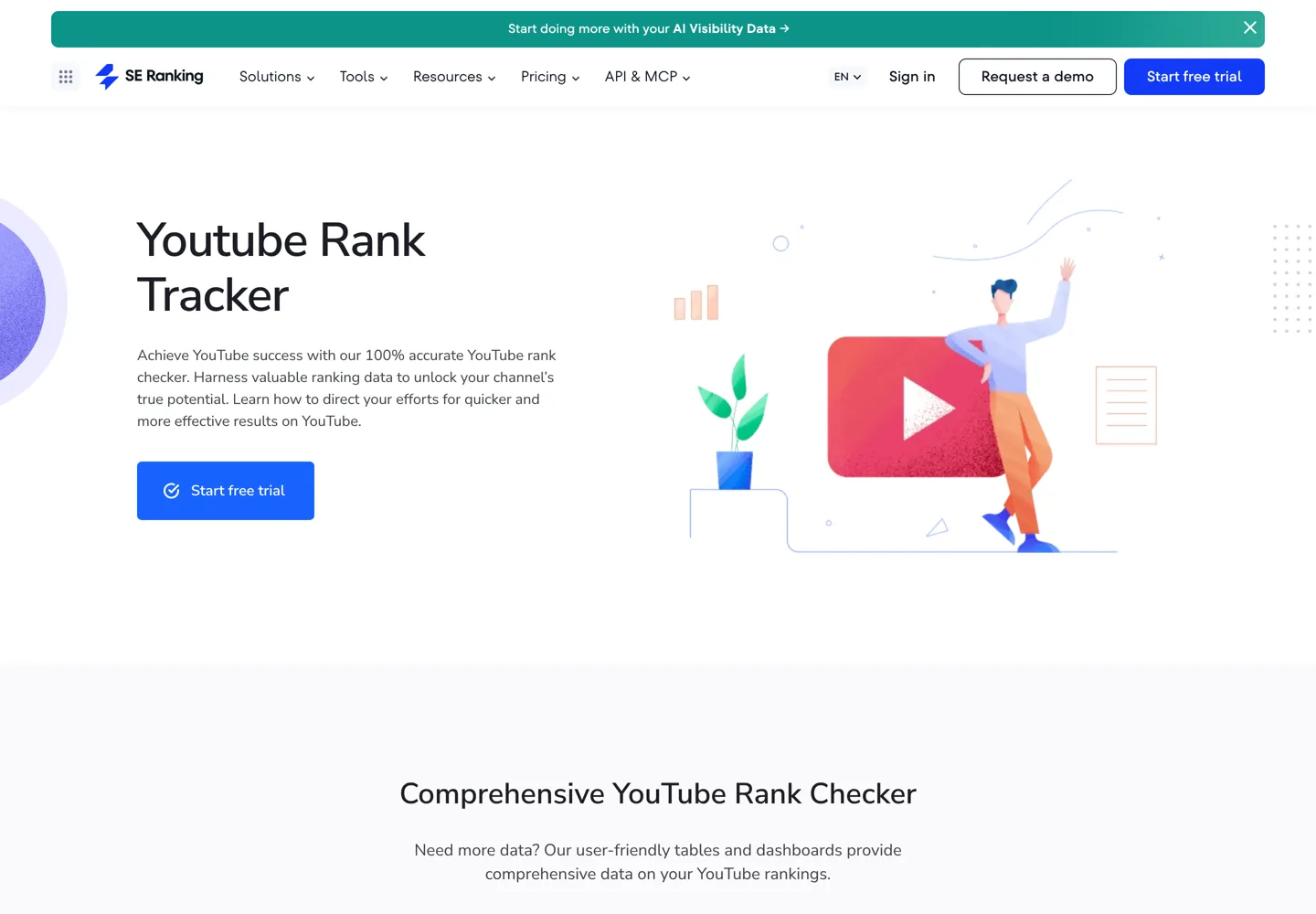
SE Ranking includes YouTube in its rank tracker. You add your videos or channel to a project, group and tag keywords, and track rankings in the locations you choose. A URLs mode shows the top videos for a keyword, and it adds search volume and traffic forecasts.
Price. The Core plan costs $129 a month, or $103.20 a month paid yearly, and the 14-day free trial needs no credit card. It’s the cheaper of the two professional trackers here, and a good fit if you also track a website on Google.
For a wider comparison of rank trackers for websites, see the rank tracking tools guide and AccuRanker vs Ahrefs.
Channel rank checkers
If you want to know how a channel compares with others rather than where a video ranks in search, two free sites cover most needs.
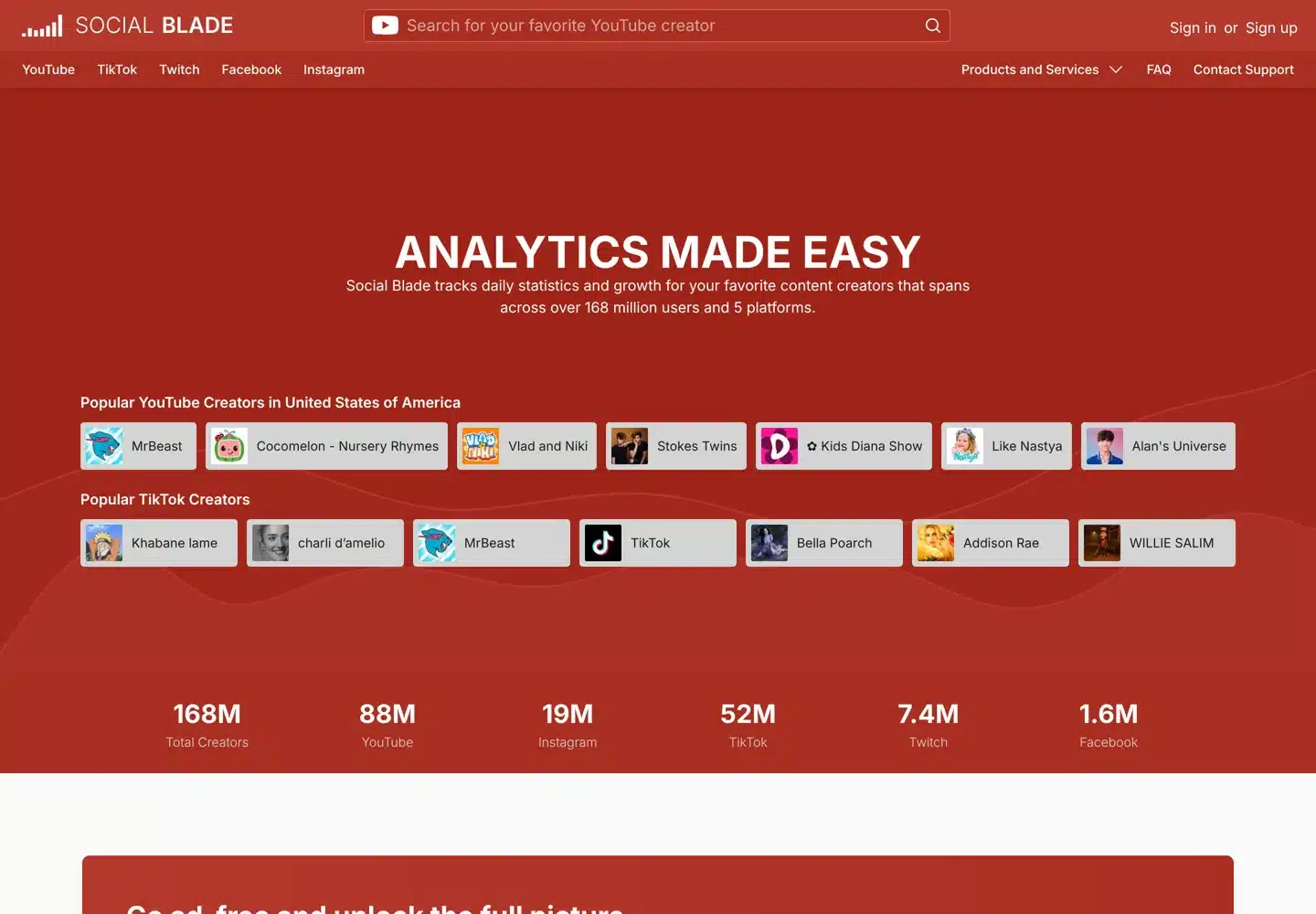
Social Blade tracks daily statistics and growth for more than 168 million creators across five platforms. Search for a channel to see its subscriber and view trends. A free account saves favourite channels, and a paid membership removes ads and unlocks up to three years or more of daily history.

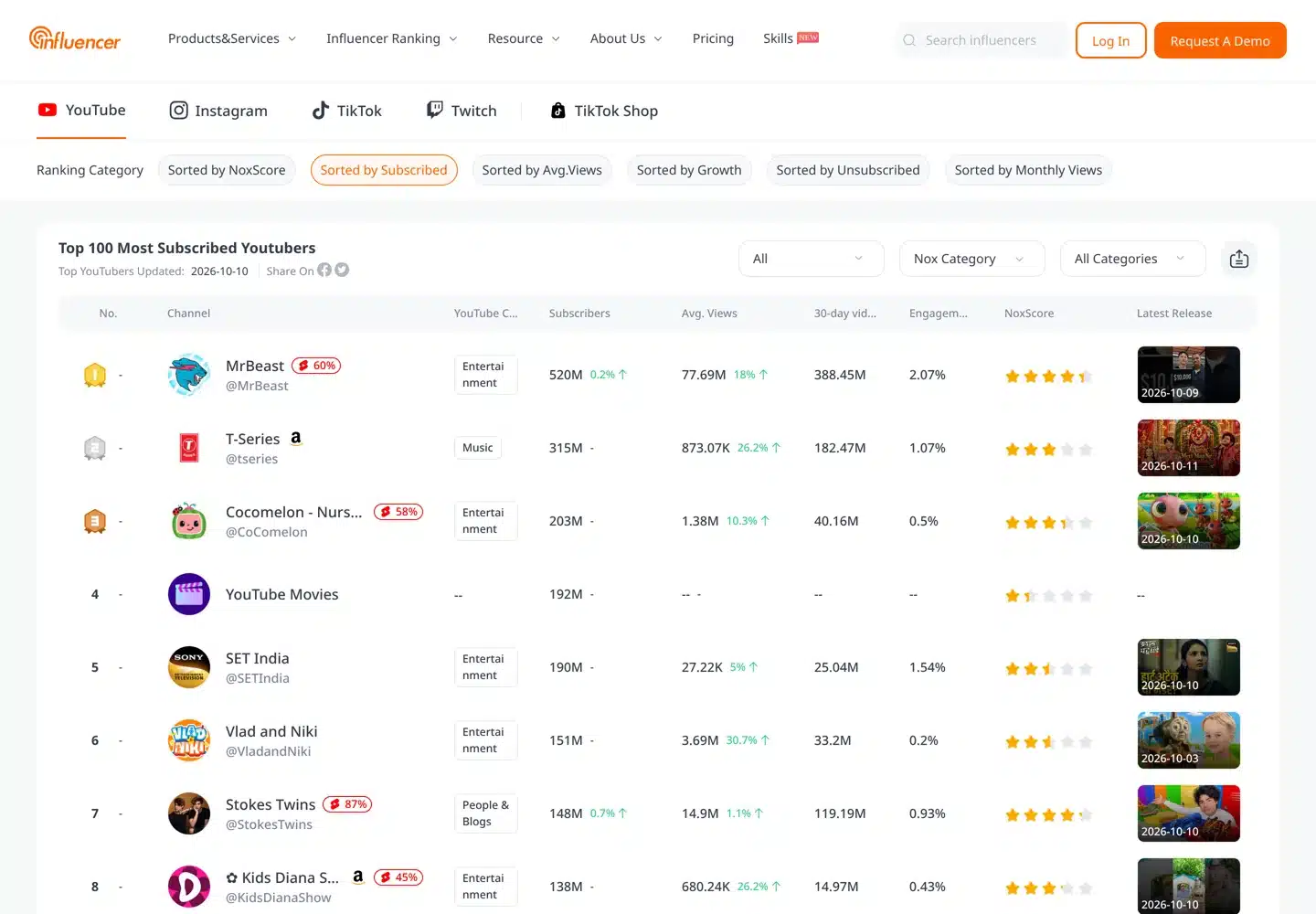
NoxInfluencer publishes top-100 lists of YouTube channels, sorted by subscribers and growth, plus video rankings, a channel comparison tool and an earnings calculator. It’s built for influencer marketing, so it’s most useful when you’re looking for channels to work with.

Neither shows search positions. Use them to understand a competitor’s growth, then use a search rank checker to see where their videos beat yours.
A free YouTube rank tracker in a spreadsheet
You don’t need a paid tool to track a small channel. This routine takes about fifteen minutes a week for ten keywords:

- Pick ten keywords. Take them from YouTube Studio’s search terms report, plus one or two you want to rank for.
- Make a sheet with these columns: Keyword, Video, Date, Position, Device, Views from YouTube search (from Studio).
- Check once a week, on the same day, in a private window, on the same device. Count only regular video results, and write “not in top 20” if you can’t find the video by then.
- Add the Studio number for views from YouTube search over the last 7 days.
- After a month, compare. Keywords where position improved and search views rose are working. Keywords where position improved but views didn’t may need a better thumbnail or title, because the video is being shown but not clicked.
| Keyword | Video | Date | Position | Device | Search views (7 days) |
|---|---|---|---|---|---|
| your main keyword | Video title | Week 1 | Your count | Phone | From Studio |
| a second keyword | Video title | Week 1 | Not in top 20 | Phone | From Studio |
When this takes longer than you’d like, or you need results from other countries, that’s the point to move to a paid tracker.
How to move a video up in YouTube search
A rank checker only shows the result. These are the changes that follow from how YouTube says search works:
- Match the words people search. Put the main keyword naturally in the title and the first lines of the description, and say it in the video, since YouTube looks at the video content as well as the text around it.
- Keep people watching. Watch time for a query is one of YouTube’s engagement signals. A clear promise in the first seconds and no long intro help more than any tag.
- Earn the click. If a video ranks but gets few views from search, test a new thumbnail and title before changing anything else.
- Build topic authority. Several good videos on one topic help YouTube see your channel as a reliable source on it, which is part of its quality signal.
The guide to making engaging YouTube videos covers the watch-time side, and ways to get traffic from YouTube covers promotion beyond search. If your channel is part of a business plan, how to make money on YouTube explains the earning side.
Questions people ask
How can I check my YouTube ranking for free?
Open a private window so you're signed out, search YouTube for the keyword and count down to your video. Repeat it weekly on the same device. Then open YouTube Studio, go to the video's Reach tab and check the YouTube search report to see which terms actually brought viewers.
Why is my video ranked differently for other people?
YouTube personalises search. Besides relevance, engagement and quality, it may use each viewer's search and watch history, and results also change by country, language and device. That's why your own signed-in results aren't a reliable view.
What is the best YouTube rank checker?
For creators, TubeBuddy, because it shows search positions inside YouTube and tracks keywords on its higher plans. For agencies and brands tracking many keywords by country, AccuRanker or SE Ranking. For your own channel's real search traffic, YouTube Studio is free and comes from YouTube itself.
Can I check where a competitor's video ranks?
Yes. A private window search works for any video, and TubeBuddy's Search Rank Tracking, AccuRanker and SE Ranking can track competitors' videos or channels for the keywords you choose. AccuRanker also shows the top 10 channels for your keywords.
How do I check a YouTube channel's rank?
Channel rank is about size, not search. Social Blade shows any channel's subscriber and view statistics and growth, and NoxInfluencer publishes top 100 lists of channels sorted by subscribers.
How often should I check YouTube rankings?
Once a week is enough for most channels. Positions move day to day, so compare the same day each week, on the same device, and look at the trend over a month alongside the search views in YouTube Studio.
Sources
- How YouTube search works (YouTube Help) support.google.com · checked October 11, 2026
- Understand your YouTube video reach (YouTube Help) support.google.com · checked October 11, 2026
- Advanced mode for analytics reports (YouTube Help) support.google.com · checked October 11, 2026
- TubeBuddy pricing and plan comparison www.tubebuddy.com · checked October 11, 2026
- TubeBuddy YouTube Rank Tracker www.tubebuddy.com · checked October 11, 2026
- vidIQ plans vidiq.com · checked October 11, 2026
- Keyword rank tracking for YouTube channels (AccuRanker Help) www.accuranker.com · checked October 11, 2026
- AccuRanker pricing www.accuranker.com · checked October 11, 2026
- SE Ranking YouTube rank tracker seranking.com · checked October 11, 2026
- SE Ranking pricing seranking.com · checked October 11, 2026
- Social Blade socialblade.com · checked October 11, 2026
- NoxInfluencer YouTube channel rankings www.noxinfluencer.com · checked October 11, 2026
- Keyword Tool Dominator www.keywordtooldominator.com · checked October 11, 2026

Building websites since 2006: 500+ web projects of every size and $300K+ in website deals sold or brokered. Founder of A Digital Motive and DigiFlippers. I share the whole process here, plainly.
Founder of A Digital Motive and DigiFlippers