- WordPress is free, open-source software licensed under the GPL (v2 or later).
- It runs 40.1% of all websites, per W3Techs; WordPress.org says over 43%.
- WordPress.org lists 8,772 free themes and 71,142 free plugins.
- WordPress.org is the software; WordPress.com is a hosted service.
- To use it you need a domain and hosting meeting PHP 8.3+ and MySQL 8.0+.
What is WordPress? It’s free, open-source software for building and managing websites, from blogs to business sites and online shops. You write and edit in a visual editor, choose a theme for the design, add plugins for extra features, and WordPress publishes everything as web pages. It started in 2003 and, according to W3Techs’ survey on 12 October 2026, runs 40.1% of all websites. This guide explains what WordPress is for, how it works and what you need to use it, based on WordPress.org’s own pages.
Comparing it with other platforms? See WordPress vs other CMS options. Ready to start? Our WordPress guide for beginners takes you step by step.

What is WordPress, exactly?
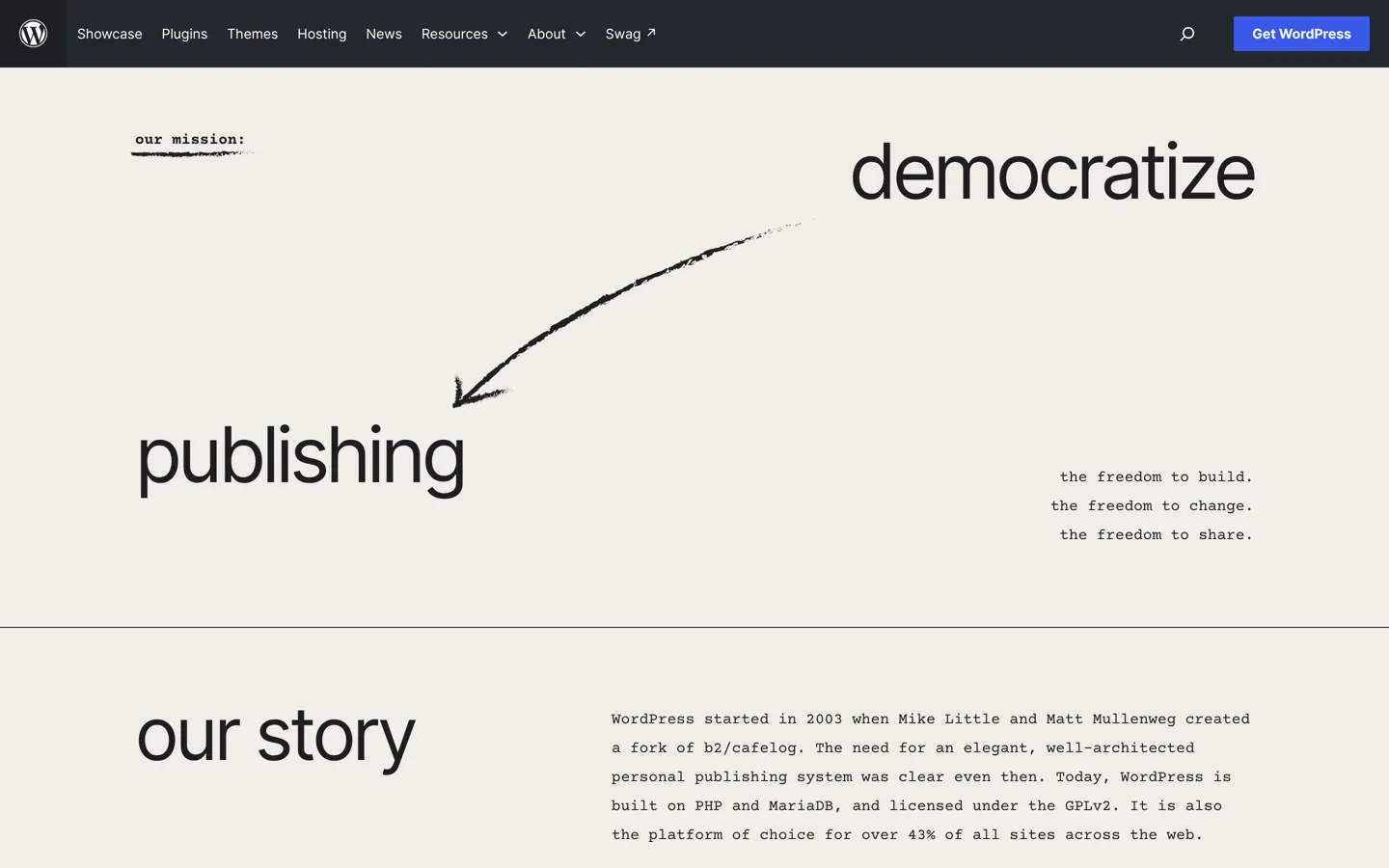
WordPress is a content management system (CMS): software that stores your content and turns it into a website, so you don’t have to code every page. WordPress.org describes its mission as “democratize publishing” and says it’s designed for everyone, emphasising accessibility, performance, security and ease of use. People with limited technical experience can use it “out of the box”, while developers can customise it in depth.
The software is built on PHP and MariaDB (or MySQL), and it’s licensed under the GPL, version 2 or later. WordPress.org describes itself as the platform of choice for over 43% of all sites across the web; W3Techs’ daily survey, which we checked, puts it at 40.1% of all websites and 58.6% of sites that use a CMS it tracks. Either way, it’s by far the most used CMS.
A short history
WordPress.org’s history page says WordPress started in 2003, when Mike Little and Matt Mullenweg created a fork of an older blogging tool, b2/cafelog. It began as blogging software and grew into a general website platform. Every major release is named after a jazz musician: WordPress 7.0 (“Louis Armstrong”) came out on 20 May 2026, and 7.1 (“Mary Lou”) on 19 August 2026. The block editor, which replaced the old text editor, arrived with WordPress 5.0 in December 2018.
Free software: the four freedoms
“Free” in WordPress means more than no price. WordPress.org lists four freedoms the GPL gives you:
- the freedom to run the program for any purpose;
- the freedom to study how it works and change it;
- the freedom to redistribute it;
- the freedom to distribute copies of your modified versions to others.
In practice, this means no licence fees, no lock-in to one company and the ability to move your site to any host. WordPress.org also takes the view that themes and plugins are derivative works that inherit the GPL.
What WordPress is used for

- Blogs and publishing: its original job, and still its strongest. Posts, categories, tags, comments and RSS feeds are built in.
- Business websites: pages for services, about and contact, with themes and page layouts for any style.
- Online shops: with the WooCommerce plugin; see our ecommerce platform comparison.
- Portfolios, memberships, courses and communities: through themes and plugins built for each.
How WordPress works
The dashboard and the editor
After you log in, the dashboard is your control room: write posts and pages, upload media, manage comments, change the design and add features. Content is written in the block editor, where each paragraph, image, list or table is a “block” you can move and style.

Themes: how your site looks
A theme controls your site’s design and layout. The WordPress.org directory lists 8,772 free themes. Block themes let you design every part of the site in the Site Editor; classic themes use the Customizer and their own settings. Our guide on how to choose a WordPress theme explains how to pick one.
Plugins: what your site can do
Plugins add features: forms, SEO tools, backups, shops, galleries and far more. The WordPress.org plugin directory lists 71,142 free plugins. Use only the ones you need and keep them updated; our list of the best WordPress plugins covers the essentials.
Behind the scenes
When someone visits, your host’s server runs WordPress, which pulls your content from the database and combines it with your theme to build the page. Our guide to WordPress hosting explains that part, and what WordPress needs from a server.
Key WordPress terms
- Posts and pages: posts are dated entries that appear on your blog page, in categories and in your RSS feed; pages are timeless content such as About or Contact.
- Categories and tags: categories group posts into broad topics; tags describe them in more detail.
- Media library: where your images, videos and documents are stored and reused.
- Users and roles: WordPress’s documentation lists six built-in roles: Super Admin (for multisite networks), Administrator, Editor, Author, Contributor and Subscriber. Each role has a set of permissions, so a guest writer can submit posts without being able to change your settings.
- Menus: the navigation links in your header or footer.
- Permalinks: the address of each post. Set them to “Post name” on day one so they never need to change.
- Child theme: a small theme that inherits another theme’s design, so your custom changes survive theme updates.
- Multisite: a WordPress feature that runs a network of sites from one installation.
WordPress.org vs WordPress.com
The same name covers two things. WordPress.org is home of the free software, which you install on hosting you choose: full control, any theme or plugin. WordPress.com is a hosted service run by Automattic, with a free plan and paid plans; it handles hosting for you but limits some features on lower plans. Our guide to a free WordPress blog explains what WordPress.com’s free plan includes.
What you need to use WordPress
- A domain name, such as yourblog.com.
- Hosting that meets WordPress’s requirements: WordPress.org recommends PHP 8.3 or greater, MySQL 8.0 or greater (or MariaDB 10.11 or greater) and HTTPS.
- WordPress itself, which most hosts install for you; see how to install WordPress.
How WordPress stays up to date
WordPress is built by a worldwide community of volunteers and companies, and new major versions arrive a few times a year; WordPress.org’s history page lists 7.0 in May 2026 and 7.1 in August 2026. Between those, WordPress applies minor and security updates automatically in the background on most sites, according to its documentation; major versions need a click on Update Now in Dashboard → Updates. Back up your site before major updates.
Keeping a WordPress site safe comes down to a few habits: update WordPress, themes and plugins promptly; remove plugins and themes you don’t use; use strong passwords and limit who gets the Administrator role; and keep regular backups somewhere other than your host. Good hosting does much of this for you.
Pros and cons of WordPress
| Pros | Cons |
|---|---|
| Free and open source, with no licence fees | You’re responsible for updates and security (or pay for managed hosting) |
| The biggest choice of themes and plugins | Plugin quality varies; too many slow a site down |
| Runs on almost any host; easy to move | More to learn than a simple site builder |
| Huge community, docs and help | Popularity makes it a common target for attackers, so updates matter |
What WordPress really costs
The software is free, so your costs come from what surrounds it:
- Hosting: budget plans start at a few dollars a month on long terms (Hostinger’s WordPress Premium plan was $2.99 a month on a 48-month term when we checked), while managed WordPress hosting typically costs $25 to $35 a month for one site. Our best WordPress hosting ranking compares the options.
- A domain: a yearly fee, often free for the first year with hosting.
- Themes and plugins: optional. Many sites run entirely on free ones; premium theme upgrades on our themes list cost $59 to $99 a year.
- Your time: setting up, writing and keeping things updated.
A small blog can run for well under $100 a year; a busy business site on managed hosting with premium tools costs several hundred.
Learning WordPress for free
WordPress.org runs Learn WordPress, a free site with courses and learning pathways for every level, from starting a site to designing with block themes and developing plugins. Pair it with a practice site in WordPress Playground or the Local app, and you can learn the whole system before you pay for anything.
WordPress and search engines
WordPress gives you full control over the things search engines read: page titles, descriptions, readable addresses, headings, image alt text and structured data, most of it through an SEO plugin. Ranking still depends on useful content and links from other sites, not on the platform itself, but WordPress makes the technical side straightforward. Our WordPress SEO tutorial walks through the settings.
Is WordPress right for you?
WordPress suits you if you want a site you own, can grow without limits and can earn from with ads, affiliate links or products. If you only need a small brochure site and never want to think about updates, a hosted builder may be simpler. For most bloggers and small businesses, WordPress is the safest long-term choice. To plan your first site properly, read how to start a blog.
Questions people ask
What is WordPress in simple terms?
Free software that lets you build and manage a website without coding: you write content, choose a design (theme) and add features (plugins).
Is WordPress free?
Yes. The software is free and open source under the GPL. You pay for hosting and a domain, and optionally for premium themes or plugins.
What is WordPress used for?
Blogs, business websites, online shops (with WooCommerce), portfolios, memberships and courses.
How many websites use WordPress?
W3Techs measured 40.1% of all websites on 12 October 2026; WordPress.org says over 43%. Surveys measure differently.
Who created WordPress?
Mike Little and Matt Mullenweg, in 2003, as a fork of the b2/cafelog blogging software.
What's the difference between WordPress.org and WordPress.com?
WordPress.org offers the free software for your own hosting; WordPress.com is a hosted service by Automattic with free and paid plans.
Sources
- About WordPress (WordPress.org) wordpress.org · checked October 12, 2026
- History (WordPress.org) wordpress.org · checked October 12, 2026
- GNU Public License (WordPress.org) wordpress.org · checked October 12, 2026
- WordPress requirements wordpress.org · checked October 12, 2026
- Usage statistics of content management systems (W3Techs) w3techs.com · checked October 12, 2026
- Roles and capabilities (WordPress.org documentation) wordpress.org · checked October 12, 2026
- Updating WordPress (WordPress.org documentation) wordpress.org · checked October 12, 2026
- Learn WordPress learn.wordpress.org · checked October 12, 2026

Building websites since 2006: 500+ web projects of every size and $300K+ in website deals sold or brokered. Founder of A Digital Motive and DigiFlippers. I share the whole process here, plainly.
Founder of A Digital Motive and DigiFlippers