
Some links on this page are affiliate links. If you buy through them I may earn a commission, at no extra cost to you. It never changes a rating. Read the disclosure
- WordPress.org recommends PHP 8.3+, MySQL 8.0+ or MariaDB 10.11+, and HTTPS.
- Almost any web host can run WordPress; WordPress plans add tools and tuning.
- Managed hosting means the host handles updates, backups and security for you.
- Shared plans start around $3 a month but can renew three to six times higher.
- Managed WordPress hosting typically costs $25 to $35 a month for one site.
What is WordPress hosting? It’s web hosting set up to run WordPress well: a server that stores your site’s files and database and sends your pages to visitors, plus extras such as one-click installs, automatic updates, caching and support from people who know WordPress. This guide explains how WordPress hosting works, the main types, what “managed” really means and what it costs, using WordPress.org’s own requirements and each host’s published prices, checked in October 2026.
This page explains the options. When you’re ready to pick a host, our ranking of the best WordPress hosting compares them side by side.

What is WordPress hosting, in plain terms?
A website is a set of files that has to live on a computer that’s always switched on and connected to the internet. That computer is a server, and a hosting company rents you space on one. “WordPress hosting” is simply hosting whose servers and tools are prepared for WordPress.
WordPress is different from a plain HTML site because every page is built when someone asks for it. WordPress is written in PHP, and your posts, pages and settings are stored in a MySQL or MariaDB database. So when a visitor opens a page, your host’s server runs WordPress, which reads the database and assembles the page:

That’s why the host matters so much for WordPress: the speed of the server, the PHP version it runs and how well it caches pages decide how fast your site feels.
What WordPress needs to run
WordPress.org keeps the official list short. It recommends a host that supports:
- PHP 8.3 or greater
- MySQL 8.0 or greater, or MariaDB 10.11 or greater
- HTTPS support
“That’s really it,” the requirements page says. It recommends Apache or Nginx as the web server but adds that any server that supports PHP and MySQL will do. WordPress still works on PHP 7.4 and MySQL 5.5.5, but WordPress.org warns that these versions have reached end of life and may expose your site to security problems, so avoid a host that still runs them.
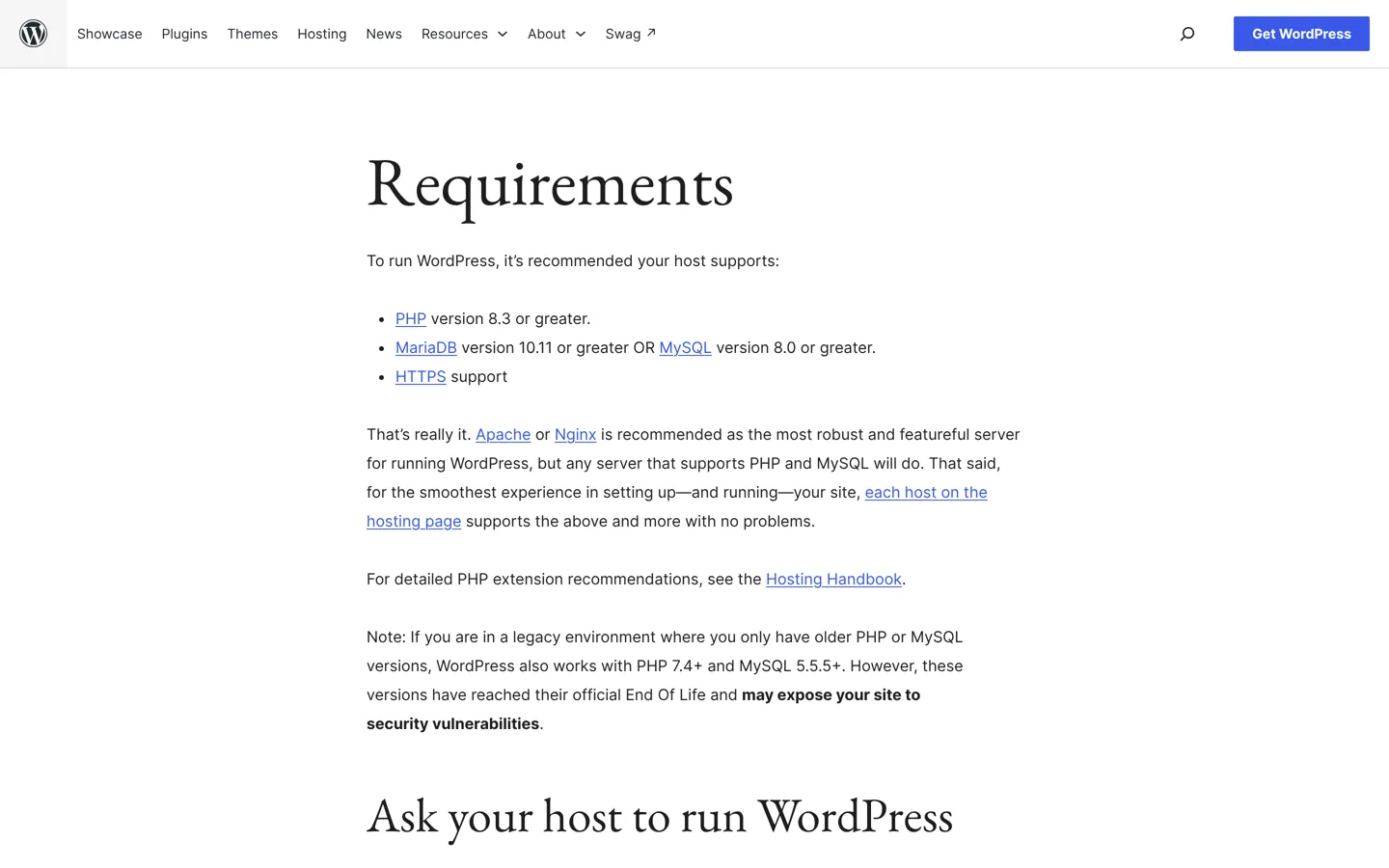
WordPress.org also suggests one extra for security: hosting is safer when PHP runs under your own account’s username rather than the server’s shared one. If you’re unsure whether a host qualifies, its requirements page includes a short request you can copy and send to the host’s support team.
WordPress hosting vs regular web hosting
WordPress.org points out that the vast majority of the hundreds of thousands of web hosts meet WordPress’s minimum requirements. So almost any regular web hosting can run WordPress. What a “WordPress hosting” plan adds is convenience and tuning:
- WordPress pre-installed or a one-click installer (see how to install WordPress).
- Automatic WordPress updates, sometimes with a check that your site still works afterwards.
- Caching set up for WordPress, so pages don’t have to be rebuilt for every visitor.
- Staging: a private copy of your site for testing changes.
- Support staff who know WordPress, not just the server.
Often the WordPress plan and the regular plan run on the same servers with different labels and tools, so compare the features list rather than the name.
The types of WordPress hosting
Shared hosting
Your site shares one server, and its processor and memory, with many other customers’ sites. The host looks after the server; you look after WordPress (though many shared hosts now add automatic updates and backups). It’s the cheapest option and the right start for most new blogs. The trade-off: a busy neighbour can slow things down, and plans set limits on resources.
Managed WordPress hosting
The host runs only WordPress sites and takes on the upkeep: updates, daily backups, security scanning, caching and expert support. Plans are usually priced by number of sites, monthly visits or storage. Kinsta, WP Engine, Rocket.net and Pressable are managed hosts; our list of the best managed WordPress hosting compares them.
VPS and cloud hosting
A virtual private server (VPS) is a slice of a physical server with its own guaranteed resources and its own operating system, so other customers can’t slow you down. Cloud hosting spreads your site over a provider’s large network of servers and lets you add resources as you grow. Both come managed or unmanaged; Cloudways, for example, manages cloud servers for you.
Dedicated servers
A whole physical server for your sites alone. It gives the most power and control and costs the most. Unless you or someone you hire can run a server, choose a managed dedicated plan.
Managed vs unmanaged hosting
“Managed” describes who does the work, not where the site lives. With managed hosting, the host keeps the software up to date, takes backups and watches for problems. With unmanaged hosting, usually an unmanaged VPS or cloud server, you get a bare server and do everything yourself.

Unmanaged hosting can be cheaper per unit of power, but it’s only cheaper overall if your own time is free and you know how to secure a server. For a blog or business site, managed (or good shared hosting) is the safer choice.
WordPress.com vs WordPress hosting
WordPress.com is a hosted service run by Automattic: you sign up and your site runs on its servers, with plans from free upwards. WordPress.org points beginners there if they want to try WordPress for free. Everything else on this page is about self-hosted WordPress: the free WordPress software from WordPress.org, installed on hosting you choose, where you can add any theme or plugin. If you’re weighing a free blogging platform instead, our Blogger vs WordPress comparison covers that choice.
How much WordPress hosting costs
Prices vary by type. These examples are from each host’s own pricing page, checked on 11 October 2026:
| Type | Example | Price |
|---|---|---|
| Shared | Hostinger WordPress Premium | $2.99/mo on a 48-month term, renews at $10.99/mo |
| Shared | SiteGround StartUp | $2.99/mo for 12 months, renews at $17.99/mo |
| Managed (budget) | Liquid Web managed WordPress Essentials | $9/mo |
| Cloud (managed) | Cloudways | From $14/mo |
| Managed | Pressable Signature 1 | $25/mo, or $250 a year |
| Managed | Rocket.net Starter | $30/mo |
| Managed | Kinsta | $35/mo, or $30/mo paid yearly |
Prices change often; the linked hosts’ own pages are always the final word.
Look closely at renewal prices on shared plans: the low first-term price usually needs a long prepaid term, and the renewal price can be three to six times higher. Our guide to cheap WordPress hosting works out what each one costs over four years.
Hosting, domain and email: how they fit together
Hosting, your domain name and your email are three separate things, even when one company sells all three. The domain (yourblog.com) is registered with a domain registrar and points to your host’s server through its DNS settings. The hosting stores and runs the site. Email can live on the same hosting plan or with a separate provider.
Bundles blur the lines. Hostinger’s WordPress plans, for example, include a free domain for the first year on yearly or longer terms, and two mailboxes per website free for the first year (checked 11 October 2026). That’s convenient, but note when each freebie starts to cost money. Keeping your domain with a separate registrar makes it easier to move hosts later.
Words you’ll see on hosting plans
- Storage (SSD or NVMe): space for your files, images and database. NVMe drives are faster than older SSDs.
- Bandwidth: how much data your site can send to visitors each month. “Unmetered” means it isn’t counted, within fair use.
- Visits: many managed hosts price by monthly visits instead of bandwidth. Check how they count them.
- Caching: keeping ready-made copies of pages so they load faster.
- CDN: a content delivery network that serves your images and pages from servers near each visitor.
- SSL certificate: what makes HTTPS work. Most hosts include one free.
- Staging: a private copy of your site for testing updates.
- Uptime: the share of time your site is online, often promised as 99.9% or higher.
Do you need WordPress hosting?
If you want a self-hosted WordPress site, yes, you need hosting of some kind, and any plan that meets the requirements above will run it. For a new blog, good shared hosting is enough. Consider managed WordPress, VPS or cloud hosting when:
- your site is often slow even with caching, or your host warns that you’ve used too many resources;
- the site earns money and downtime costs you sales or ad income;
- you’d rather pay someone to handle updates, backups and security;
- you run several busy sites and want your own resources.
Moving up later is routine, and many hosts migrate your site free.
What to look for in a WordPress host
- Current software: PHP 8.3 or greater and MySQL 8.0 or MariaDB 10.11 or greater, as WordPress.org recommends.
- Backups you can restore yourself, taken daily.
- Free SSL and some form of malware protection.
- A fair renewal price, not just a low first term.
- Support that knows WordPress, available when you need it.
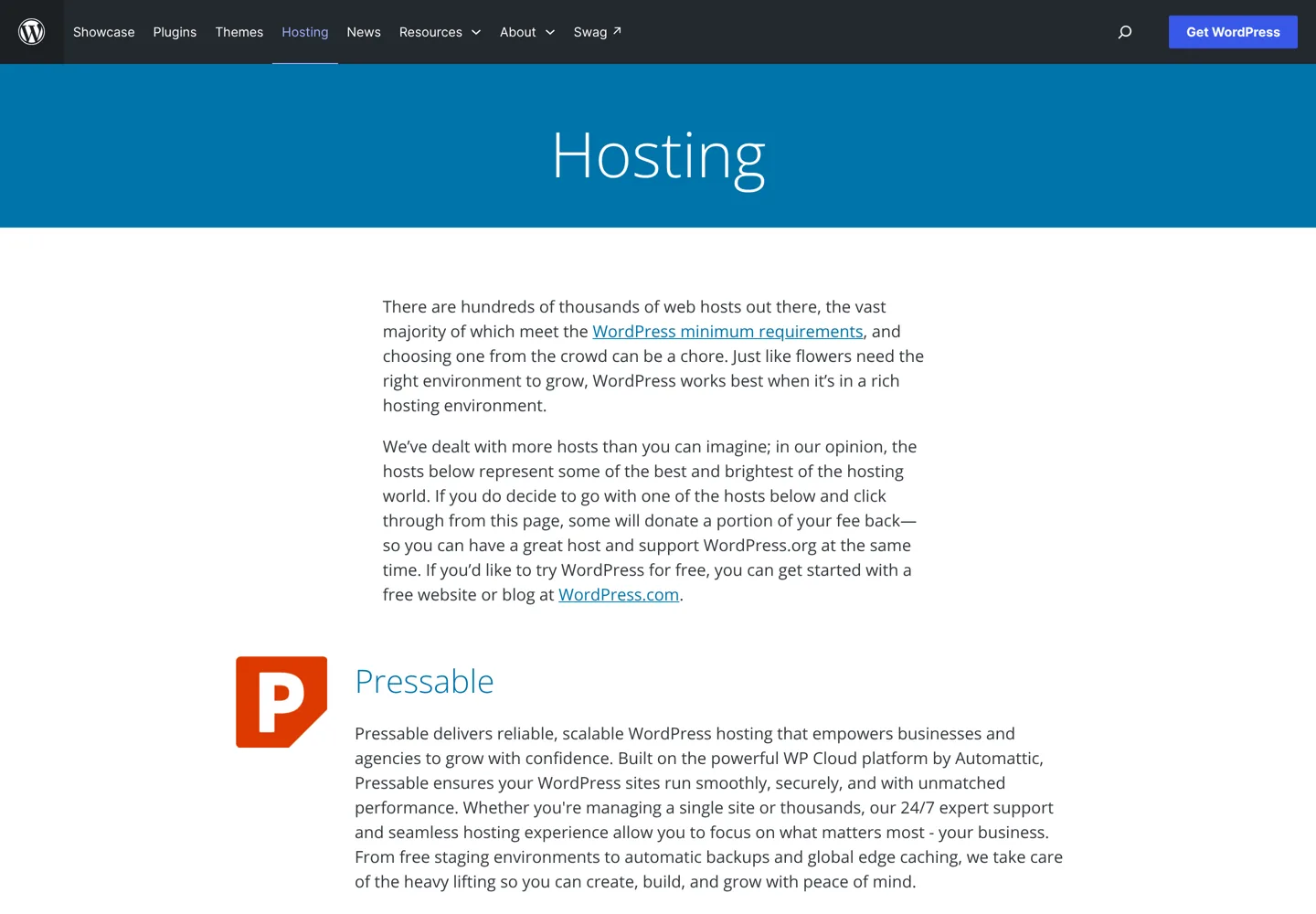
WordPress.org also recommends just three hosts on its hosting page: Pressable, Bluehost and Hostinger; some of them donate part of your fee back to WordPress.org when you sign up from its page.
To see how the leading hosts compare head to head, read Kinsta vs SiteGround.
Questions people ask
What is WordPress hosting?
Web hosting prepared for WordPress: a server that meets WordPress's requirements, usually with one-click installs, automatic updates, caching and support from WordPress experts.
Is WordPress hosting different from regular hosting?
Not much underneath. WordPress.org says most web hosts meet its minimum requirements; WordPress plans add convenience such as pre-installed WordPress, updates, caching and staging.
What is managed WordPress hosting?
Hosting where the provider looks after WordPress for you: updates, daily backups, security scanning, caching and expert support. It costs more than shared hosting.
How much does WordPress hosting cost?
Shared plans start around $3 a month on long terms and renew higher; managed WordPress plans for one site typically cost $25 to $35 a month, with budget managed plans from about $9.
Do I need WordPress hosting for WordPress.com?
No. WordPress.com is a hosted service that includes hosting. You need your own hosting only for self-hosted WordPress from WordPress.org.
Which type of WordPress hosting should a beginner choose?
Good shared hosting. It's cheap, the host manages the server, and you can move to managed or cloud hosting later as the site grows.
Sources
- WordPress requirements wordpress.org · checked October 12, 2026
- WordPress.org hosting page wordpress.org · checked October 12, 2026
- Hostinger WordPress hosting www.hostinger.com · checked October 11, 2026
- SiteGround web hosting www.siteground.com · checked October 11, 2026
- Liquid Web managed WordPress www.liquidweb.com · checked October 11, 2026
- Cloudways pricing www.cloudways.com · checked October 11, 2026
- Pressable pricing pressable.com · checked October 11, 2026
- Rocket.net pricing rocket.net · checked October 11, 2026
- Kinsta pricing kinsta.com · checked October 11, 2026

Building websites since 2006: 500+ web projects of every size and $300K+ in website deals sold or brokered. Founder of A Digital Motive and DigiFlippers. I share the whole process here, plainly.
Founder of A Digital Motive and DigiFlippers