
Some links on this page are affiliate links. If you buy through them I may earn a commission, at no extra cost to you. It never changes a rating. Read the disclosure
- Maestro is free, separate from Bluehost hosting, and works with WordPress sites on any host.
- The Maestro Connector plugin gives your web pro full Administrator access to your site.
- Clients can revoke access any time from Users → All Users → Revoke Access.
- The connector was last updated about four years ago and is tested only up to WordPress 6.1.
- ManageWP and MainWP are free, maintained alternatives that work with any host.
Bluehost Maestro is a free dashboard from Bluehost for web professionals (freelancers, designers and agencies) who look after several clients’ WordPress sites. It puts those sites on one screen and gives you one-click login to each site’s WordPress admin, without asking clients for their passwords. This page explains what Bluehost Maestro does, how it connects to a client’s site, what its current state is in 2026, and which tools to use instead if you need something actively maintained.
A note on sources: Bluehost’s own website blocks the automated checks we use to verify facts, so this page relies on Bluehost’s official Maestro Connector plugin page on WordPress.org (fully checked) Bluehost’s user agreement and Agency Partner Program page (checked 12 October 2026) and, where marked, on Bluehost pages as they appear in search results. Facts marked “check” are ones we could not open on Bluehost’s site ourselves.
What Bluehost Maestro is
In Bluehost’s own words on the Maestro Connector plugin page, Maestro is designed to help web professionals “organize their web development business on a single dashboard”. In practice it does three things:
- Groups sites by client: you add your clients and their WordPress sites to one dashboard instead of keeping a spreadsheet of logins.
- One-click access to WordPress admin: a secure login link takes you straight into each site’s dashboard, so you don’t log in separately to every client site.
- No shared passwords: the client grants you access through a plugin, and can take it back at any time.
The Maestro account is free and, according to the plugin page, separate from any hosting account you have with Bluehost. Bluehost’s launch post (updated January 2026) describes it as a way to organise WordPress sites by client, with one-click access to each site’s WordPress admin and, for sites hosted at Bluehost, the Bluehost hosting account. Sites at Bluehost are connected with a secure link (WordPress admin and hosting, or WordPress admin only); sites hosted elsewhere use a secret key and get WordPress admin access only. The post doesn’t describe bulk updates, staging or client billing, which is why the maintained tools below may suit you better.
How Bluehost Maestro connects to a client’s site
Maestro works with WordPress sites hosted anywhere, not only at Bluehost. The plugin’s FAQ answers this directly: “Do I have to host my site with Bluehost to use Maestro? No!” The connection is made by a small plugin called Maestro Connector:

- The web pro sets up a Maestro account and adds the client.
- The client installs Maestro Connector from Plugins → Add New in their WordPress admin and activates it.
- The client enters the secret key their web pro sent them.
- The web pro now appears as an Administrator on the site and can log in from the Maestro dashboard in one click.
Bluehost’s user agreement explains the difference. A web pro can be given access to a client’s WordPress account and, separately, to the client’s Bluehost hosting account, but “Web Pro can only access the Hosting Account, if Client is a Bluehost Subscriber”. Hosting-account access covers settings such as databases, FTP, email accounts and domain settings, but not billing information or purchases, and the client can revoke either kind of access at any time from their Bluehost control panel or WordPress account.
What access a client gives through Maestro
This is the part every client should understand before entering a key. The plugin’s FAQ is clear: the client gives the web pro Administrator privileges, which means “complete control over your WordPress Admin area including but not limited to themes, plugins, content, user list and user roles”. That’s normal for someone you’ve hired to maintain your site, but only give it to a person or agency you trust and have an agreement with.
How to remove a web pro’s Maestro access
The client stays in control. To revoke access, the plugin page gives these steps:
- In WordPress admin, go to Users → All Users.
- Find the web pro: they show a “Bluehost Maestro” tag in the Maestro column.
- Hover over the tag and click “Revoke Access”.
This demotes the web pro to a Subscriber and disconnects the site from Maestro, so they can no longer reach your WordPress dashboard. If you no longer use Maestro at all, deactivate and delete the Maestro Connector plugin afterwards; plugins you don’t use are best removed.
Bluehost Maestro in 2026: is it still maintained?
Here’s what we found when we checked in October 2026, and why it matters before you build your client workflow on Maestro.

The Maestro Connector plugin on WordPress.org is at version 1.2.0, was last updated about four years ago, and is marked as tested up to WordPress 6.1, while the current WordPress release is 7.1.3. It has 400+ active installations and an average rating of 3 out of 5 from two reviews. WordPress.org itself shows a notice at the top of the page: the plugin “hasn’t been tested with the latest 3 major releases of WordPress” and “may no longer be maintained or supported”. A plugin that hasn’t been updated in years isn’t automatically unsafe, but it’s the plugin that grants administrator access to your site, so you want it to be actively maintained and tested with your WordPress version.
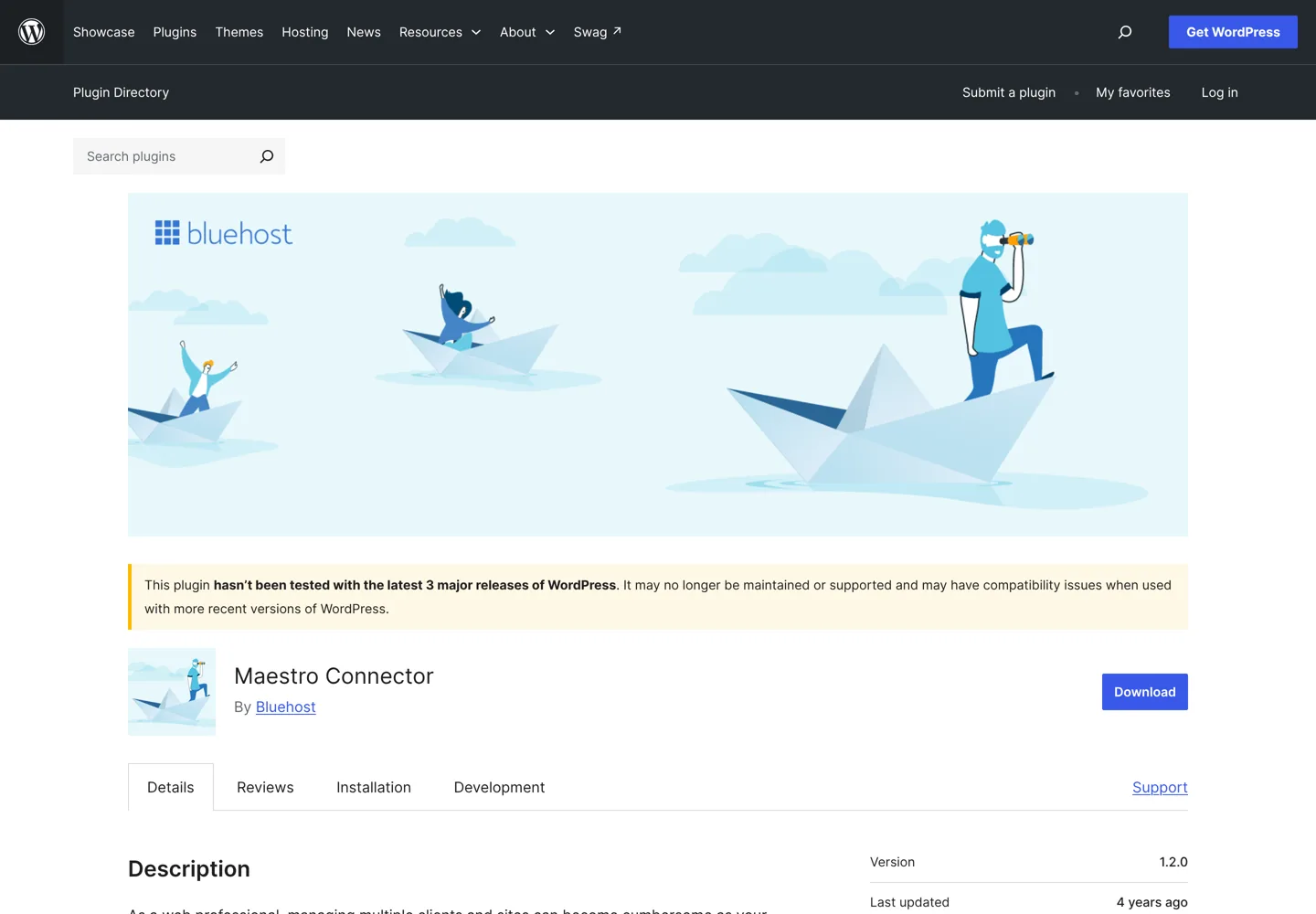
We also found signs that Bluehost has moved on: its main offer for agencies today is the Agency Partner Program. Maestro hasn’t disappeared, though. Bluehost’s user agreement, last updated in August 2026, still has a section on Maestro services, so if you already use it and it works, there’s no emergency; but for a new setup we’d choose a tool that’s clearly maintained.
Bluehost Maestro vs the Bluehost Agency Partner Program
If you’re a web pro who builds sites on Bluehost, the Agency Partner Program is now the place Bluehost points agencies to. According to Bluehost’s partner program page (checked 12 October 2026):
- Three tiers: Member at $0 a year for new and boutique agencies, Gold at $750 a year for growing agencies, and Platinum at $1,500 a year for high-volume agencies. Bluehost says there’s no cost to join.
- Depending on the tier, a partner badge, webinars, a community, an Agency Panel, a directory listing, a sandbox environment and priority support.
- Discounts of 5%, 10% or 15% (by tier) off the first-year cart purchase, and referral revenue of a one-time 75% commission on the cart, capped at $500 per order.
- One free year of Cloud hosting on the Cloud 1 plan, for your first year in the program.
- It’s for businesses that build sites for others under an agency name, and it’s separate from Bluehost’s affiliate program; you can join both.
The difference in one line: Maestro was a free tool for managing client WordPress sites on any host; the Agency Partner Program is a business program for agencies that host clients with Bluehost. If most of your clients host elsewhere, a host-neutral management tool fits better.
Bluehost Maestro alternatives for managing many WordPress sites
These tools do what Maestro set out to do (one dashboard, one-click login, bulk updates) and all of them were updated recently on WordPress.org. Each works with sites on any host.

ManageWP: free hosted dashboard
ManageWP describes itself as “free for an unlimited number of websites”. You connect each site with its Worker plugin and then run bulk updates, spam clean-ups and security checks across all sites at once. The free backup runs monthly with off-site storage and one-click restore; the premium backup adds on-demand and more frequent backups. It also offers safe updates (a backup before each update and an automatic roll-back if the site breaks) and branded client reports; check ManageWP’s pricing for which of these are paid. The Worker plugin has 1+ million active installations, was updated two months ago and is tested up to WordPress 7.1.3.
MainWP: free, self-hosted and open source
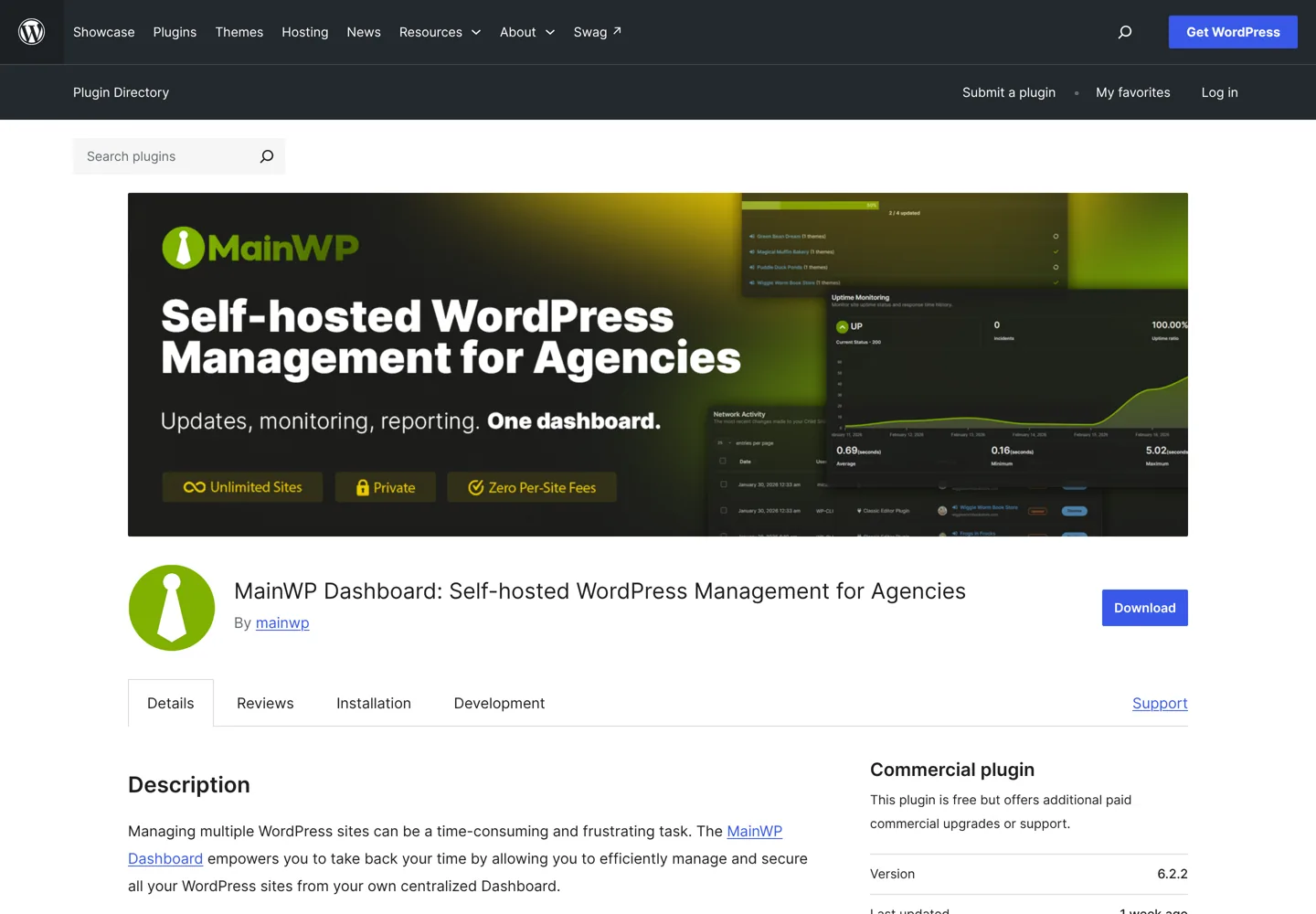
MainWP runs on your own WordPress install rather than on someone else’s cloud, so your clients’ data stays on your server. The MainWP Child plugin calls it “100% free and open-source, with no monthly fees, even for unlimited sites”, extended by a library of add-ons. It covers one-click updates, backups, security scans, bulk management of posts, pages and users, and built-in client management and cost tracking. The Child plugin has 700,000+ active installations and was updated in the past week.
Jetpack Manage: free dashboard from Automattic
Jetpack Manage is a free sign-up for agencies managing a few sites “or upwards of 1,000”. It shows the health of every site in one place, updates plugins across sites in one click, and alerts you when a site needs attention. Jetpack products you buy for clients through it, such as backups and security scans, are billed monthly, and you can stop paying for a client’s site when you stop working with them.
InfiniteWP: self-hosted admin panel
InfiniteWP gives you a free admin panel to install on your own server, plus a client plugin on each site. It offers one-click updates across sites, backup and restore, one-click access to every WordPress admin and bulk plugin and theme management. The client plugin has 200,000+ active installations, a 4.4 out of 5 rating and was updated two months ago.
Which should you choose?
| Tool | Where it runs | Cost to start | Plugin last updated | Best for |
|---|---|---|---|---|
| Bluehost Maestro | Bluehost’s cloud | Free | About 4 years ago | Existing users only |
| ManageWP | Hosted (cloud) | Free; paid add-ons | 2 months ago | Freelancers who want no setup |
| MainWP | Your own server | Free; add-ons | Last week | Agencies that want privacy and control |
| Jetpack Manage | Hosted (cloud) | Free sign-up | Uses the Jetpack plugin | Agencies reselling backups and security |
| InfiniteWP | Your own server | Free admin panel | 2 months ago | Self-hosters on a budget |
Plugin details from each tool’s page on WordPress.org and from Jetpack’s Manage page, checked 11 October 2026.
For most freelancers starting today, ManageWP is the quickest way to get Maestro’s main benefit (every client site, one dashboard, one-click login) with backups on top. Agencies that prefer to keep client data on their own server should look at MainWP. If you already sell Bluehost hosting to clients, the Agency Partner Program adds discounts and referral income, but you can still manage the sites with any of these tools.
Hosting for client sites
Whatever dashboard you use, the host matters more for speed, backups and support. Our Bluehost review covers Bluehost’s current plans and renewal prices, and the best managed WordPress hosting list compares hosts that handle updates and backups for you, which suits client sites well. For a wider view across budgets, see the best WordPress hosting ranking. If you’re new to running WordPress sites, start with our WordPress guide for beginners, and pick the plugins you’ll roll out to clients from the best WordPress plugins.
Questions people ask
What is Bluehost Maestro?
A free dashboard from Bluehost for freelancers and agencies that manage clients' WordPress sites. It groups sites by client and gives one-click login to each site's WordPress admin without sharing passwords.
Do I need Bluehost hosting to use Maestro?
No. The Maestro Connector plugin's FAQ says sites hosted anywhere can connect to Maestro. The Maestro account is free and separate from any Bluehost hosting account.
What access does the Maestro Connector plugin give?
Administrator access: your web pro gets full control of your WordPress admin, including themes, plugins, content, users and user roles.
How do I revoke a web pro's Maestro access?
In WordPress admin go to Users → All Users, hover over the Bluehost Maestro tag next to the web pro and click Revoke Access. They become a Subscriber and the site is disconnected from Maestro.
Is Bluehost Maestro still available?
We found no announcement that it closed, but its connector plugin was last updated about four years ago and Bluehost now promotes its Agency Partner Program to agencies, so check with Bluehost before relying on it.
What is the best alternative to Bluehost Maestro?
ManageWP for a free hosted dashboard with no setup, or MainWP for a free, open-source dashboard on your own server. Both work with sites on any host and are actively updated.
Sources
- Maestro Connector plugin (Bluehost) on WordPress.org wordpress.org · checked October 11, 2026
- ManageWP Worker plugin on WordPress.org wordpress.org · checked October 11, 2026
- MainWP Dashboard plugin on WordPress.org wordpress.org · checked October 11, 2026
- MainWP Child plugin on WordPress.org wordpress.org · checked October 11, 2026
- InfiniteWP Client plugin on WordPress.org wordpress.org · checked October 11, 2026
- Jetpack Manage jetpack.com · checked October 11, 2026
- Bluehost Agency Partner Program (via search results) www.bluehost.com · checked October 11, 2026
- Bluehost blog: Introducing Maestro (via search results) www.bluehost.com · checked October 11, 2026
- WordPress.org: Get WordPress (current version) wordpress.org · checked October 11, 2026

Building websites since 2006: 500+ web projects of every size and $300K+ in website deals sold or brokered. Founder of A Digital Motive and DigiFlippers. I share the whole process here, plainly.
Founder of A Digital Motive and DigiFlippers