- Readers have time for at most 28% of a page's words; 20% is more likely (NN/g).
- Put the most important information first, then add detail.
- Plain English is faster for everyone, including specialists.
- Headings should be descriptive, front-loaded and make sense alone.
- Draft fast, then edit separately: cut, shorten, read aloud.
To improve article writing skills, put the answer first, write in plain words with the active voice, give every section a heading that says what it covers, cut anything the reader doesn’t need, and edit in a separate pass after drafting. Then read it aloud and check it on a phone. Online readers skim: Nielsen Norman Group found that people have time to read at most 28% of the words on an average web page, and 20% is more likely. This guide turns research and the UK government’s writing guidelines into habits you can practise, checked on 12 October 2026.
Want to know what makes a whole blog good, not just the writing? See our good-blog checklist. This page is about the words.

How people actually read articles
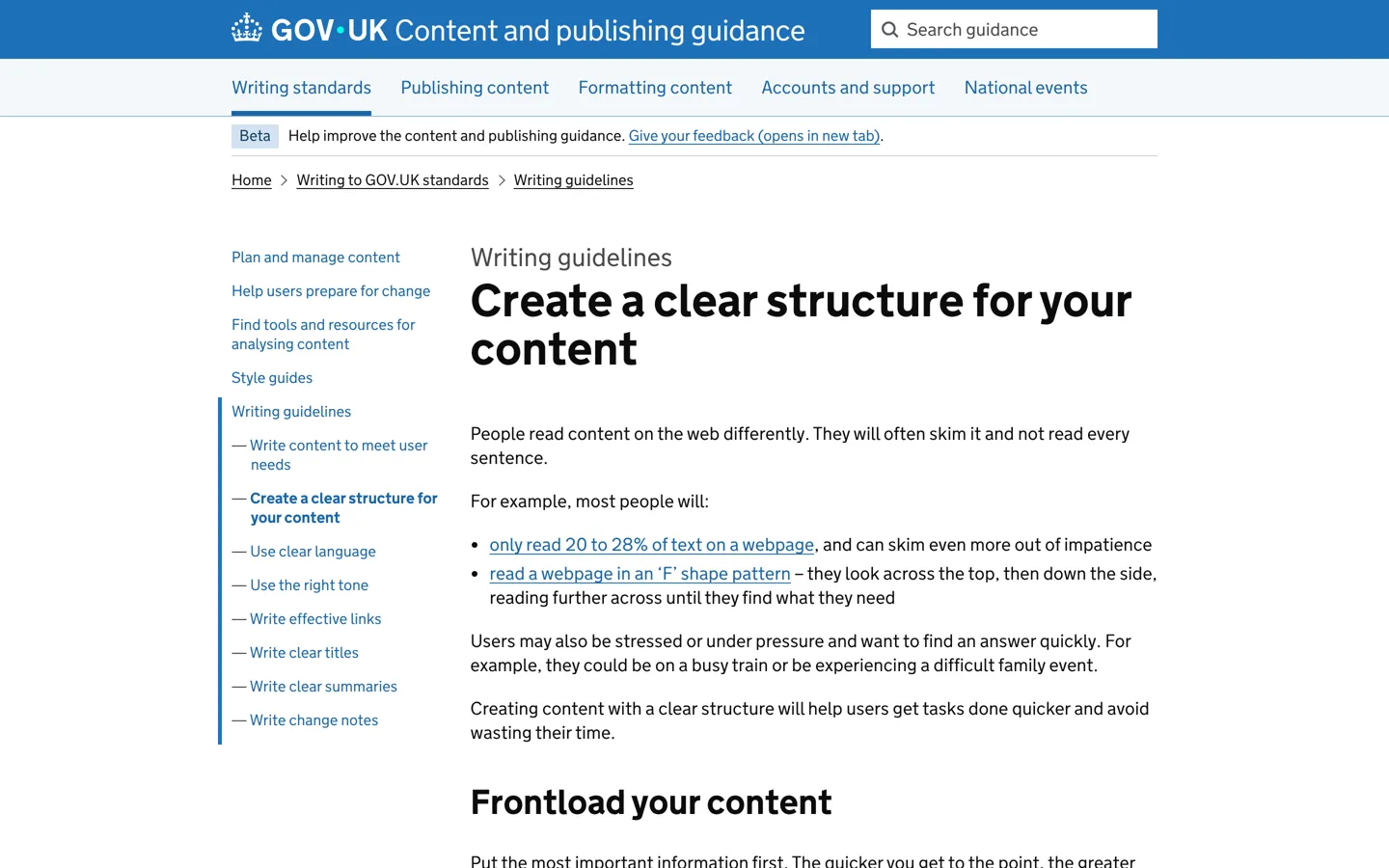
The UK government’s publishing guidance sums up the research: people often skim web content rather than reading every sentence, read only 20 to 28% of the text on a page, and often scan in an “F” shape, looking across the top, then down the side, reading further across only when they find what they need. Nielsen Norman Group, which first described the F-shaped pattern in 2006, says the best response is to do the work for readers: put the most important points in the first two paragraphs, use headings, start headings with the words carrying the most information, and cut unnecessary content.
That’s the core of good article writing: make the important part impossible to miss.
How to improve article writing skills: 10 habits
1. Know the one question you’re answering
Before writing, finish this sentence: “After reading, the reader will be able to…”. If you can’t, the article will wander. One clear purpose makes every later decision easy: what to include, what to cut and what to call the headings.
2. Put the answer first
GOV.UK’s guidance says to put the most important information first, then “taper down to smaller and smaller details”, an approach often called the inverted pyramid. In a blog post, that means the first paragraph answers the question; the rest explains, proves and adds detail.
3. Use plain words
GOV.UK makes plain English mandatory and gives examples: “buy” instead of “purchase”, “help” instead of “assist”, “about” instead of “approximately”. It also notes that research found 80% of people preferred sentences written in clear English, and that the more specialist the reader, the stronger that preference. Plain writing isn’t dumbing down; it’s faster for everyone.
4. Prefer the active voice
“You need a backup plugin” is easier to read than “A backup plugin is needed”. GOV.UK says the active voice is more direct, puts the focus on the reader and keeps sentences short, while the passive voice makes sentences longer and harder to read.
5. Write headings that work on their own
GOV.UK’s guidance asks for headings that are descriptive (not “Introduction”), front-loaded with the most important words, and active where possible, and says the content should still make sense with the headings removed. Readers scanning only your headings should understand the article’s shape.
6. Explain terms the first time
Technical words are fine when readers need them. GOV.UK’s advice is to explain a specialist term in plain English the first time you use it. One short definition saves a reader from leaving to look it up.
7. Keep paragraphs short and use lists
One idea per paragraph, and a list wherever you have steps or several options. Nielsen Norman Group recommends bullets and numbers to call out items in a list or process, and bold for important words and phrases. Don’t overdo bold, or nothing stands out.
8. Make links say where they go
Nielsen Norman Group advises links with “information-bearing words” instead of “go”, “click here” or “more”, which also helps people who hear links read aloud. “Read our guide to backups” beats “click here”.
9. Show, with examples and evidence
An example teaches faster than a description. Use a screenshot of the setting, a before-and-after sentence, or the result of your own test. Evidence also builds trust: readers believe what they can see you did.
10. Edit in a separate pass
Write the draft quickly, then edit later with fresh eyes. In the edit, cut repetition and filler, shorten long sentences, check every fact against its source, and read the article aloud: anything you stumble over needs rewriting.
A before-and-after example
Before: “In this day and age, it is important to note that the utilisation of a caching plugin can potentially assist in facilitating improvements to the overall loading speed of a WordPress website.”
After: “A caching plugin can make your WordPress site load faster.”
The second version says the same thing in a third of the words. It swaps formal words (“utilisation”, “assist in facilitating”) for plain verbs, drops filler (“in this day and age”, “it is important to note”, “potentially”), and speaks to the reader directly.

Write for a phone screen
Many readers will see your article on a phone, where a paragraph that looks short on a computer becomes a wall of text. Keep paragraphs to two to four sentences, put one idea in each, and break up long stretches with a heading, a list or an image. Preview every post on your own phone before publishing; it’s the quickest way to spot sections that feel heavy.
Sound like a person
Write the way you’d explain something to a smart friend: direct, warm and specific. Use “you” for the reader and “I” or “we” for yourself. Contractions such as “you’ll” and “it’s” make text sound natural; GOV.UK’s guidance supports positive contractions but suggests avoiding negative ones like “can’t”, which some readers misread. Avoid hype words (“amazing”, “game-changing”) that make a recommendation sound like an advert.
Using AI drafts carefully
AI tools can help with outlines, alternative headlines or tidying a rough paragraph, but they can’t supply what makes an article worth reading: your own tests, results and judgement. Check every fact an AI tool gives you against the original source, rewrite in your own voice, and add your evidence. Google’s spam policies say that using automation, including AI, mainly to manipulate search rankings breaks its rules; helping you write a better article for people doesn’t.
Tools that help (and their limits)
- Hemingway Editor highlights lengthy, complex sentences and marks adverbs, passive voice and other weakening phrases, which makes it a quick check for habits 3 and 4.
- Grammarly catches spelling, grammar and punctuation mistakes as you type.
- Your word processor’s read-aloud feature is the simplest test of all: you’ll hear clumsy sentences you read past on screen.
Use tools as a second pair of eyes, not as the judge. They can’t tell whether your article answers the reader’s question, and automatic suggestions sometimes make a sentence worse. Our list of blogging tools covers more options.
Practise deliberately
- Rewrite one old post a week using the ten habits, and compare the two versions.
- Write the summary first: two sentences that answer the question. If it’s hard, the article isn’t clear yet in your head.
- Study articles you admire: copy their structure (not their words) into an outline and notice how they open, sequence and close.
- Ask a reader: give a draft to someone in your audience and ask where they got lost.
- Set a word budget for a section and stick to it; constraint forces clarity.
- Keep a swipe file of clear sentences, openings and headings you’ve written or read, and reread it before you start a new post.
Write the opening and the ending well
The opening has one job: tell the reader they’re in the right place and give them the answer or the promise. Skip the warm-up (“Have you ever wondered…”) and start with the point. The ending has one job too: tell the reader what to do next, whether that’s a step to take, a related guide or a decision to make. Avoid ending with a summary that repeats the article; GOV.UK’s guidance makes a similar point about not repeating the summary in the first paragraph.
Common writing mistakes
- Long introductions before the answer.
- Vague headings such as “Overview” or “Final thoughts”.
- Long, formal words where short ones work.
- Passive sentences that hide who does what.
- Unexplained jargon.
- Writing to a word count instead of to the reader’s need.
- Hype instead of evidence: “the best tool ever” with no test or screenshot to back it up.
- Burying the steps in paragraphs when a numbered list would let readers follow along.
Your editing checklist
- The first paragraph answers the question directly.
- Every heading says what its section covers.
- Plain words, active voice, terms explained once.
- Paragraphs short; lists for steps and options.
- Links say where they go, with no “click here”.
- At least one example or piece of evidence per main point.
- Read aloud, checked on a phone, facts checked against sources.
Writing for search as well? Our on-page SEO checklist covers titles, descriptions and links, so a clearly written article is also easy for search engines to understand.
Questions people ask
How can I improve my article writing skills?
Answer one clear question, put the answer first, use plain words and the active voice, write descriptive headings, keep paragraphs short, show examples, and edit in a separate pass. Rewrite one old post a week to practise.
How much of an article do people read?
Nielsen Norman Group found users have time to read at most 28% of the words on an average web page, and about 20% is more likely.
What is the F-shaped reading pattern?
A scanning pattern identified by Nielsen Norman Group: people look across the top, then down the left side, reading further across only when something catches their interest.
Should blog posts use plain English?
Yes. GOV.UK cites research where 80% of people preferred clear English, and specialists preferred it even more strongly.
Active or passive voice?
Mostly active: it's more direct and keeps sentences short. Passive works when the outcome matters more than who did it.
Which tools help with writing?
Hemingway Editor highlights long sentences and passive voice; Grammarly catches spelling, grammar and punctuation. Neither replaces reading your article as the reader would.
Sources
- How Little Do Users Read? (Nielsen Norman Group) www.nngroup.com · checked October 12, 2026
- F-Shaped Pattern of Reading on the Web (Nielsen Norman Group) www.nngroup.com · checked October 12, 2026
- Create a clear structure for your content (GOV.UK) guidance.publishing.service.gov.uk · checked October 12, 2026
- Use clear language (GOV.UK) guidance.publishing.service.gov.uk · checked October 12, 2026
- Hemingway Editor hemingwayapp.com · checked October 12, 2026
- Grammarly grammar checker www.grammarly.com · checked October 12, 2026

Building websites since 2006: 500+ web projects of every size and $300K+ in website deals sold or brokered. Founder of A Digital Motive and DigiFlippers. I share the whole process here, plainly.
Founder of A Digital Motive and DigiFlippers